
One of 15+ Modules
Advanced Divi Cart Totals Module
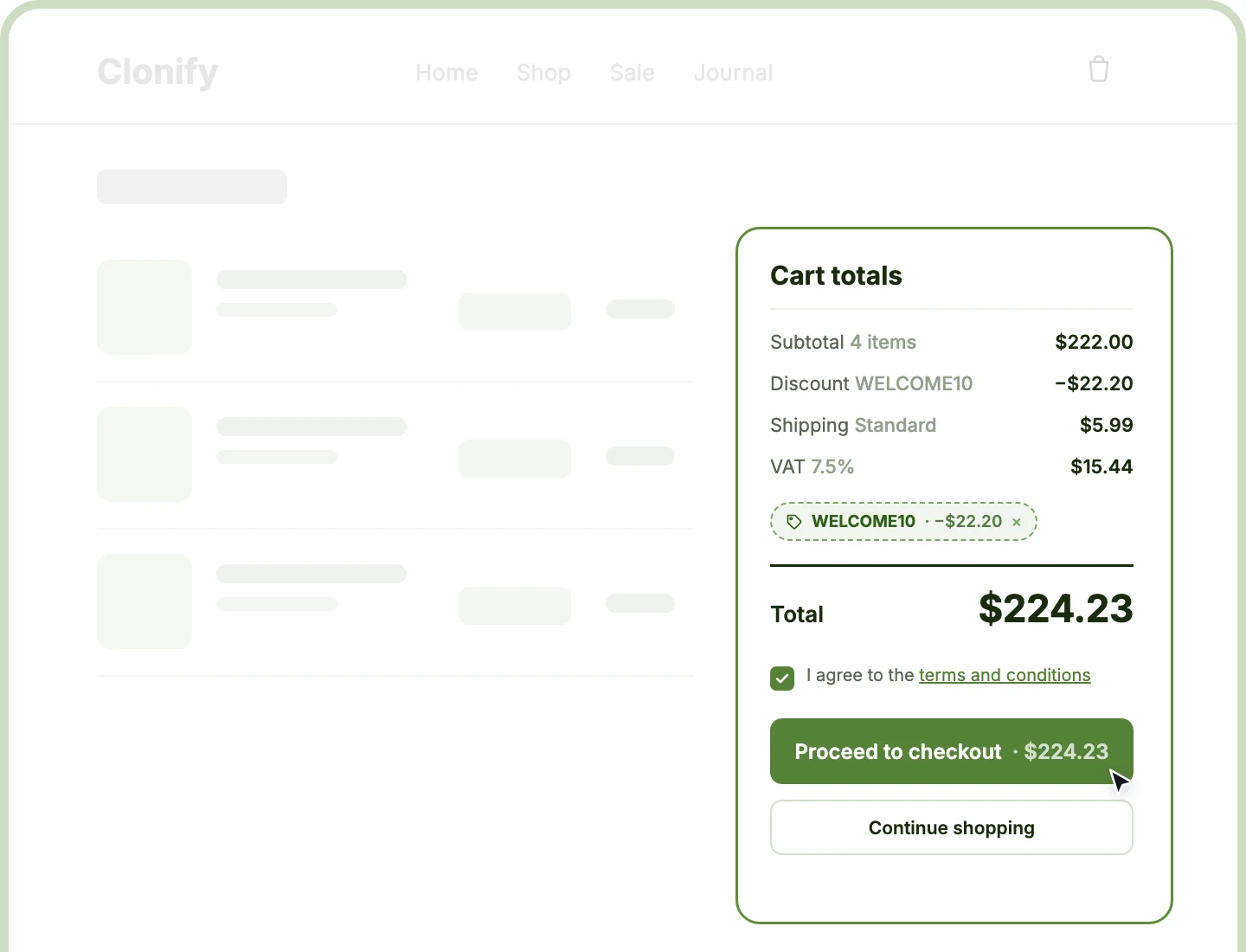
Advanced Divi Cart Totals module replaces WooCommerce's cart totals box with one you design, from the totals rows to the checkout button. Shoppers apply coupons, choose shipping, and see every figure update in place, inside a Classic Stack or Two Column layout you rearrange section by section.
Two Ready Templates
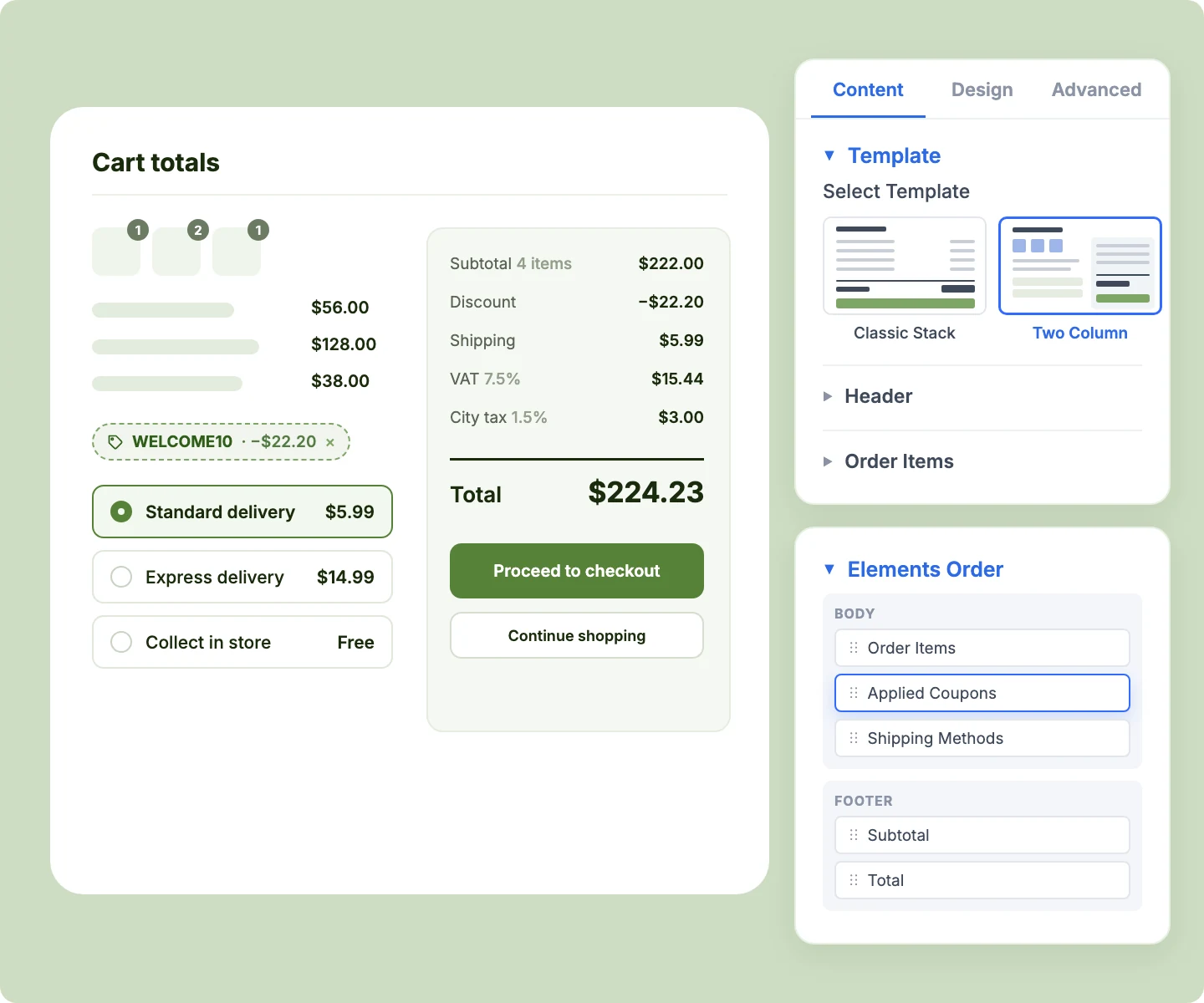
Start from a single-column Classic Stack or a checkout-style Two Column layout, then drag any section into the header, body, or footer.
Live Cart Updates
Apply a coupon, pick a shipping method, or change a quantity, and every figure updates in place while shoppers stay on the cart page.
Coupons and Shipping
Let shoppers apply coupons, pick a shipping method, and see their delivery address inside the totals box, right where they decide to check out.
Design a Divi Cart Totals Box That Moves Shoppers to Checkout
Start From a Template, Then Rearrange

Use Two Column for a checkout-style receipt beside the items that stacks neatly on phones.
-
Reorder sections with drag and drop in Elements Order, and switched-off sections keep their spot.
-
Lay the areas out as a column, a row, or a grid with Divi's Layout controls per device.
-
Add an order recap as a list, thumbnails, or both, with quantity badges and a "+n more" line.
-
Pair the totals with Advanced Cart Products, where shoppers edit lines and both modules update together.
Show Every Figure Shoppers Expect to See
-
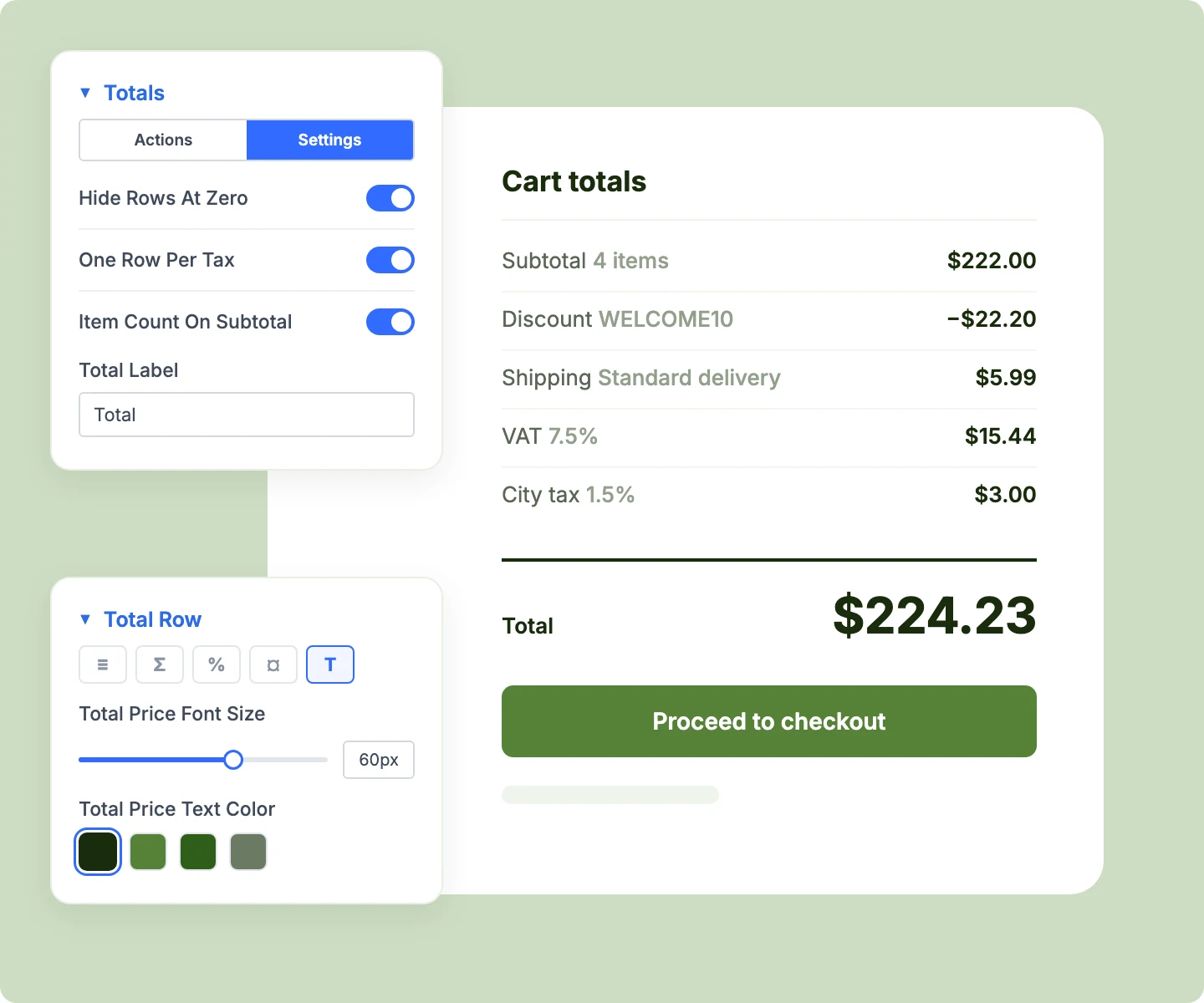
Show subtotal, discount, shipping, tax, and total rows, each with a label written for your store.
-
Add the item count, coupon code, shipping method, or tax rate beside each row's label.
-
Split taxes into one row each, like VAT and a city tax, or combine them in one row.
-
Show discount and tax rows only when they apply, keeping the box clean for every cart.
-
Style each totals row on its own, so the final total stands out above everything else.
Handle Coupons and Shipping in One Place
-
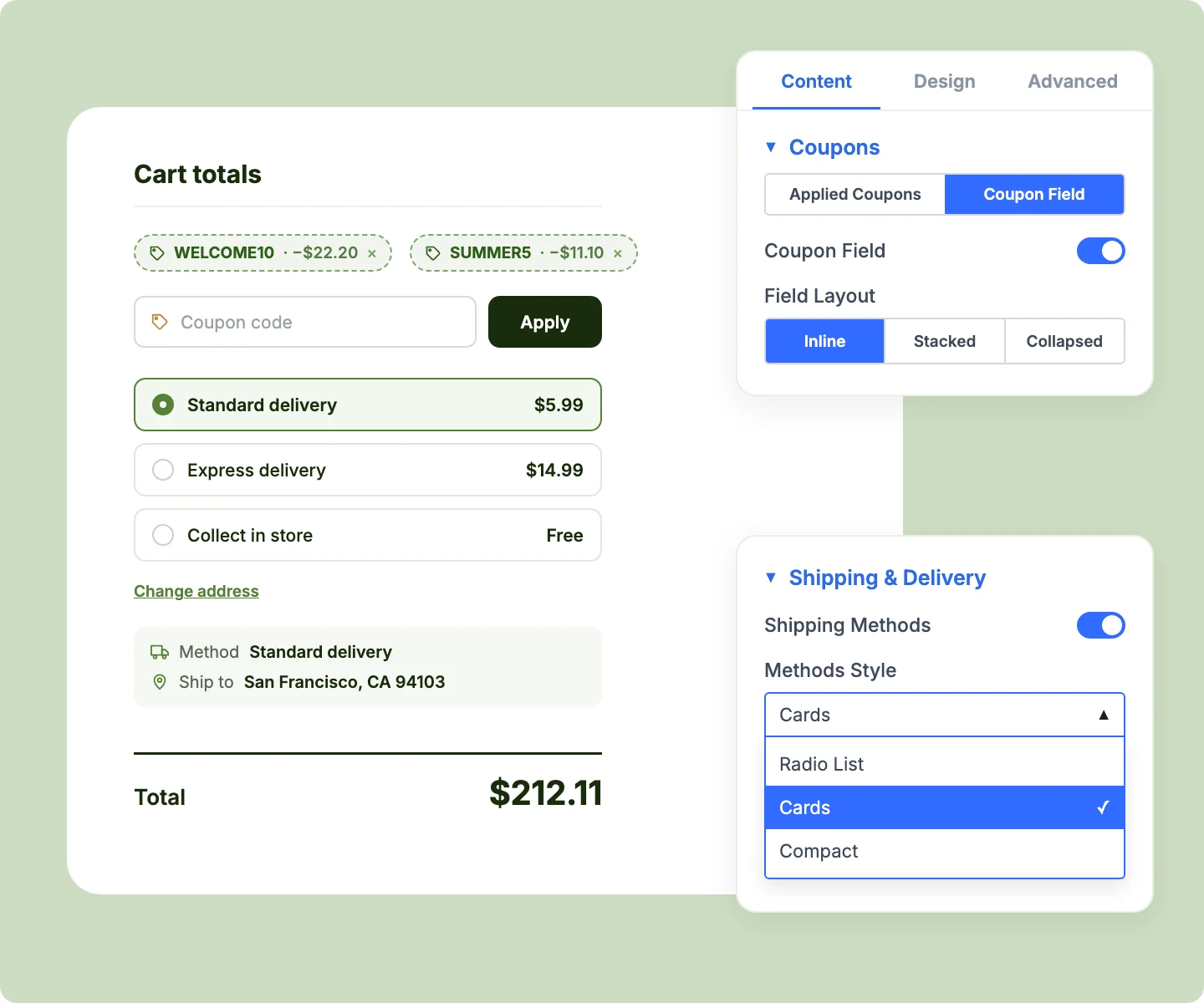
Add a coupon field inline, stacked, or collapsed behind a "Have a coupon?" link.
-
Show applied coupons as chips or rows, each with its saving and a one-click remove.
-
Offer shipping as a radio list, cards, or a compact list, with WooCommerce's shipping calculator below.
-
Confirm the delivery address and chosen method in one line, or one line per detail with icons.
Guide Shoppers Into Checkout With Confidence
-
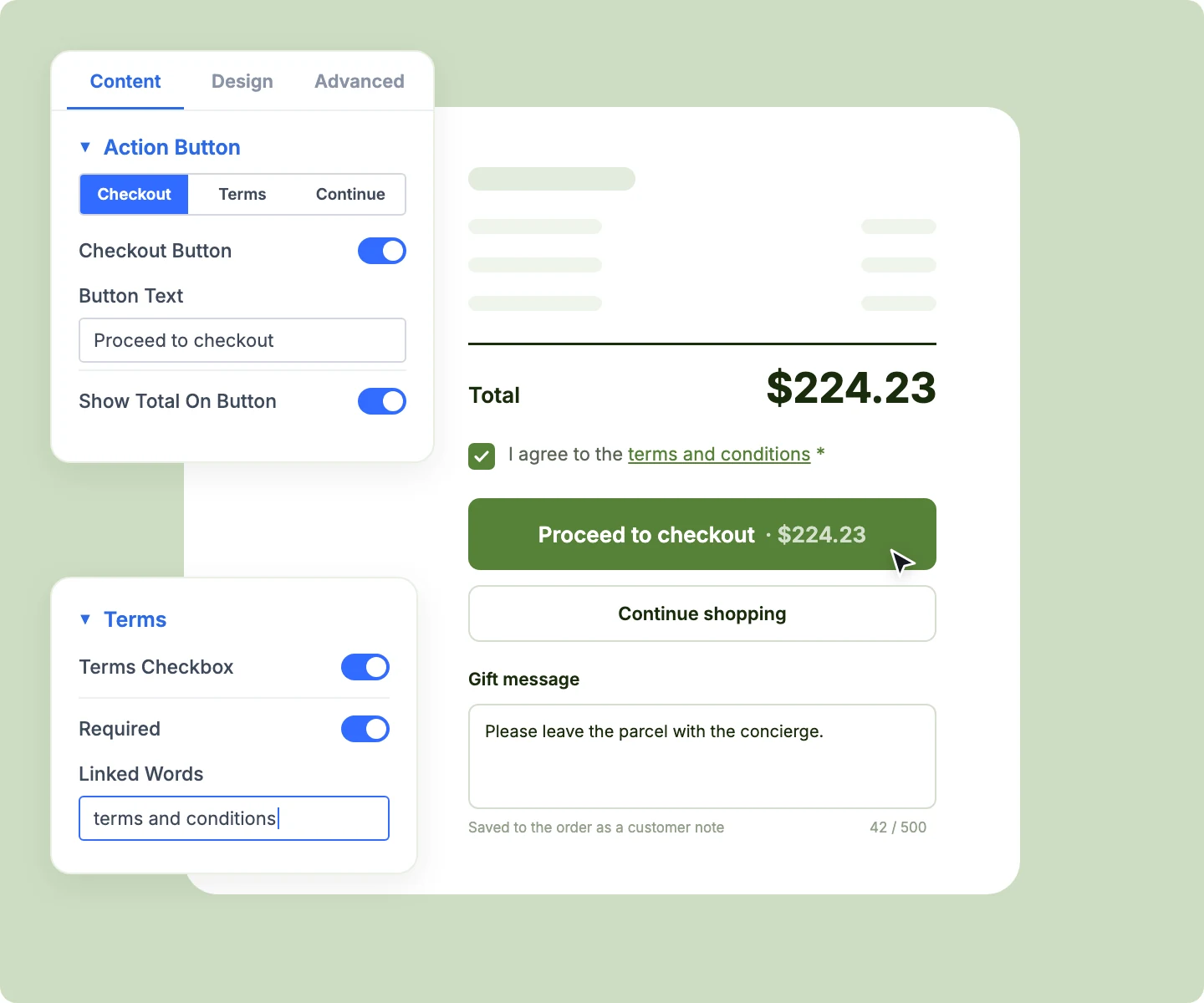
Show the order total on the checkout button, with button text written in your brand voice.
-
Add a terms checkbox that holds the Checkout button until shoppers accept your terms.
-
Collect an order note in the cart that fills the Order notes field on WooCommerce's classic checkout.
-
Add a Continue Shopping link back to your shop or any page you choose.
Free Ready-to-Use Cart Totals Layouts to Get Started
Skip the setup with DiviMerc's pre-made cart page layouts, each pairing Advanced Cart Totals with Advanced Cart Products. Every layout is fully customizable and responsive, ready to drop into your Divi Theme Builder cart template. Pick a style, set your colors, and go live in minutes.

DiviMerc Advanced Cart Totals vs Divi Woo Cart Totals: Which Gives You More Control?
| Feature | DiviMerc Advanced Cart Totals | Divi Woo Cart Totals |
|---|---|---|
| Layout templates | Classic Stack or Two Column |  WooCommerce's single layout WooCommerce's single layout |
| Rearrange sections | Drag across header, body, and footer | Fixed order |
| Order recap with thumbnails | List, thumbnails, or both | Not available |
| Coupon field in the totals box | Inline, stacked, or collapsed | Sits with the cart products |
| Applied coupons | Chips or rows with the saving | A Remove link in the row |
| Shipping method style | Radio list, cards, or compact | Radio list only |
| Total on the checkout button | One toggle | Not available |
| Terms checkbox before checkout | Can hold the Checkout button | Checkout page only |
| Order note on the cart page | Carries through to checkout | Checkout page only |
| WooCommerce taxes, shipping zones, and coupons | Same rules | Same rules |
Ready to Turn Your Cart Totals Into a Clear Path to Checkout?
FAQs on Cart Totals for Divi
Everything you need to know about the Advanced Cart Totals module before you get started.
What Is the Advanced Divi Cart Totals Module?
How Is It Different From Divi's Woo Cart Totals Module?
How Do I Add Advanced Cart Totals in Divi?
Does the Cart Update Without Reloading the Page?
Can Shoppers Change Quantities in Advanced Cart Totals?
Can I Show Product Thumbnails in the Totals Box?
Can Shoppers Choose a Shipping Method in the Cart?
How Do I Make Shoppers Accept the Terms Before Checkout?
Does the Order Note Reach the Order?
Why Is the Total Higher Than the Rows Above It?
What Shows When the Cart Is Empty?
Why Does the Visual Builder Show Sample Products?
Does Advanced Cart Totals Work on Mobile?