One of 15+ Modules
Advanced Divi Product Reviews Module
Advanced Divi Product Reviews module turns your WooCommerce reviews into a section you design, built from three parts: a rating summary, customer reviews, and the review form. Shoppers filter reviews by star rating and sort them, and the included Product Reviews Manager extension adds review photos and titles.
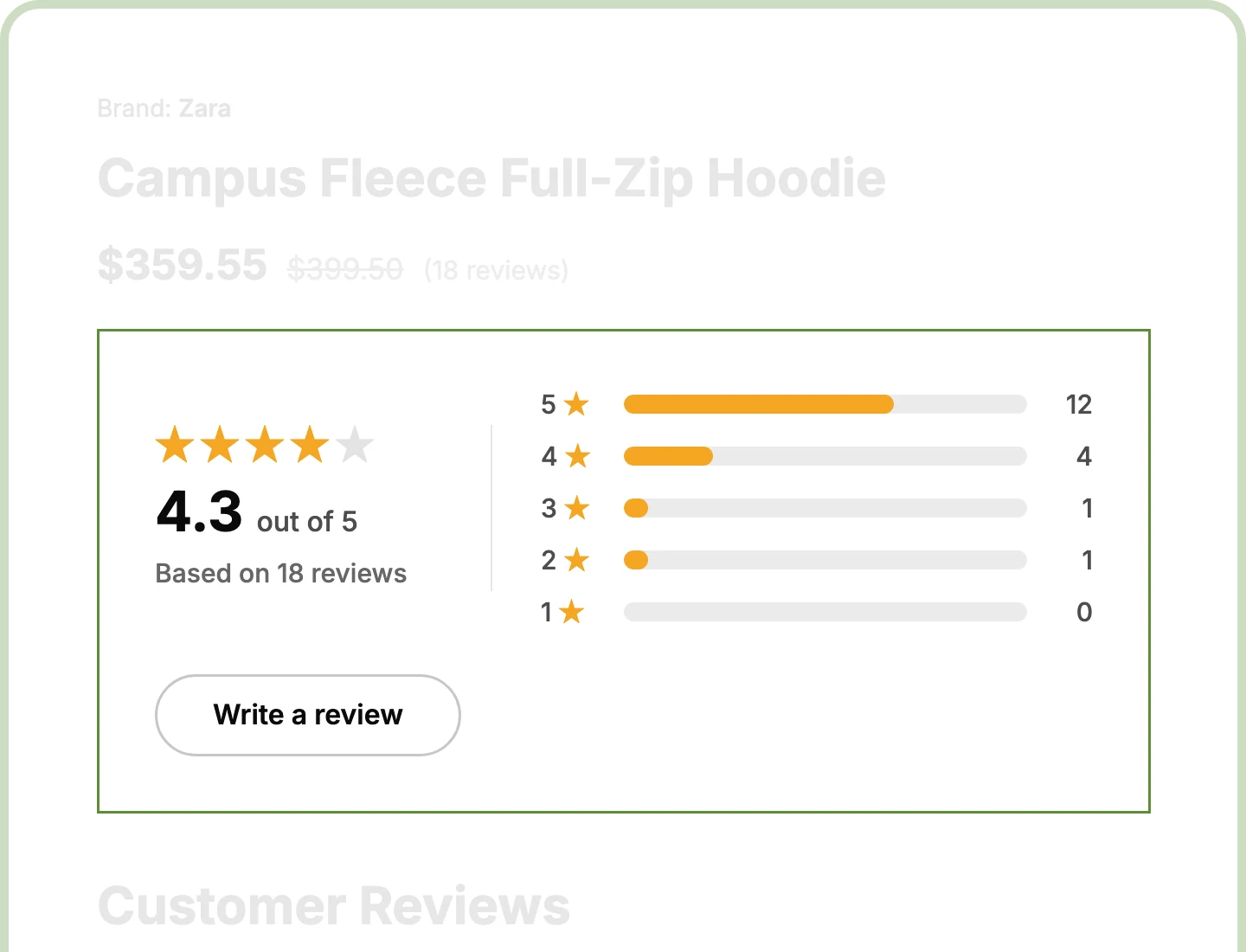
Clickable Rating Summary
Show the average, the review count, and five breakdown bars, and let shoppers click any bar to see only reviews with that star rating.
Three Review Parts
Place the rating summary, the reviews, and the review form together or apart, like a summary near the top and the full section further down.
Photos and Titles
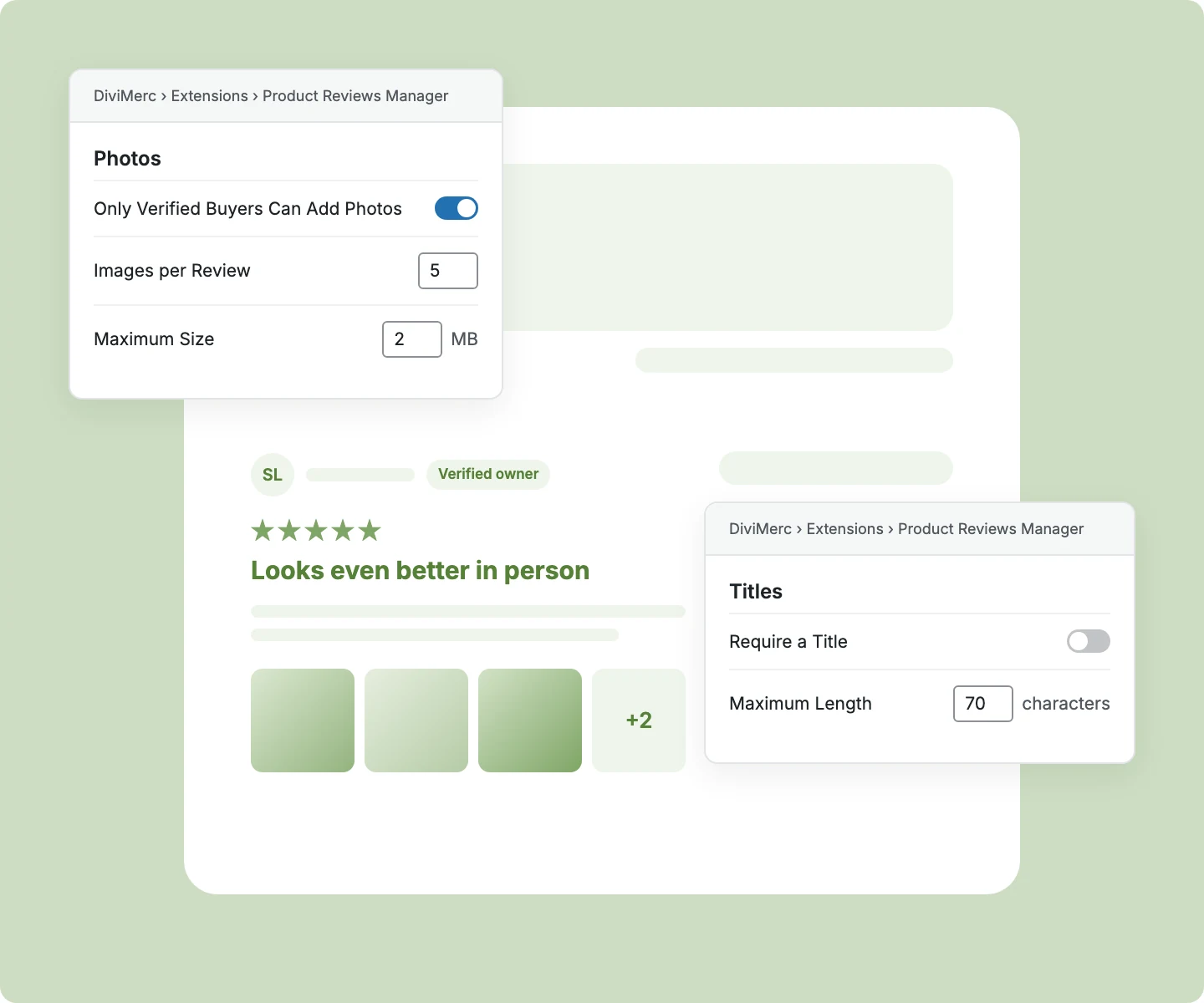
Let verified buyers attach photos and reviewers add a title with Product Reviews Manager, so new shoppers see the product in real customers' hands.
Design Divi Product Reviews That Win Trust and Match Your Store
Show Ratings Where Shoppers Decide to Buy

Pick a large score or stars with a score, beside bars that show how ratings break down.
Let shoppers click any breakdown bar to filter the reviews below, with a chip that clears it.
Add a Write a Review button that scrolls straight to the form, even inside a tab or toggle.
Swap the star shape for any Divi icon, so ratings match the rest of your design.
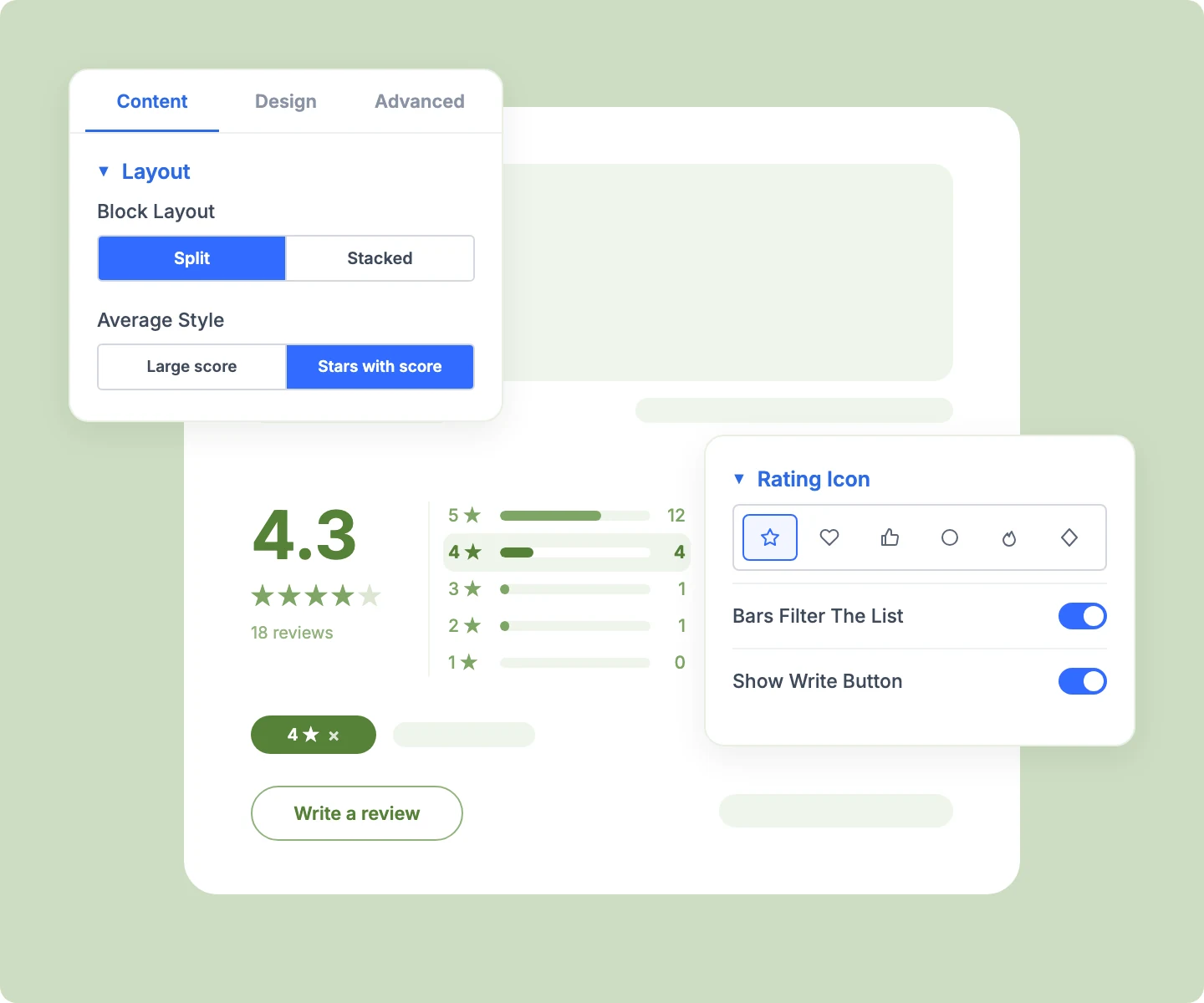
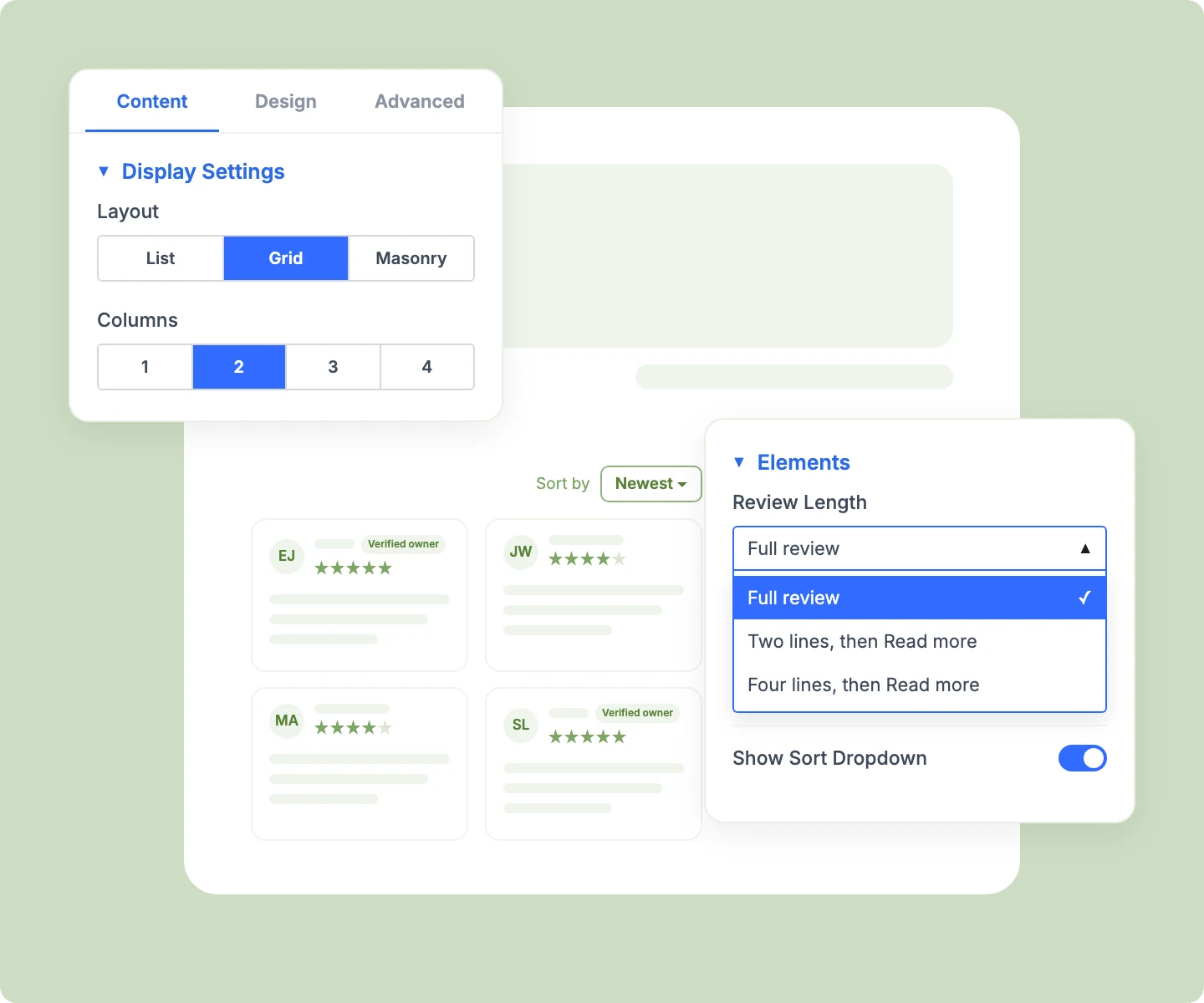
Show Reviews Shoppers Actually Read
Arrange reviews as a list, a grid, or masonry, with 1 to 4 columns set per device.
Let shoppers sort and page through reviews without a page reload, with Load More or numbered pages.
Shorten long reviews to two or four lines with Read More, keeping cards tidy in a grid.
Show the verified owner badge, avatars or initials, and shop replies, so every review carries proof.
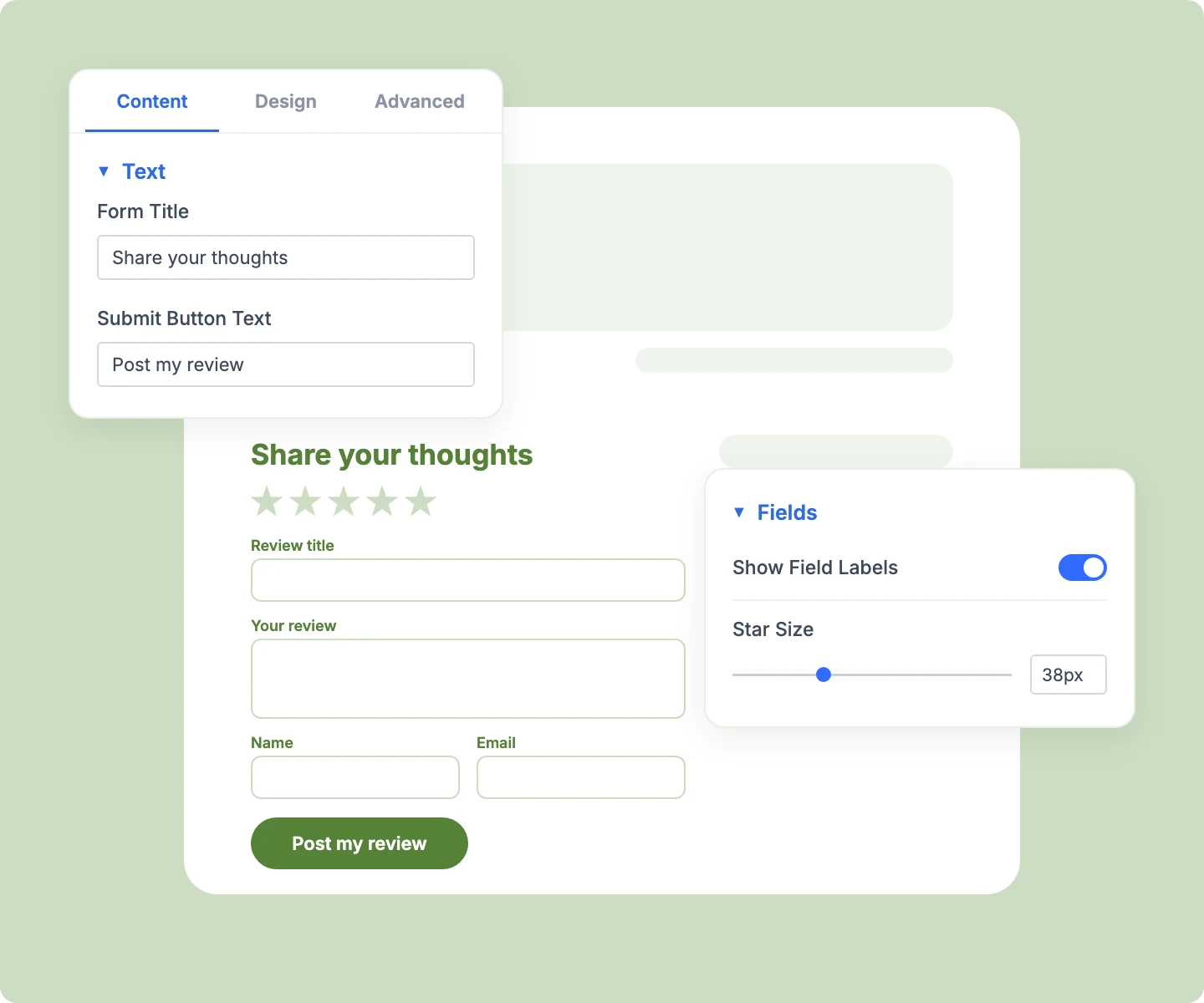
Collect More Reviews With a Better Form
Write your own form title, description, and submit text, so the form sounds like your brand.
Put field labels above each field, or turn them into placeholders for a compact form.
Show a friendly notice when only verified owners may review, instead of an empty space.
Keep WooCommerce's own form underneath, so its rules, moderation, and review plugins still work.
Add Photos and Titles With Product Reviews Manager
Let verified buyers attach up to 10 photos per review, or open photo uploads to every reviewer.
Let reviewers add a title that shows above their review, and make it required if you like.
Keep your media library lean, as large photos resize automatically and unused uploads delete themselves.
Check each review's photos and title on Products → Reviews before you approve it.
Free Ready-to-Use Product Reviews Layouts to Get Started
Skip the setup with DiviMerc's pre-made product reviews layouts, from a classic three-part section to a review grid inside a tab. Each one is fully customizable and responsive, ready to drop into your Divi Theme Builder product template. Pick a style, set your colors, and go live in minutes.

DiviMerc Advanced Product Reviews vs Divi Default Reviews: Which Gives You More Control?
| Feature | DiviMerc Advanced Product Reviews | Divi Default Reviews |
|---|---|---|
| Rating summary with breakdown bars | Average, count, and five bars |  Not available Not available |
| Filter reviews by star rating | Click any breakdown bar | Not available |
| Sort dropdown for shoppers | Newest, oldest, highest, or lowest | Not available |
| Review layouts | List, grid, or masonry | List only |
| Read More on long reviews | Two or four lines | Full text only |
| Review photos and titles | With Product Reviews Manager | Not available |
| Avatar style | Gravatar or reviewer's initials | Gravatar only |
| Summary, reviews, and form | Three parts, placed anywhere | One combined block |
| WooCommerce reviews and settings | Same reviews, same rules | Same reviews, same rules |
Ready to Let Real Customer Reviews Do the Selling?
FAQs on Product Reviews for Divi
Everything you need to know about the Advanced Product Reviews module and Product Reviews Manager before you get started.
What Is the Advanced Divi Product Reviews Module?
How Is It Different From Divi's Default Reviews Module?
Do I Need Product Reviews Manager?
How Do I Add Advanced Product Reviews in Divi?
Can Shoppers Filter Reviews by Star Rating?
Can Visitors Sort the Reviews?
Can Customers Add Photos to Their Reviews?
Will Older Reviews Get Photos and Titles?
Can I Show the Rating Summary Near the Top of the Page?
Can I Put the Reviews Inside a Product Tab?
Why Can't Some Visitors See the Review Form?
Why Does the Visual Builder Show Sample Reviews?
Does Advanced Product Reviews Work on Mobile?