

For most stores WooCommerce and Divi's built-in tools may still be enough for now.
But for more design control, more conversion features with less plugin might still be need.
Divi BodyCommerce can fill this gap.
In this review, we look at what Divi BodyCommerce actually includes, and how other aspects fit till the limitations to weigh before you commit.
Quick Answer: Is Divi BodyCommerce Worth It?
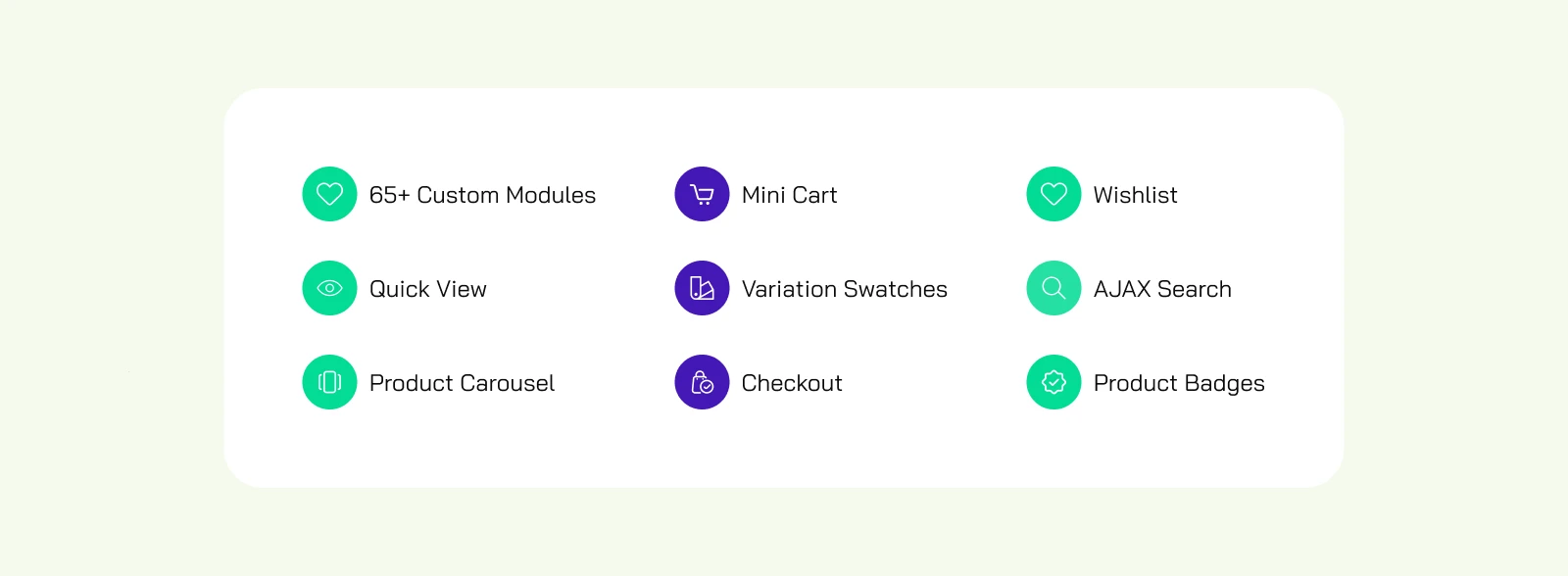
Yes, for most Divi store owners, Divi BodyCommerce is worth considering. It has 65+ custom Divi modules, and 30+ features.
If you want deep control over your WooCommerce store without stacking five separate plugins.
It adds Ajax filtering,, custom checkout flows, order bumps, a mini cart, product badges, and dozens of other modules directly inside the Divi Builder.
The trade-off: a learning curve on setup, and a subscription cost that only pays off if you actually use the depth on offer.
Verdict Scorecard
| Criterion | Assessment |
|---|---|
| Best for | Established Divi WooCommerce stores and agencies |
| Avoid if | You need only one small feature, or you have weak hosting |
| Biggest strength | One tool for Divi-native store customisation |
| Biggest caveat | Setup takes real effort, and documentation for advanced features falls short |
| Value | Strong when it replaces several paid plugins |
Who Actually Needs Divi BodyCommerce?
- Growing product catalogues. If customers scroll through pages of products with no way to narrow results, Ajax filtering alone justifies the plugin.
- Stores with product variations. Clothing, cosmetics, furniture, and similar shops benefit heavily from visual variation swatches instead of plain dropdowns.
- Agencies building client sites. Fewer plugins per build means fewer support tickets six months later, which is a real cost saving for anyone maintaining multiple client stores.
- Stores chasing a higher average order value. Features like order bumps and a mini cart are built specifically to cut cart abandonment and lift revenue per checkout.
If a store is small, gets low traffic, or is still testing its product range, the investment may be too early. That's a fair, honest read of the situation, not a sales pitch.
Should You Buy Divi BodyCommerce? A Decision Table
| Store Type | Verdict | Why |
|---|---|---|
| Established Divi + WooCommerce store with a growing catalogue | Buy | Brings filtering, swatches, checkout, and cart together in one maintained toolkit instead of five |
| Agency managing multiple client sites | Buy (Unlimited or All Access tier) | Cuts down on plugins across builds and gives every client the same level of support |
| New store still finding product-market fit | Wait | It's too early to spend the money before traffic and catalogue size justify the cost |
| Store that only needs one narrow feature, like swatches alone | Skip | A smaller, single-purpose plugin does that one job for less |
| Store on a budget or on resource-capped shared hosting | Skip until hosting improves | This many features need more PHP power and memory than that hosting gives you |
Core Features Breakdown
Ajax Product Filters
Customers can filter products by price, attribute, category, and custom taxonomy without the page reloading. You build and style the filters, including number sliders, right inside the Divi Builder, so the filtering matches the rest of your site instead of looking bolted on.
Variation Swatches
Visual swatches, colour chips, or thumbnail images replace the standard WooCommerce dropdowns for size, colour, and material. It's a small change, but it makes product pages clearer and stops customers from guessing what a variation looks like.
Ajax Add to Cart
Customers add items to the basket without a full page reload, on category pages, single product pages, and variable products. Divi Engine says this works reliably with core product types, subscriptions, and bundles, and recommends careful testing with heavily customised third-party product types.
Custom Loop Layouts
Product grids no longer have to follow the default Divi shop layout. Custom loops give you full control over how products are arranged and displayed, which helps if you want your catalogue to feel hand-picked instead of generic.
Checkout Style Options
Divi BodyCommerce includes four checkout layouts: a clean, Shopify-style single flow, a multi-step checkout, an accordion-style checkout, and a one-page checkout. You can restyle each one to match your brand, which fixes one of the hardest WooCommerce customisation problems.
Order Bumps
A checkout upsell feature that shows relevant, discounted add-on products at the point of purchase — the same technique large retailers use to raise order value. You can tie discounts to what's already in the cart, so the offer stays relevant instead of generic.
Mini Cart and Product Badges
A dropdown mini cart lets shoppers review their basket without leaving the page they're on. Custom product badges, including SVG designs and dynamic "new" or "sale" timing, add visual cues that plain WooCommerce doesn't offer on its own.
Wishlist and Product Compare
Customers can save products to a wishlist from their account area, and compare products side by side on price, rating, and stock status. Both features help bring customers back and support slower purchase decisions, which matter more in categories where people don't buy on their first visit.
WooCommerce Email Customisation
You can restyle transactional emails inside the same builder — layout, colour, fonts, and content — so order confirmations and shipping updates look like they come from the same brand as the store.
Performance and Compatibility: What to Expect
A note before we start: this section is our assessment based on Divi BodyCommerce's listed requirements, how it's described to behave, and patterns we found in verified reviews. It's not a live benchmark test with our own load-time numbers, and we'd rather say that clearly than imply testing we haven't done.
Caching and Filter Performance
Divi BodyCommerce includes transient caching, which temporarily stores filtered results to cut down on repeated database queries. That's a smart addition, since Ajax filtering can put a heavy load on the database on larger catalogues. It also works well alongside server-side caching layers like Redis, Memcached, or WordPress Object Cache, instead of competing with them.
Hosting and Environment Requirements
Recommended environment: PHP 7.4 or higher, at least 512MB memory limit, 300 seconds max execution time, MySQL 5.7 or higher, and WordPress 5.8 or higher.
These aren't unusual requirements, but they do rule out budget shared hosting that limits resources heavily. If a store is already slow on its current host, adding a feature-rich plugin like this without upgrading hosting first is asking for trouble.
Product Type and Ajax Compatibility
Divi Engine's documentation says Ajax Add to Cart works reliably with core WooCommerce product types, subscriptions, and bundles. If your store runs heavily customised or third-party product types, test compatibility on staging before you rely on it at checkout, and turn it off for any product type where it behaves oddly.
Divi 5 Compatibility: What's Planned
Divi Engine confirms Divi BodyCommerce will get updates for full Divi 5 compatibility once that release is stable, but they clearly discourage running it on Divi 5 pre-release builds on a live production site. If you're planning a Divi 5 migration, plan the timing carefully instead of leaving it as an afterthought.
Pricing Breakdown
You can buy Divi BodyCommerce two ways: as a standalone plugin, or bundled inside Divi Engine's All Access Pass. It's worth laying out both options side by side, because the right choice depends entirely on how many other Divi Engine tools a store already uses.
Standalone Divi BodyCommerce Pricing
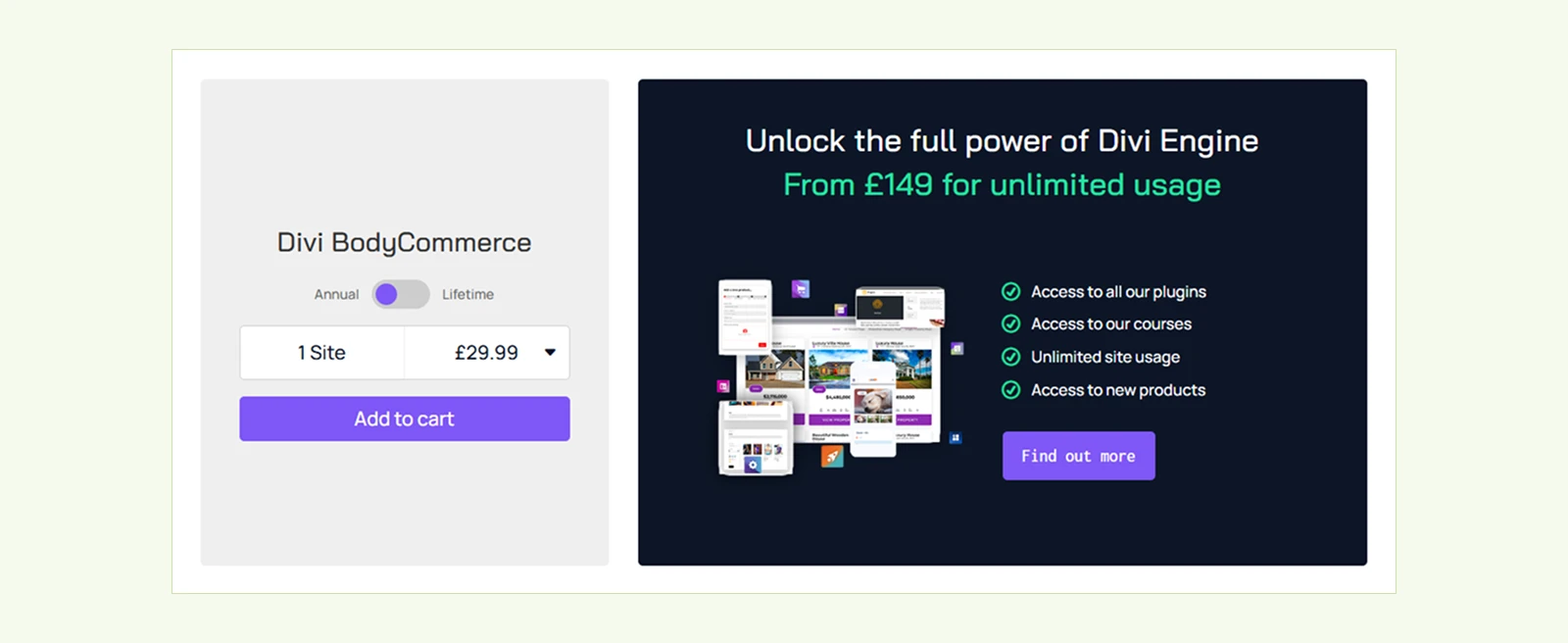
| Plan | 1 Site | Unlimited Sites |
|---|---|---|
| Annual | £29.99 | £109.99 |
| Lifetime | £89.99 | £329.99 |
All Access Pass (Bundled Pricing)
For anyone who wants more than just BodyCommerce, Divi Engine's All Access Pass bundles all 12 of their plugins, including Divi BodyCommerce, Divi Machine, and Divi Ajax Filter — under one unlimited-site license.
| Plan | Price | Billing | Site Limit |
|---|---|---|---|
| Monthly | £25 | Per month | Unlimited |
| Annual | £149 | Per year | Unlimited |
| Lifetime | £550 | One time | Unlimited |
Every tier includes all 12 plugins, unlimited site activations, layout packs, courses, and premium support.
On paper, Divi Engine says this bundle saves more than 55 percent compared with buying each plugin separately at the unlimited tier.
Pain point to flag: if a store only ever needs WooCommerce-specific features, the standalone unlimited license at £109.99 a year is still cheaper than the £149 All Access annual plan.
The bundle is only worth the price if you genuinely plan to use two or three of the other plugins too like a mega menu, a mobile menu builder, or a form builder at some point.
Buying the bundle just for BodyCommerce and never touching the rest is the most common way this pricing model stops making sense.
Support, Documentation, and Refund Policy
Divi Engine treats support as a core part of the product, not an extra, and reviews on both platforms back that up, with repeated praise for how fast support solves styling and configuration issues.
Divi Engine also includes a 14-day money-back guarantee, which lowers the risk of testing the plugin on a real project.
The most common, believable criticism in user feedback is that the documentation only covers the basics for some advanced feature.
It puts more pressure on the support team to fill the gap. For a plugin with this many modules, deeper documentation would help new users get real value out of it faster.
What We Like and What We Didn't Like
| What We Like | What We Didn't Like |
|---|---|
| Replaces multiple single-purpose plugins with one maintained toolkit | A learning curve for users new to Divi's module-heavy workflow |
| 65+ modules covering filtering, swatches, checkout, cart, and more | Documentation doesn't fully match the depth of the feature set |
| Built-in transient caching for filter performance | Unlimited-site pricing is a big jump from single-site pricing |
| Four checkout styles with full brand styling | Ajax add-to-cart compatibility varies with some third-party product types |
| Strong, consistently rated support and a 14-day guarantee | Needs decent hosting to perform well at scale |
Common Setup Mistakes That Cost Store Owners Time

- Skipping a staging test. Ajax filtering and Ajax add-to-cart affect core WooCommerce behaviour, so test on a staging copy first to catch conflicts before they reach paying customers.
- Turning on every module at once. With 65+ modules available, turning everything on from day one makes it hard to find what's causing a slowdown or a styling clash. Turn features on in stages to keep troubleshooting simple.
- Ignoring product type compatibility. Ajax add-to-cart works with core product types, subscriptions, and bundles. If your store runs heavily customised or third-party product types, check compatibility before you rely on it at checkout.
- Underestimating hosting needs. Meeting the bare minimum PHP and memory requirements is different from having extra room during a traffic spike. If you expect sales events, size your hosting for peak load, not average load.
- Not planning for documentation gaps. Since the documentation doesn't cover every advanced feature in full, plan time to raise a support ticket for anything unusual, instead of assuming you'll find the answer with a quick search.
The Real Cost of Running Too Many Plugins
It helps to step back and name the real problem this plugin solves, because it's bigger than any single feature.
Stacking separate WooCommerce plugins for filtering, swatches, mini carts, and checkouts slows site speed, increases conflict risks, and adds maintenance overhead by duplicating scripts and database calls.
Consolidating them into one toolkit boosts performance and simplifies store management.
That adds up in three ways that matter to a store's bottom line:
- Page speed. Every extra plugin adds weight to load time, and load time has a direct, measurable effect on conversion rate and cart abandonment.
- Conflict risk. Plugins built by different teams, updated on different schedules, are more likely to clash after a WordPress, Divi, or WooCommerce core update.
- Maintenance overhead. Every plugin is a separate changelog to track, a separate support channel to contact, and a separate point of failure to debug when something breaks before a launch.
Bringing that stack together into one actively maintained toolkit is the real value of a plugin like Divi BodyCommerce. It's the same thinking behind the wider shift toward all-in-one WooCommerce toolkits built specifically for Divi, instead of pieced together from unrelated plugins.
Frequently Asked Questions
Does Divi BodyCommerce add new modules to the Divi Builder?
Yes. It adds a large library of custom modules built specifically for WooCommerce, covering product pages, carts, checkout flows, and account areas, so store owners can design and customize everything entirely inside the Divi Builder.
Is Divi BodyCommerce good for beginners?
It's approachable for anyone already comfortable with the Divi Builder, but the sheer number of features means new users should expect a real learning phase. Working through the tutorials before building a live store is the smart route.
Does Divi BodyCommerce slow down a WooCommerce store?
Not inherently. The plugin includes transient caching to reduce database load from filtering, and it works alongside standard server-side caching tools. Performance still depends on hosting quality, so pairing it with solid hosting matters on larger catalogues.
Will Divi BodyCommerce work with Divi 5?
Divi Engine confirms it will update the plugin for full Divi 5 compatibility once that version is officially stable. It doesn't recommend using it with Divi 5 pre-release builds on a live site.
Do I need a separate filtering plugin alongside Divi BodyCommerce?
No. Divi BodyCommerce includes Ajax filtering directly, so there's no need to install or pay for a standalone filtering plugin on top of it.
What checkout styles does Divi BodyCommerce include?
Four options: a minimal single-page style, a multi-step checkout, an accordion-style checkout, and a full one-page checkout. You can restyle each one to match a store's branding.
Is there a refund option if Divi BodyCommerce doesn't fit a project?
Yes. Divi Engine offers a 14-day money-back guarantee under their standard refund conditions, which gives store owners a low-risk way to test the plugin on a real build.
Is it cheaper to buy Divi BodyCommerce alone or get the All Access Pass?
It depends on how many other Divi Engine plugins you actually need. For WooCommerce features alone, the standalone unlimited license is cheaper than the All Access Pass. The bundle only pays off once you're also using at least two or three other plugins from the same company.
Are Divi BodyCommerce reviews trustworthy?
The product page rating and the Trustpilot rating measure different things, the first is product-specific, the second is company-wide, so read them together rather than on their own. Both are publicly checkable rather than self-reported, which is a reasonable trust signal on its own.
Final Verdict
Divi BodyCommerce earns its reputation as one of the more complete WooCommerce toolkits built for Divi. The feature set is genuinely deep, not padded out.
The support reputation is strong, and bringing multiple plugin functions into one tool is a real, practical benefit for anyone tired of running too many plugins.
The honest downsides are the learning curve, the documentation gap on advanced features, and a price jump at the unlimited tier that deserves a proper cost comparison before you commit.
For Divi store owners who are serious about their WooCommerce build and want fine control without hand-coding, Divi BodyCommerce is a strong, well-supported option. It's worth evaluating properly rather than ruling out on price alone.


0 Comments