

DiviFlash is our top pick for an all-in-one Divi plugin because it covers a wide range of design, content, layout, and site-building needs in one toolkit.
For more specialized use cases, DiviMerc is the better choice for WooCommerce, while DiviMotion stands out for advanced GSAP animations.
There are plenty more Divi plugins available, each built for different design, content, marketing, and site-building needs.
In this guide, you will find our picks for the best Divi plugins, what each one does best, and which type of project it suits most.
Let’s find the right Divi plugin for your needs.
Our Top Divi Plugin Picks
- Best all-in-one option: DiviFlash: You get 80+ modules, 20+ extensions, and 50+ full site and 1000+ section layouts.
- Best for WooCommerce: DiviMerc: It will give you extra control over product galleries, swatches, badges, stock, and Add to Cart areas.
- Best for animation: DiviMotion: It lets you add GSAP animations like triggers, scrub, pin, custom actions, and timelines.
- Best for general carousels: Divi Carousel: With this, you can create image, testimonial, team, logo, video, and content carousels.
Quick Comparison of the Best Plugins for Divi
| Plugin | Best For | Starting Pricing |
| DiviFlash | Users who want modules, extensions, and layouts in one all-in-one Divi toolkit | $49/year |
| DiviMotion | Designers who want to add GSAP animations in Divi | $49/year |
| DiviMerc | Divi users building WooCommerce stores who need deeper product and shop customization | $49/year |
| Divi Carousel | For creating carousels for images, cards, testimonials, or other content | $15 lifetime |
| Divi Popup | Marketers and site owners creating promotional, or conversion-focused popups | $39 lifetime |
| Divi Table | Blogs and business sites that need responsive comparison or data tables | $39 lifetime |
| Divi Gallery | Portfolio, photography, and visual-heavy sites that need more flexible gallery layouts | $39 lifetime |
| Divi CPT | Sites using custom post types that need to display dynamic content inside Divi layouts | $49 lifetime |
| Advanced Divi Tabs | Pages with lots of content that need a cleaner, more organized tabbed layout | $25 lifetime |
| Divi Heading | Designers who want more control over styled, highlighted, or animated headings | $29 lifetime |
| Divi Product Carousel | WooCommerce stores that want to showcase products in a compact, scrollable format | $19 lifetime |
| Divi Blog Carousel | Content-heavy sites that want to feature recent or selected posts in a carousel | $19 lifetime |
| Divi Blog | Bloggers and publishers who want more control over post grids, cards, and archive layouts | $25 lifetime |
DiviFlash: Best All-in-One Divi Plugin
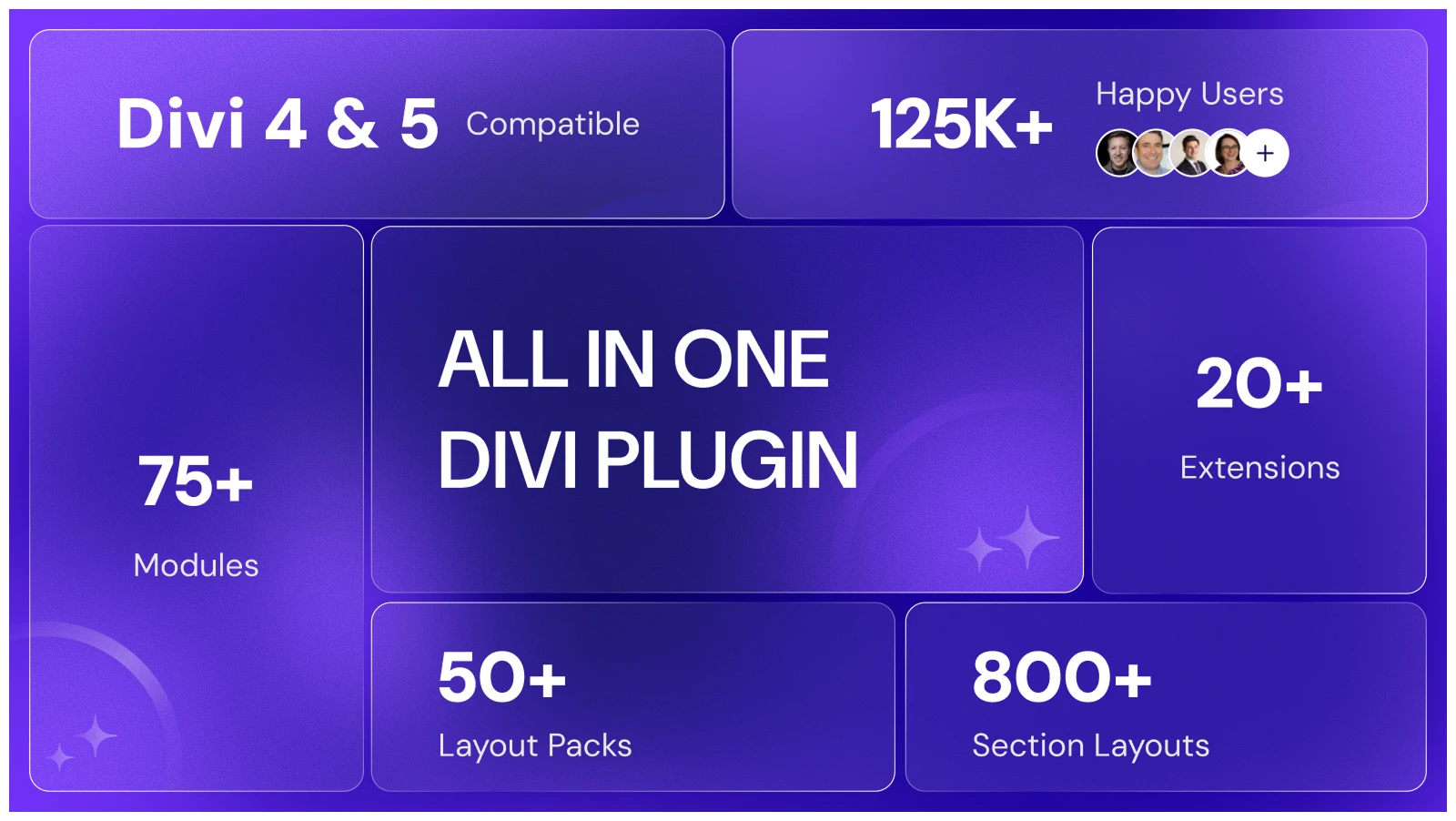
DiviFlash is one of the most powerful Divi plugins and earns the top spot on this list for its versatility and design flexibility. It has almost everything both new and experienced Divi users need to build better websites.
You get 8/0+ Divi modules organized into 10 categories, covering essentials, dynamic content, images, carousels, SEO, forms, WooCommerce, and more.
Sounds like a huge module list?
Well, you can enable or disable individual modules based on your needs, so you only keep the features you actually use.
On top of that, DiviFlash includes 20+ powerful extensions such as Popup Maker, Mega Menu, custom post type support, and more.
You also get 50+ complete website packs and 1000+ section layouts to help you build and launch Divi websites much faster.
What We Like
- Native Divi 5 support and Divi 4 compatibility
- Module and extension enable/disable controls
- Multiple WooCommerce modules (product grid and product carousel)
- One-click layout importer
- Up-to-date documentation and user guide
- Hundreds of positive reviews on platforms like Trustpilot
What Could Be Better
- The large toolkit can feel overwhelming if you only need a few features.
- A smaller specialized plugin may be better for one specific use case.
Pricing
DiviFlash starts at $49/year for 1 site and $89/year for unlimited sites. Lifetime plans cost $149 for 1 site and $299 for unlimited sites. Lifetime
Alternative
Divi Supreme Pro and Divi Pixel are good alternatives. However, Divi Supreme Pro lacks WooCommerce modules, and its Mega Menu requires a separate paid add-on.
Our Verdict
We found DiviFlash one of the best premium Divi plugins for projects that need several extra Divi features in one place. Its modules, extensions, and ready-made layouts save setup time, which is why we rate it 4.9/5.
DiviMotion: Best Divi Animation Plugin
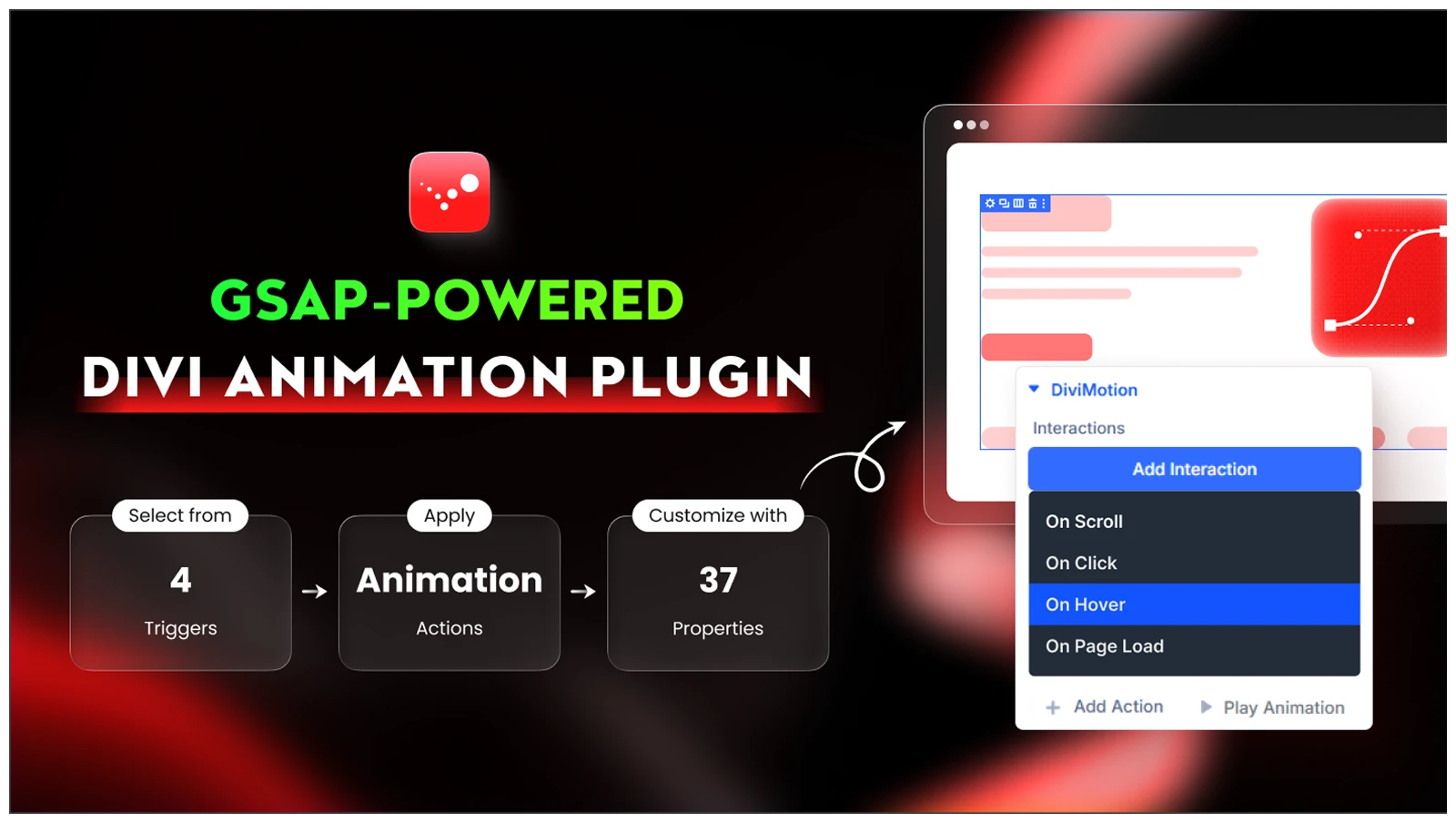
DiviMotion is a Divi animation plugin built around GSAP It lets you create scroll, hover, click, page-load, and timeline-based animations directly inside the Divi Builder.
Compared with Divi’s built-in animation options, DiviMotion gives you much deeper control with features like scrubbed scroll animations, pinning, SplitText, stagger effects, multi-step sequences, and more.
Also the animation adding process is super simple. First you have to add an interaction (scroll, hover, click and load), then action from 16+ available pre-defined actions like fade in, slide in.
You can even create custom actions by using DiviMotion’s custom action feature as well. And after adding animation, you can preview it instantly in the builder using the plugin’s “Play Animation" button.
What We Like
- Native Divi 5 support
- GSAP-powered animation engine
- Scroll, click, hover, and page-load triggers
- Scrub, pin, SplitText, and stagger effects
- 30+ animation properties and advanced easing options
- Visual Builder preview
- Ready-made presets and motion templates
What Could Be Better
- It only supports Divi 5, so Divi 4 users cannot use it.
Pricing
DiviMotion starts at $49/year for 1 site and $79/year for unlimited sites. Lifetime plans cost $149 for 1 site and $249 for unlimited sites.
Alternative
GSAP Animation Plus is an extension-only option with several ready-made GSAP effects. DiviMotion gives you a broader animation workflow with triggers, actions, timelines, custom animations, and in-builder previews.
Our Verdict
We found DiviMotion great when Divi’s built-in animations started to feel limiting. Its trigger-based workflow, custom actions, and instant previews make advanced motion much easier to build, which is why we rate it 4.8/5.
DiviMerc: Best Divi Plugin for WooCommerce
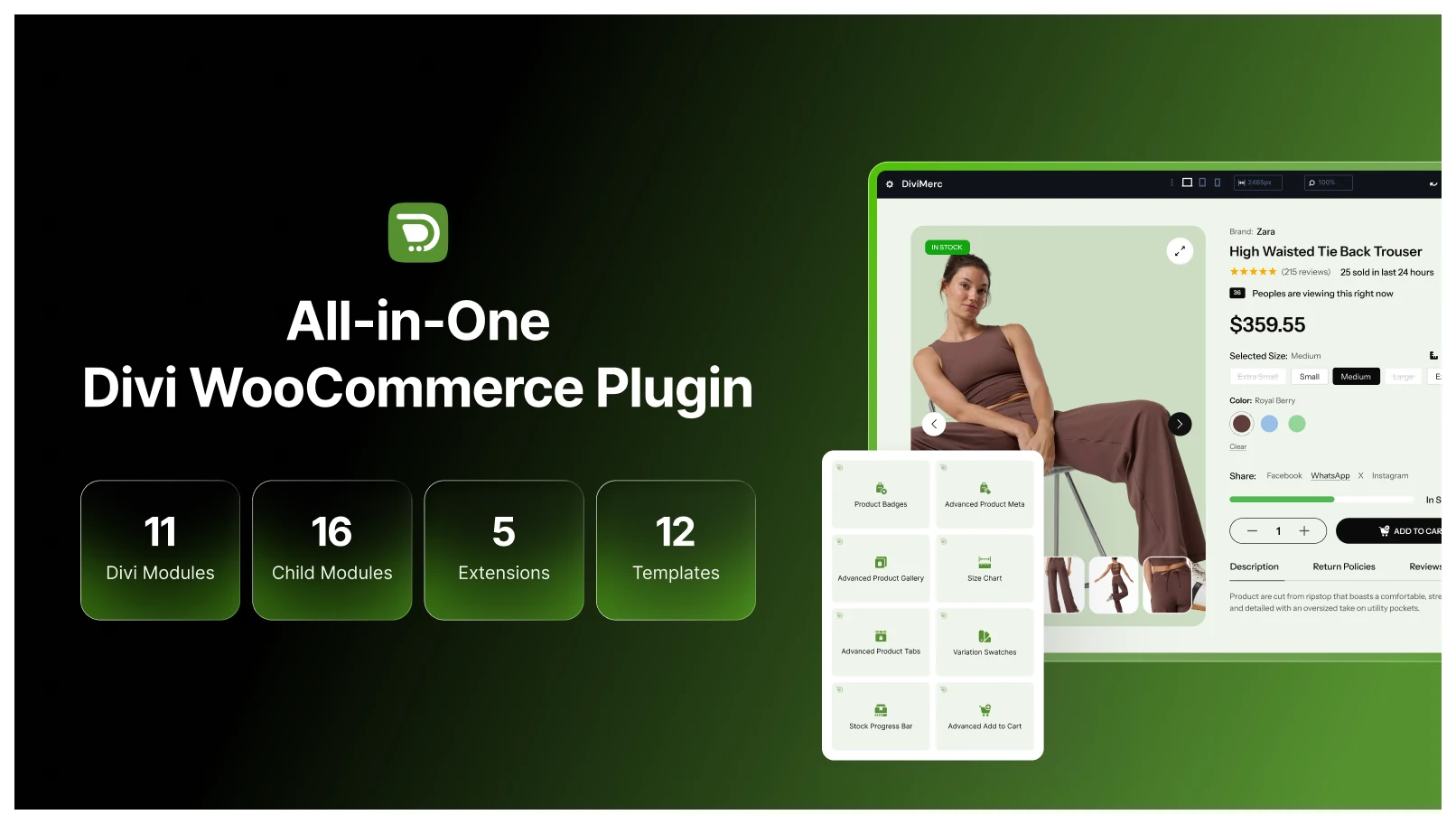
DiviMerc is an all-in-one WooCommerce plugin built specifically for Divi. It gives you more control over your store inside the Divi Builder, from product presentation and purchasing elements to conversion-focused features.
You get dedicated modules for advanced product galleries, variation swatches, Add to Cart, product badges, stock displays, product sharing, live visitor counts, product meta, and more. It also supports features like video and 3D product media for richer product experiences.
Overall, DiviMerc brings essential WooCommerce design and functionality into one Divi-focused toolkit, reducing the need to combine multiple store customization plugins.
What We Like
- Built specifically for WooCommerce and Divi
- Native Divi 5 workflow
- Modules for product pages and store elements
- Advanced product gallery and variation swatch options
- More control over product badges, stock, and add-to-cart areas
- Modules can be enabled or disabled based on your needs
- Helps reduce reliance on multiple WooCommerce design addons
What Could Be Better
- Cart, checkout, and shop page support continues to expand
- More advanced conversion features are planned for future updates
Pricing
DiviMerc offers both yearly and lifetime plans. Yearly pricing starts at $49 for a single site or $79 for unlimited sites, while lifetime plans cost $149 for one site and $249 for unlimited sites.
Alternative
Divi WooCommerce Extended or Divi Shop Builder are other options to consider. Moreover, we have Divi WooCommerce Extended and Divi Shop Builder review guides that will help you compare their features, limitations, and use cases.
Our Verdict
We are currently using DiviMerc and like how it keeps product-page customization inside Divi. For Divi users building online stores, it can be a must-have Divi plugin that reduces the need for multiple Divi add-ons for WooCommerce. Based on our hands-on use, we rate it 4.9/5.
Note: Planning to build a WooCommerce store with Divi? Check out our detailed guide on how to build an eCommerce website with Divi & WooCommerce for the complete step-by-step process.
Divi Carousel: Best Carousel Plugin for Divi
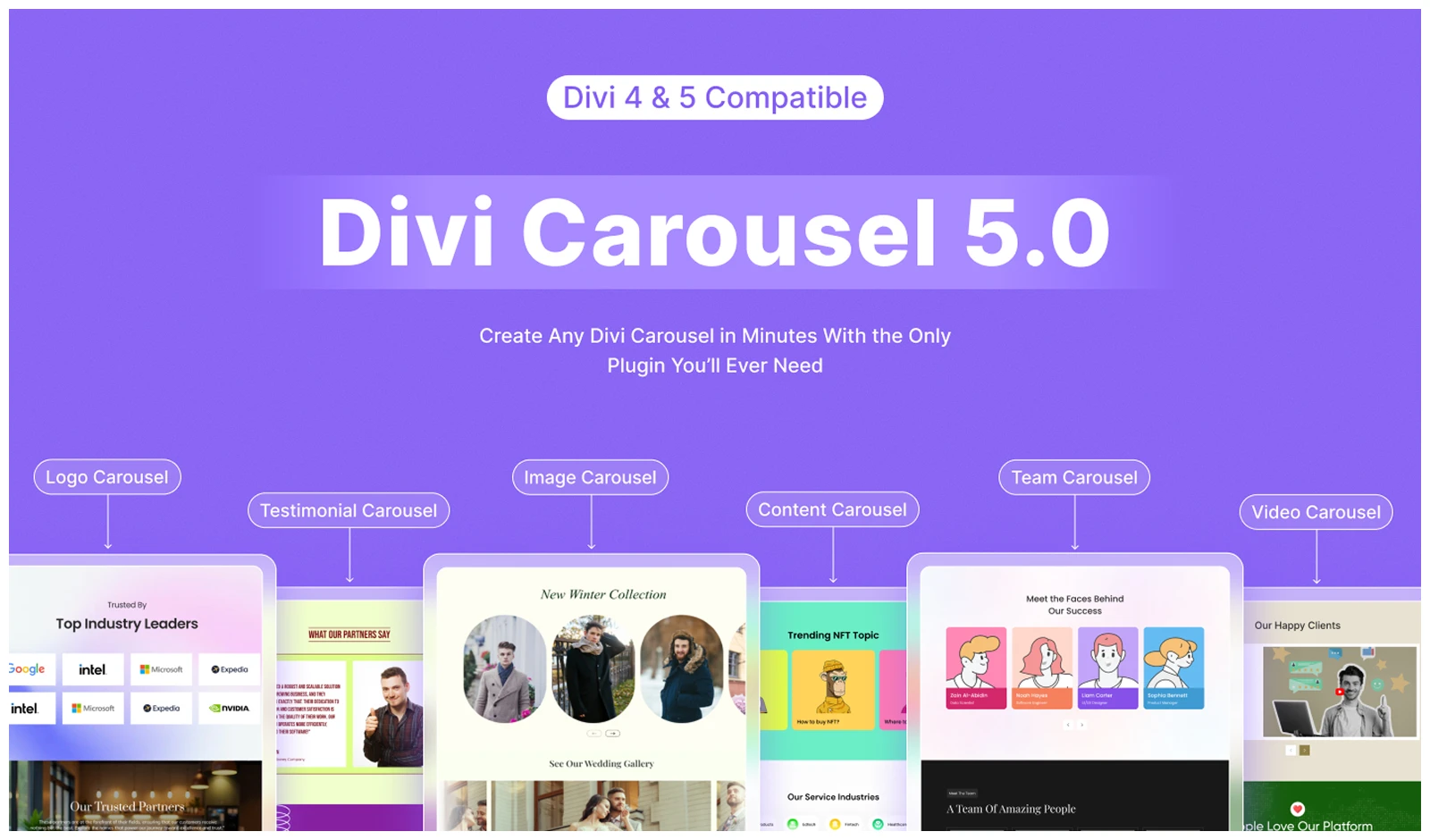
Divi Carousel by DiviGear is a mulit-purpose carousel plugin for Divi. With this, you can create images, testimonials, teams, logos, videos, cards, and other content carousels.
To meet different carousel presentation needs, it includes features like multislide, autoplay, scroller effect, lazy loading, keyboard control, mouse wheel control, hash navigation, equal-height items, more.
To give your carousel items a 3D feel, it also includes a Coverflow effect that adds depth and perspective to the slides.
All these make Divi Carousel a more feature-rich option than Divi’s default Group Carousel module.
What We Like
- Responsive slide controls for desktop, tablet, and mobile
- Multislide and multiple-row support
- Autoplay, loop, center mode, arrows, and dot navigation
- Equal-height and item-spacing controls
- Lazy loading and viewport-based autoplay
- Individual styling controls for each carousel item
- Supports images or icons inside carousel items
- 50+ pre-made templates for quick setup
What Could Be Better
- The large number of carousel controls can take time to learn.
- It may be more than you need for a simple image or content slider.
Pricing
Divi Carousel offers lifetime plans at $15 for 1 site and $29 for unlimited sites.
Alternative
Divi 5’s Group Carousel is great when you want complete freedom over slide content. Divi Carousel Maker is another dedicated plugin worth considering.
Our Verdict
We have been using Divi Carousel from the beginning because it handles images, testimonials, teams, logos, videos, and content sliders in one plugin. If you’re looking for the best Divi slider plugin with flexible carousel options, this is one of our top picks.
Divi Popup: Best Popup Plugin for Divi
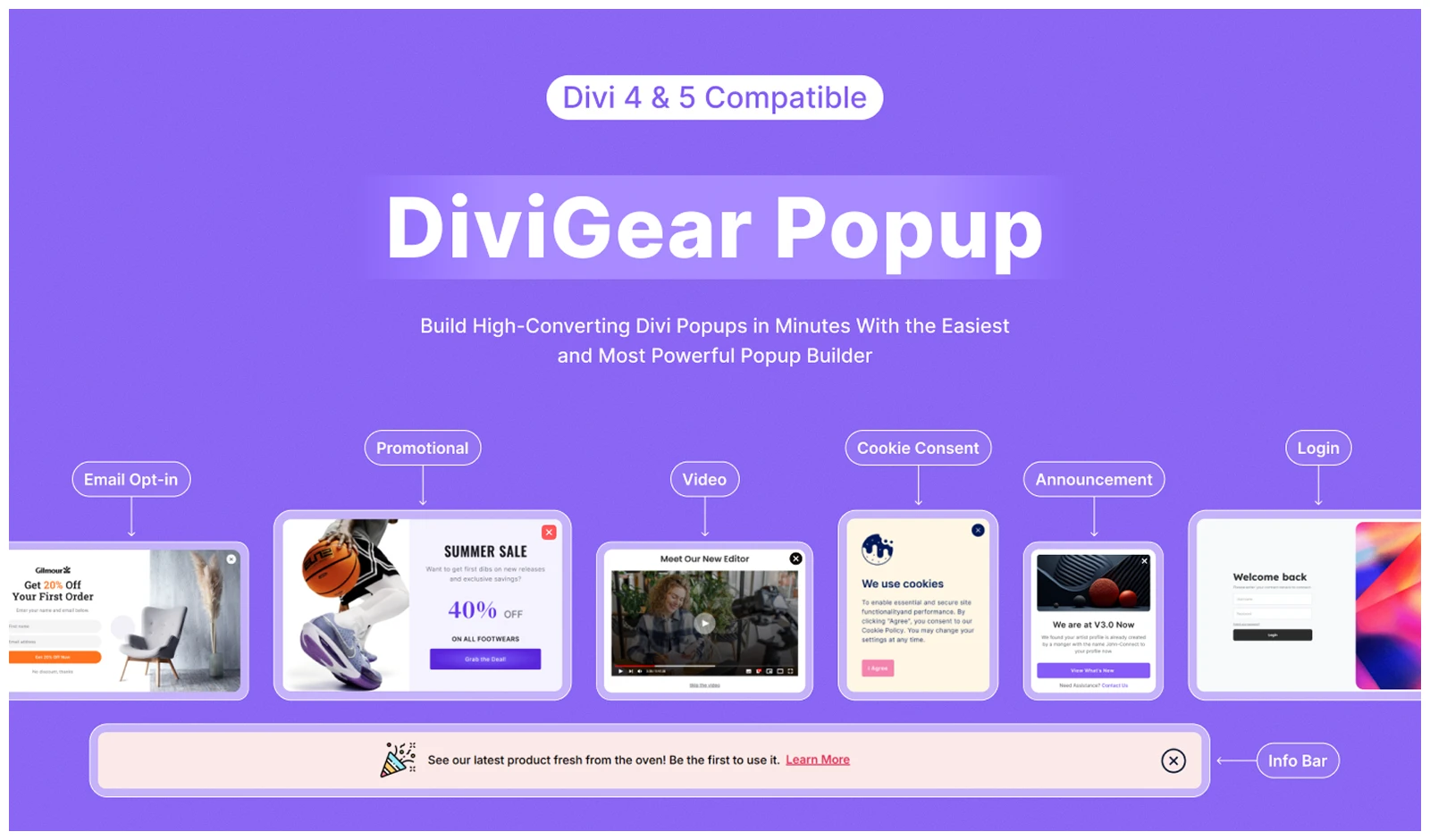
Divi Popup from DiviGear is a complete popup plugin for Divi that lets you create and control different types of popups directly inside the Divi Builder.
With this, you can create popups for promotions, announcements, lead generation, special offers, and other targeted messages. For better control, you can trigger them on click, page load, scroll, exit intent, inactivity, or when visitors reach a specific element.
Also, you can schedule when popups appear, control who sees them, and limit how often they are shown using device, user-role, page, and cookie-based rules.
Divi 5 can already create popups with Interactions, Visibility settings, and Canvases. But DiviGear Popup is a better fit when you need more advanced targeting, scheduling, and repeat-display controls.
What We Like
- 6 popup trigger types
- Date, time, and recurring schedules
- Device and user-role targeting
- Page and post display conditions
- Cookie-based frequency controls
- 9 popup positions
- 8 opening and closing animation styles
- Full Divi 5 compatibility
What Could Be Better
- Advanced targeting, scheduling, and cookie rules require more setup.
Pricing
Divi Popup costs $39 lifetime for 3 sites or $69 lifetime for unlimited sites.
Alternative
Divi Modal Popup is a stronger plugin alternative if you want a dedicated popup workflow. DiviGear Popup is especially useful when scheduling, user/device targeting, inactivity triggers, and repeat-display rules matter.
Our Verdict
We found Divi Popup more convenient than setting up popups manually with Divi 5’s native tools. Its dedicated triggers and popup controls save time, which is why we rate it 4.8/5.
Divi Table: Best Table Plugin for Divi
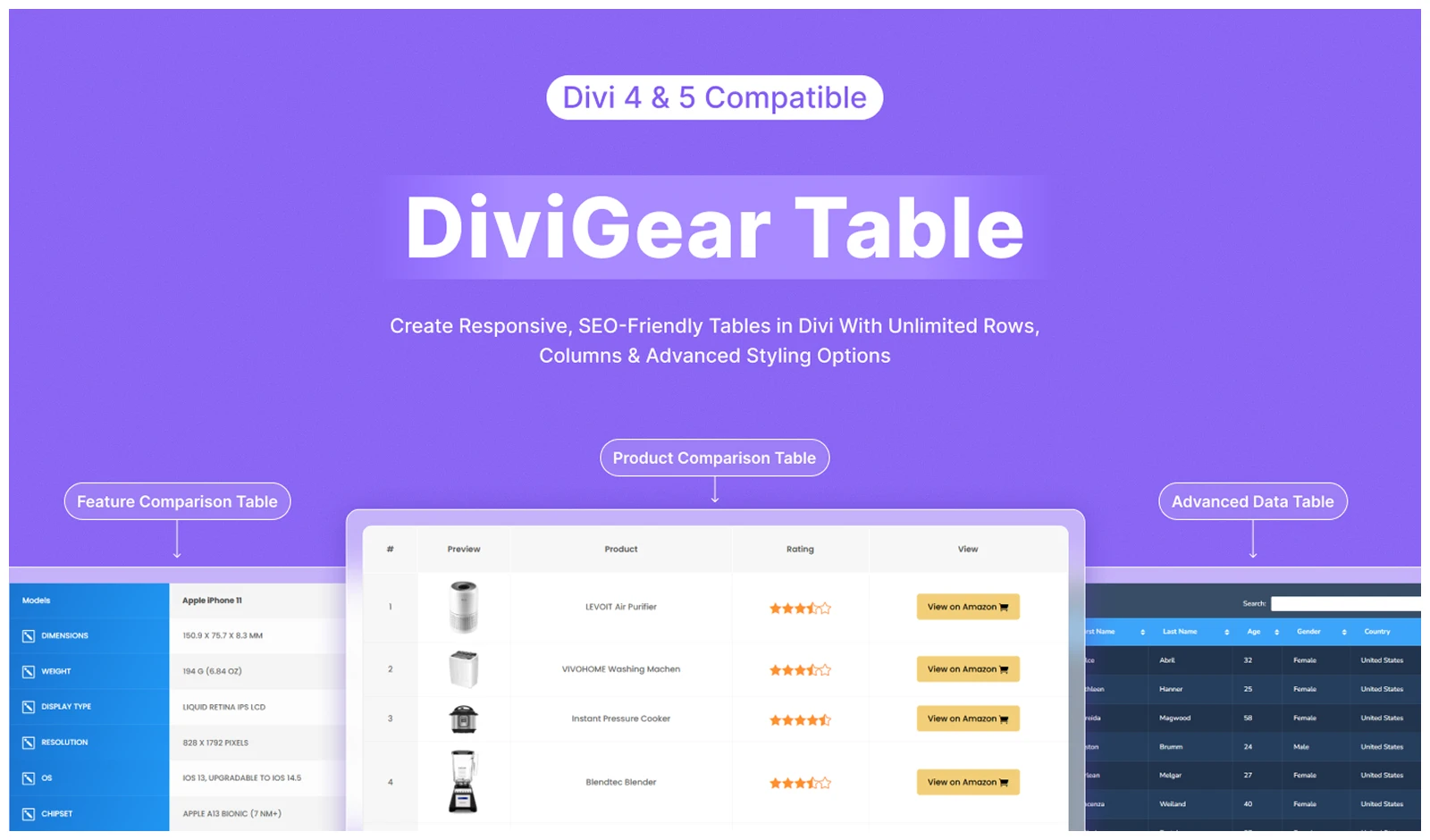
Divi Table plugin gives you two dedicated modules: Table and Data Table.
The regular Table module is great for manually built comparison, pricing, or feature tables. It also supports responsive layouts, row and column merging, badges, icons, images, and detailed styling.
The Data Table module is better for larger datasets. You can import data from CSV, Google Sheets, WordPress database tables, or TablePress. It also adds search, sorting, pagination, and other interactive controls.
In short, get this one plugin to handle both simple styled tables and larger, interactive data tables inside Divi.
What We Like
- Regular Table and Data Table modules
- CSV and Google Sheets data import
- Search, sorting, and pagination for larger tables
- Row and column merging for more complex layouts
- Badges, icons, images, and custom links
- Suitable for comparison, pricing, feature, and data tables
What Could Be Better
- It may be unnecessary if you only need a simple pricing table.
Pricing
Divi Table costs $39 lifetime for 3 sites or $69 lifetime for unlimited sites.
Alternative
You can also consider Table Maker, but it is better suited to manually built responsive tables and does not offer data table related features like imports, search, sorting, and pagination.
Our Verdict
For our Divi sites, we found DiviGear Table useful because one plugin covers both simple comparison tables and larger data-driven tables. That flexibility is why we rate it 4.7/5.
Divi Gallery: Best Gallery Plugin for Divi
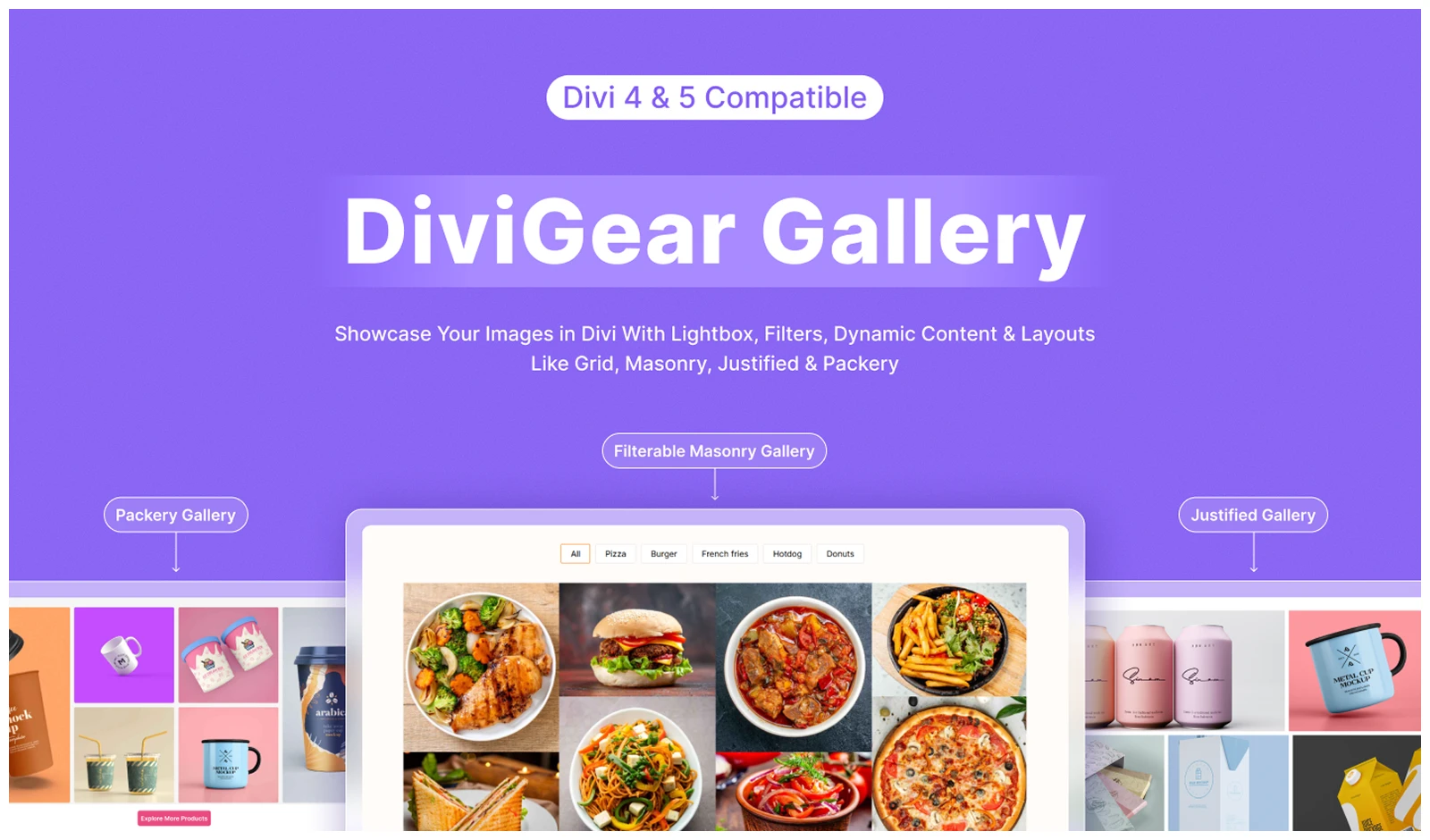
Divi Gallery by DiviGear comes with three gallery modules: Advanced Gallery, Justified Gallery, and Packery Gallery. Each one is built for a different gallery style, giving you more control over layout and image presentation.
The Advanced Gallery module lets you create grid or masonry galleries with category filtering, pagination, load more, lightbox, and other display controls.
The Justified Gallery module arranges images into balanced rows while keeping their original proportions. Meanwhile, the Packery Gallery module lets you create more creative masonry-style layouts using preset patterns.
Elegant Themes’ Divi 5 already includes a Gallery module for basic grid and slider galleries, but Divi Gallery gives you more layout options and gallery-specific controls. However, Divi Gallery gives you more layout options and gallery-specific controls to create stunning visual displays.
What We Like
- 3 modules Advanced, Justified, and Packery Gallery modules
- Category filtering
- Pagination and Load More options
- Lightbox with captions and download option
- Hover overlays and border animations
- Full Divi 5 support with Divi 4 compatibility
- 30+ pre-made gallery designs
What Could Be Better
- Advanced filtering and gallery controls add extra setup for simple use cases.
Pricing
Divi Gallery costs $39 lifetime for 3 sites or $69 lifetime for unlimited sites.
Alternative
You can also consider Divi Gallery Extended, Divi Masonry Gallery, or Divi Pro Gallery. However, these plugins focus on different gallery needs, while DiviGear Gallery combines multiple gallery styles in one plugin.
Our Verdict
We found Divi Gallery most useful because it covers several gallery styles in one plugin. You can build standard, justified, and Packery-style galleries without relying on separate gallery plugins, which is why we rate it 4.7/5.
Divi CPT: Best Custom Post Type Plugin for Divi
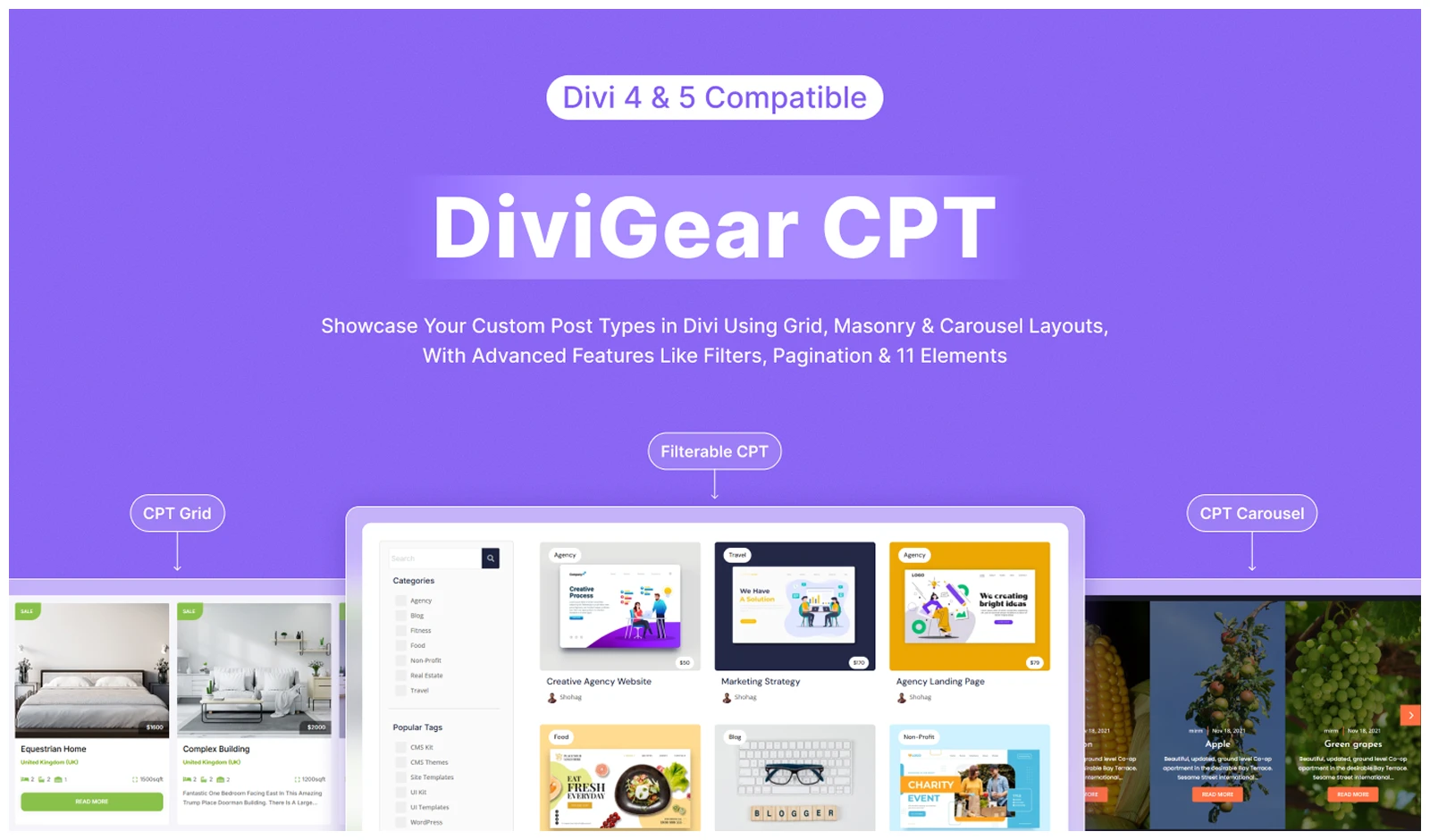
Divi CPT will give you three ways to work with custom post types: CPT Grid, Filterable CPT, and CPT Carousel.
For standard listings, the CPT Grid module lets you show posts, projects, products, or other custom post types in grid or masonry layouts. It also supports ACF fields, taxonomies, metadata, pagination, and custom post elements.
When visitors need to narrow down content, the Filterable CPT module adds multiple filters, AND/OR logic, search, and load-more options. For a more compact presentation, the CPT Carousel module displays the same type of dynamic content in a responsive slider.
Divi 5 can already build custom loops, but this plugin gives you more ready-made options for CPT grids, filtering, and carousels.
What We Like
- Three dedicated CPT modules: Grid, Filterable CPT, and Carousel
- Works with existing custom post types
- Displays dynamic post content and metadata
- Taxonomy and multiple-filter options
- Grid, masonry, and carousel presentation options
- Slide and Coverflow carousel effects
What Could Be Better
- Advanced filtering and ACF-based layouts can take time to configure.
Pricing
Divi CPT costs $49 lifetime for 3 sites or $99 lifetime for unlimited sites.
Alternative
There is no direct alternative that combines CPT grids, advanced filtering, and carousels in the same way. Divi 5’s Loop Builder can cover basic custom post layouts, while separate plugins may be needed for deeper filtering or carousel features.
Our Verdict
We like DiviGear CPT because it turns complex dynamic content into something much easier to manage inside Divi. For directory, listing, or content-heavy sites, that convenience is enough for us to rate it 4.8/5.
Advanced Divi Tabs: Best Tabs Plugin for Divi
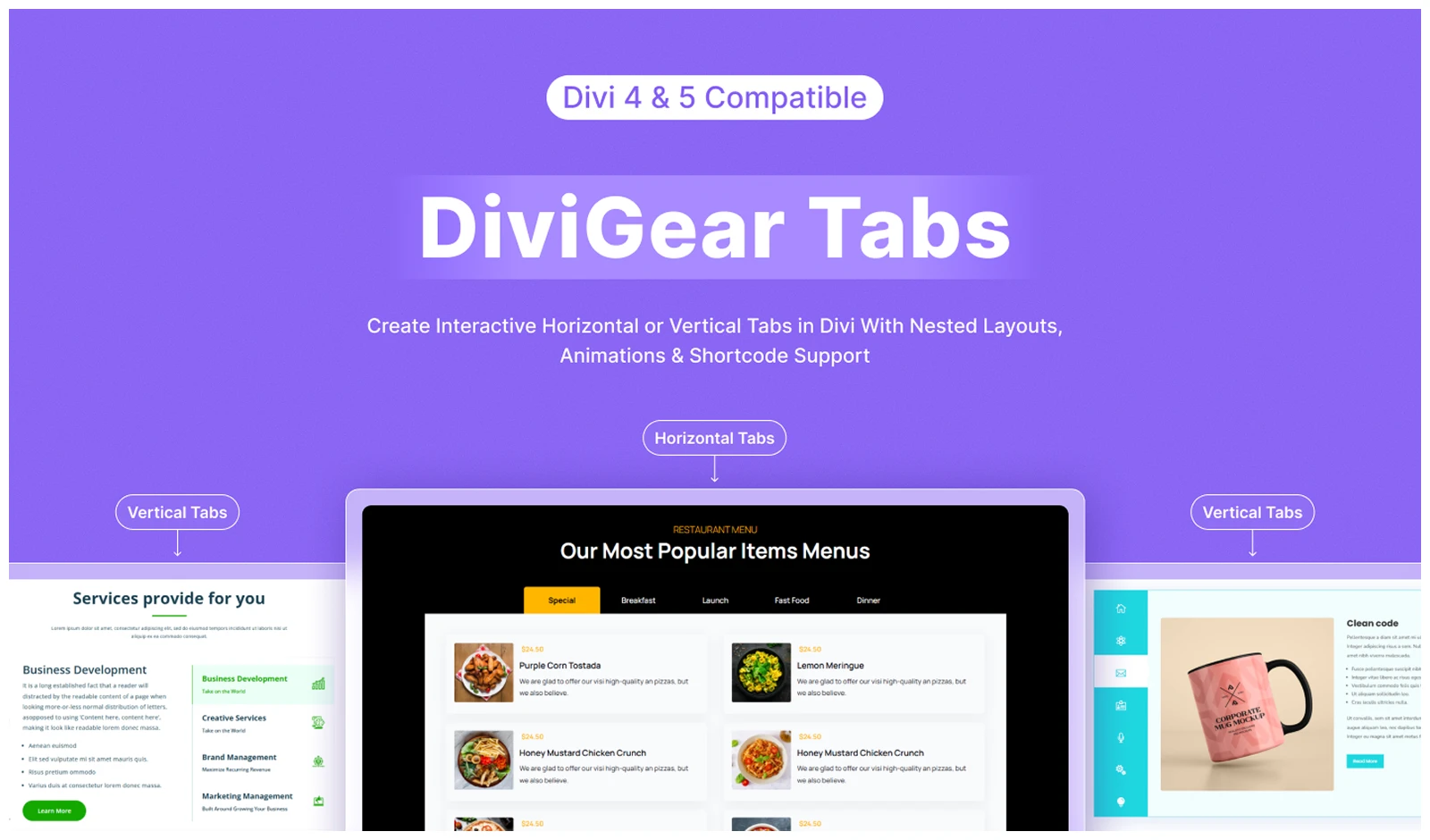
Advanced Divi Tabs by DiviGear gives you more flexibility when building tabbed content in Divi. You can choose horizontal or vertical layouts, open tabs on click or hover, and use 8 different reveal animations.
You can also use shortcodes to place saved Divi Library layouts inside your tabs.
For longer or more complex tab sections, it also includes sticky navigation, flexible nav placement, active arrows, responsive scrolling, icons, buttons, and separate styling controls for different tab states.
Divi already includes a native Tabs module for basic tabbed content. But, Advanced Divi Tabs gives you more control when you need richer layouts, stronger navigation, and more interactive tab behavior.
What We Like
- Horizontal and vertical tab layouts
- Click or hover tab triggers
- 8 reveal animations
- Sticky tab navigation
- Top, bottom, left, and right nav placement
- Active tab arrow and custom styling
- Responsive scroll-to-content option
What Could Be Better
- The number of navigation and styling controls can feel excessive for basic tabs.
Pricing
Advanced Divi Tabs cost $25 lifetime for 3 sites or $39 lifetime for unlimited sites.
Alternative
Divi Tabs Maker is another strong option with advanced layouts, deeplinking, and auto-switching. However, its large settings set may feel excessive for simpler tab needs.
Our Verdict
We found Advanced Divi Tabs most useful on content-heavy pages. Its sticky navigation, flexible placement, and reveal effects make complex tab sections much easier to manage.
Divi Heading: Best Heading Plugin for Divi
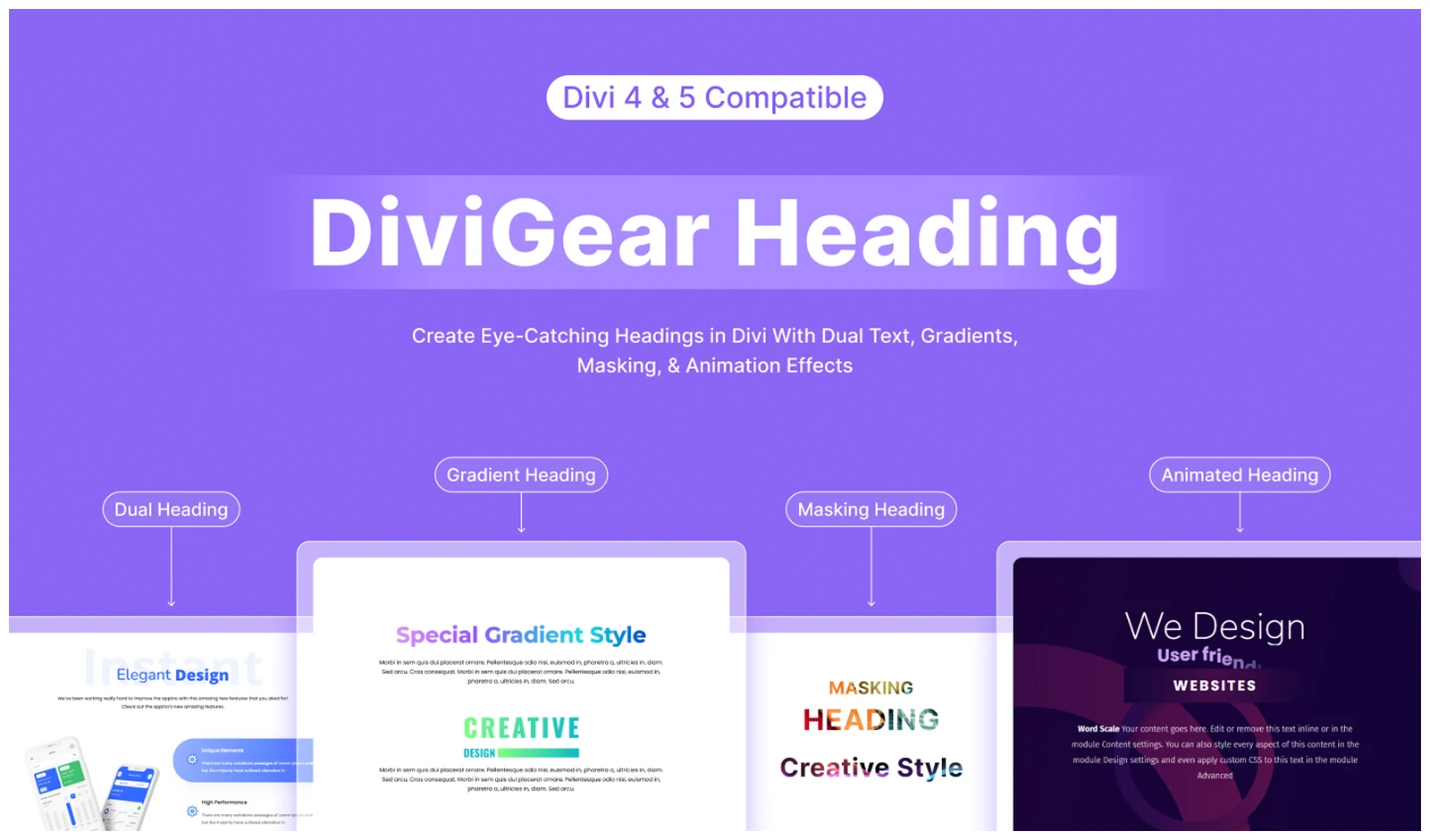
Divi Heading by DiviGear gives you two different ways to work with headings: Advanced Heading for styling and Animated Heading for motion.
With Advanced Heading, you can treat the prefix, infix, and suffix as separate parts. This makes it easier to create layered or highlighted headings with dividers, icons, images, dual text, and clip effects.
The Animated Heading module focuses on movement. It includes 8 animation presets, easing controls, spring effects, and separate styling for each text section.
Divi 5’s native Heading module is enough for standard headings and typography. But once you want more visual structure or motion, its options become limited. That’s where Divi Heading becomes more useful.
What We Like
- Advanced Heading and Animated Heading modules
- Separate prefix, infix, and suffix styling
- 9 animated heading presets
- Easing and spring animation controls
- Divider, icon, and image options
- Dual text and clip effects
What Could Be Better
- Divi 5 already covers most standard heading needs.
- The extra effects are most useful on design-heavy pages, not every section.
Pricing
Divi Heading costs $29 lifetime for unlimited sites.
Alternative
You can consider Simple Heading, a free Divi plugin that adds more styling flexibility for headings and subheadings. However, it stays focused on basic heading design and does not include advanced animated heading controls.
Our Verdict
Divi Heading from DiviGear is our go-to when a standard heading needs more visual impact. The mix of advanced styling and built-in animation controls is why we rate it 4.8/5.
Divi Product Carousel: Best Product Carousel Plugin for Divi
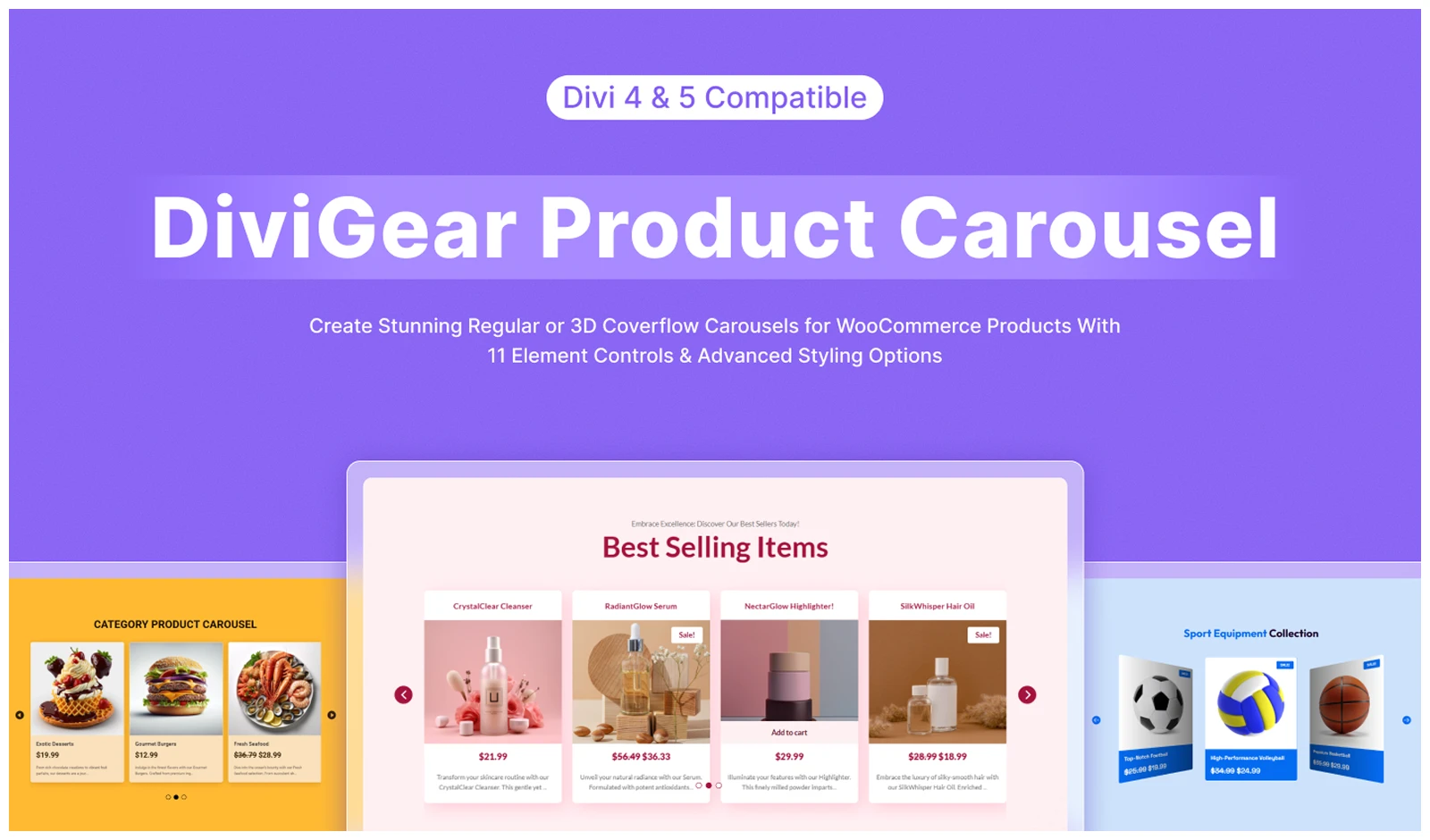
Divi Product Carousel by DiviGear makes it easier to showcase WooCommerce products in a carousel without building everything from scratch.
You can choose from seven product types and control how products are sorted and displayed. It also includes built-in options for titles, prices, ratings, sale badges, descriptions, Add to Cart buttons, and other product details.
For the carousel itself, you get autoplay, loop, multislide, center mode, equal-height items, and Coverflow. You can also set different product counts for desktop, tablet, and mobile for better responsive control.
What We Like
- Seven product display types
- Multiple product sorting options
- Responsive product-per-slide controls
- Autoplay, loop, multislide, arrows, and dots
- Slide and Coverflow effects
- Add to Cart, rating, sale badge, and description controls
- Detailed product and hover styling
What Could Be Better
Pricing
Divi Product Carousel starts at $19 lifetime for 1 site or $39 lifetime for unlimited sites.
Alternative
Product Carousel by Divi Next can be a good alternative with multiple carousel layouts and full Divi styling controls. But, it comes as part of the broader Woo Essential package rather than as a standalone carousel plugin.
Our Verdict
For our WooCommerce projects, we like Divi Product Carousel because it gives us the product and carousel controls we need in one focused setup. Its flexibility and responsive options make it a solid choice, which is why we rate it 4.7/5.
Divi Blog Carousel: Best Blog Carousel Plugin for Divi
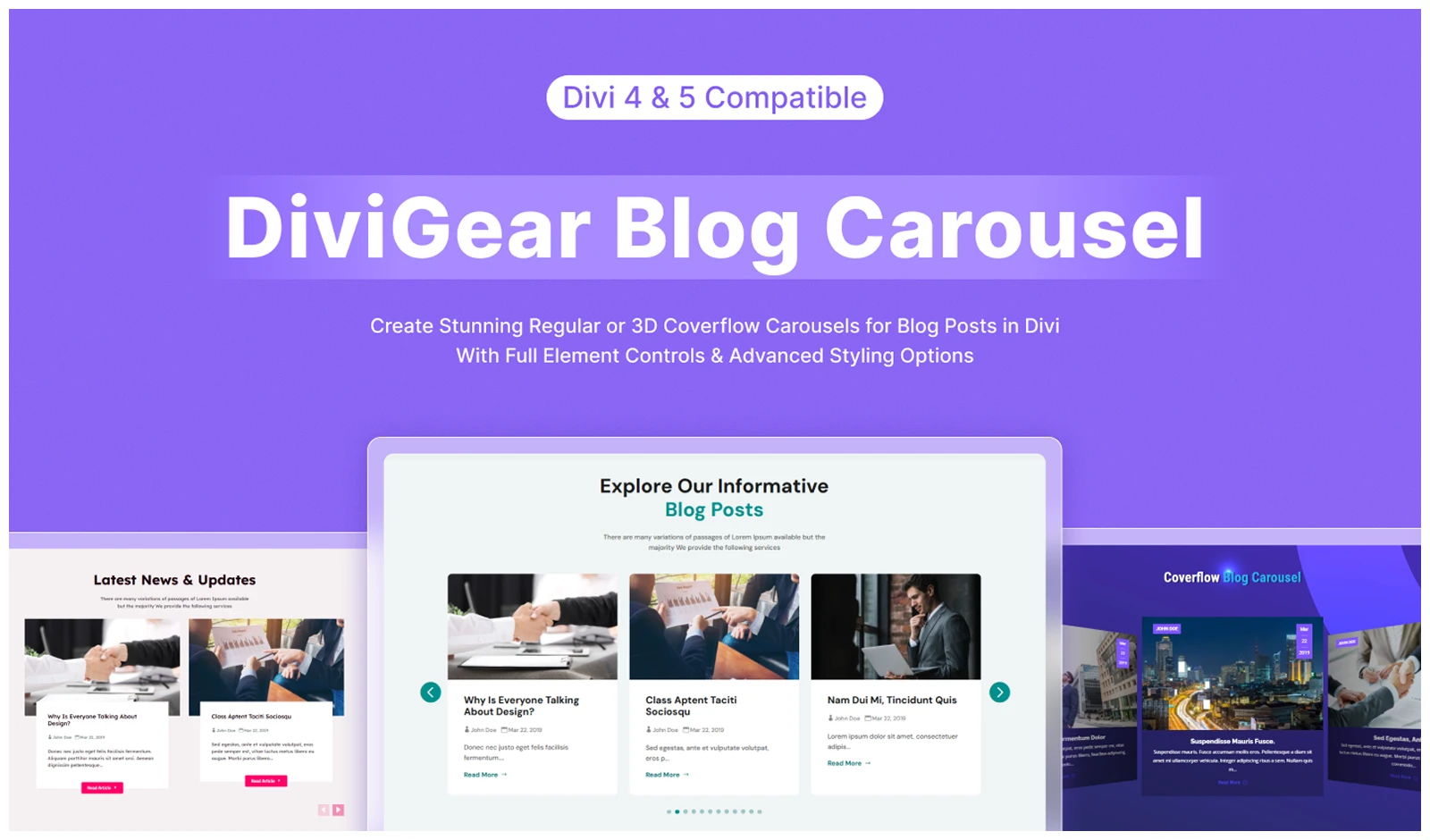
Divi Blog Carousel by DiviGear can turn your blog posts into clean, responsive carousels without much setup.
You can choose which posts to feature, including recent, popular, or category-based content. It also gives you control over post order, offset, and how many posts appear in the carousel.
On the carousel side, you get autoplay, looping, center mode, equal-height cards, responsive slide counts, and a Coverflow effect for a more dynamic look.
Divi 5 can build post carousels with Group Carousel and Loop Builder. But this plugin gives you a blog-focused workflow with the main post and carousel controls already in place.
What We Like
- Full Divi 5 support with Divi 4 compatibility
- Recent, popular, and category-based post filters
- Responsive slide counts for each device
- Autoplay, loop, center mode, arrows, and dots
- Equal-height post cards
- Slide and Coverflow effects
- Detailed controls for image, title, meta, excerpt, and button
- Flexible navigation styling
What Could Be Better
- Divi 5 can already build custom post carousels.
- It may be unnecessary if you only need a basic slider.
Pricing
Divi Blog Carousel starts at $19 lifetime for 1 site or $39 lifetime for unlimited sites.
Alternative
Divi Blog Pro is a good alternative if you also need grids, masonry, sliders, and other blog layouts. But it may be more than you need if you only want a post carousel.
Our Verdict
We like Divi Blog Carousel because it gives us the main blog and carousel controls in one place. It is simple to set up, flexible across devices, and useful for highlighting different types of posts, which is why we rate it 4.8/5.
Divi Blog: Best Blog Layout Plugin for Divi
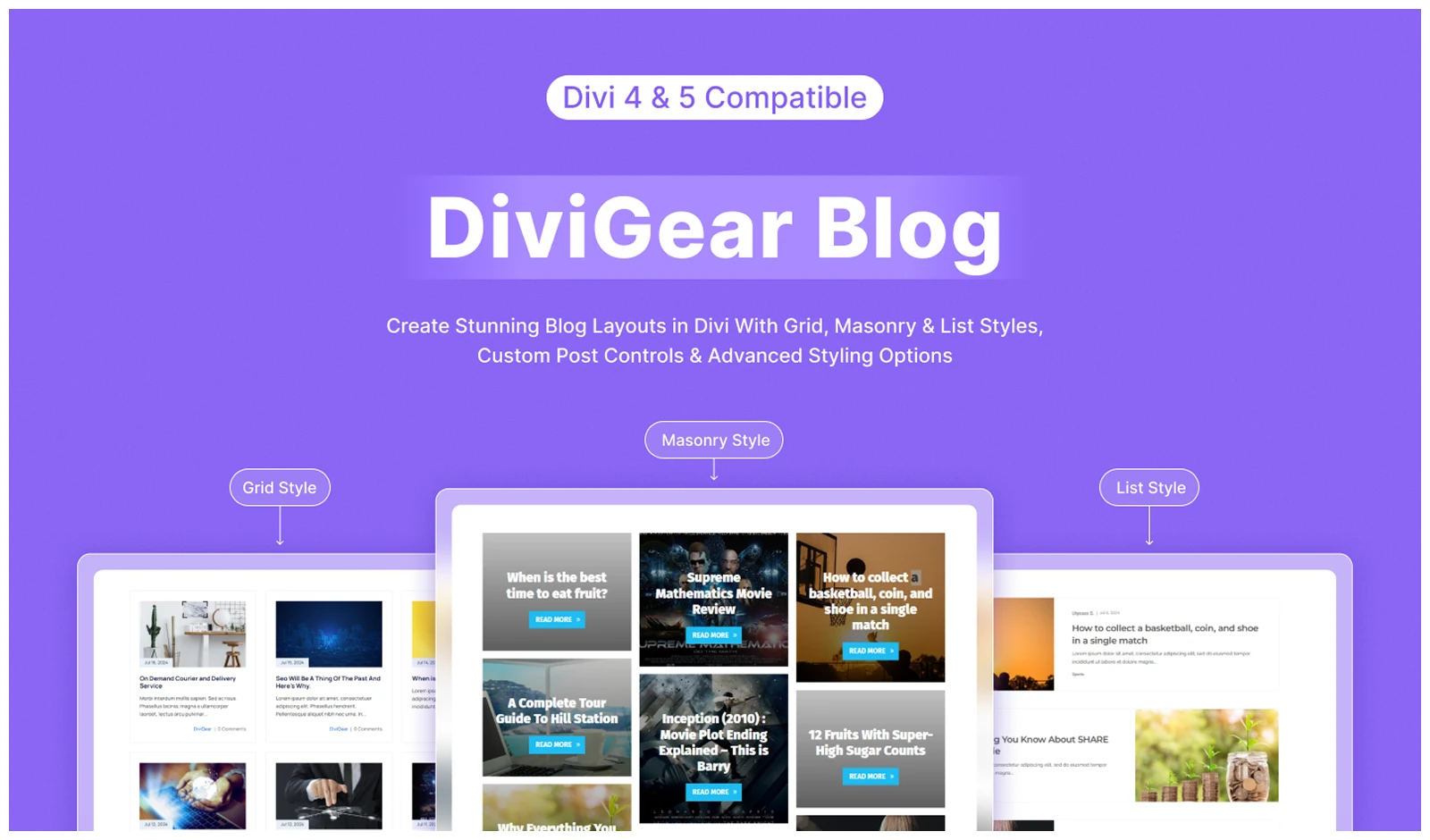
Divi Blog by DiviGear is built for creating more flexible blog layouts on a Divi WordPress website without relying only on Divi’s default Blog module.
You can choose from Grid, Masonry, and Fullwidth layouts, then control the columns separately for desktop, tablet, and mobile. It also lets you show recent, popular, category-based, or random posts.
For more control, you get related posts, custom excerpts, pagination, image overlays, hover effects, and detailed meta styling.
The Divi website builder already covers many blog layout needs with its Blog module and Loop Builder. But Divi Blog keeps the process more direct with ready-made blog layouts and post-specific controls.
What We Like
- Grid, Masonry, and Fullwidth layouts
- Supports posts and custom post types
- Recent, popular, category, and random post filters
- Related post option
- Responsive column controls
- Equal-height post cards
- Detailed image, meta, and Read More styling
- Pagination and excerpt controls
What Could Be Better
- The large number of settings may take beginners some time to explore.
Pricing
Divi Blog costs $25 lifetime for 3 sites or $39 lifetime for unlimited sites.
Alternative
Divi Blog Extras is a close alternative with multiple blog layouts, category filters, pagination, related posts, and custom post type support. It is also compatible with Divi 4 and Divi 5.
Our Verdict
We like Divi Blog for content-heavy sites because it gives us several blog layouts and useful post controls in one place. It makes building and managing blog sections much easier, which is why we rate it 4.7/5.
How We Tested and Selected These Divi Plugins
- Setup and usability: We installed each plugin, added its modules, and built a basic layout. This showed us which plugins were easy to understand and which needed more setup before becoming useful. We tested DiviMerc and were surprised by how much WooCommerce customization we could handle without relying on multiple separate add-ons.
- Same-task comparison: We built similar layouts with competing tools. For example, we compared Divi Carousel with other carousel plugins and Divi 5’s Group Carousel to see which gave us more control with less manual work.
- Feature testing: We tested the core features each plugin is meant for. Divi Popup was tested for triggers and display rules, Divi CPT for filtering and ACF content, Divi Table for imports and sorting, and DiviMotion for triggers, actions, and previews.
- Divi 5 experience: While using the Divi Visual Builder, we checked editing, live previews, responsive controls, and how smoothly each plugin worked. This helped us avoid plugins that felt disconnected from the normal Divi workflow.
- Native Divi comparison: We recreated similar results with Divi’s built-in tools. This showed us where plugins like DiviMotion, Divi Popup, and Advanced Divi Tabs actually saved time or added controls Divi does not provide directly.
- Pricing and refund policy: We compared pricing, license limits, renewal terms, and each Divi plugin refund policy to see how much value and buying flexibility users get.
- Final selection: We picked the plugins that handled their main job well, reduced setup work, and offered enough extra value to justify installing another plugin. And among them, DiviFlash stood out because it covers the widest range of needs in one plugin.
- How we rate: We looked at how useful each plugin is, how easy it is to use, how well it works with Divi 5, its overall value, and how well it does the job it is built for. We used the same criteria for every plugin.
FAQ
What is Divi?
Divi is a WordPress theme and visual page builder from Elegant Themes that lets you design websites using a drag-and-drop interface without coding. If you want a broader look at WordPress usage, plugins, themes, page builders, WooCommerce, and market share, check out our latest WordPress statistics.
Do Divi plugins slow down WordPress?
They can, especially if a plugin loads unnecessary assets or adds too many features. Well-optimized plugins like DiviFlash let you disable modules you do not need.
Are Divi plugins compatible with Divi 5?
Many popular Divi plugins now support Divi 5, but compatibility varies. Plugins like DiviFlash, DiviMerc and DiviMotion are already built for Divi 5.
How many Divi plugins are too many?
There is no fixed limit. Problems usually start when several plugins add overlapping features, so it is better to use fewer plugins that cover more of your needs.
Where can I safely download Divi plugins?
Download free plugins from WordPress.org and premium Divi plugins from the official developer website or Elegant Themes Marketplace.
What is the best Divi plugin?
It depends on what you need. DiviFlash is a strong all-in-one choice, while DiviMotion is better for advanced animations and DiviMerc is more focused on WooCommerce.
Are Divi plugins different from WordPress plugins?
Divi plugins are WordPress plugins built specifically to extend the Divi WordPress theme and Divi Builder with extra modules, design controls, integrations, and functionality.
What is the best SEO plugin for Divi?
Rank Math and Yoast SEO are some of the SEO plugins you can consider for optimizing your Divi website for search engines.
How to Use Divi plugin modules?
Install and activate the plugin, open Divi Builder, search for the module and add it to the page. If you don’t see the module, check whether it is disabled in the plugin dashboard.
What is the best lightweight Divi plugin?
DiviFlash and DiviMerc are both good options because you can disable modules you don’t need. DiviFlash suits broader site-building needs, while DiviMerc is a more focused choice for WooCommerce sites.
Where to buy Divi plugins?
You can buy Divi plugins from the plugin developer’s official website or from the Elegant Themes Divi plugins Marketplace. For free options, check WordPress.org.
Final Verdict: Which Divi Plugin Is Best?
The best Divi plugin depends on what your website actually needs. DiviFlash is a strong all-in-one option for adding more modules, extensions, and layouts, while DiviMerc is better suited to WooCommerce stores and DiviMotion is built for more advanced animations.
If you only need one specific feature, a focused plugin may be the better choice. But if you regularly build different types of Divi websites, an all-in-one toolkit can give you more flexibility and reduce the need to install several separate plugins.
Before choosing, start with the feature or limitation you want to solve, compare the available options, and pick the plugin that adds the functionality you need without making your setup unnecessarily complex.




0 Comments