

We recommend Divi WooCommerce Extended for Divi store owners who need several common storefront features in one plugin. It covers AJAX Search, Mini Cart, Wishlist, Product Hotspot, product sliders, and more.
To see how useful its modules and extensions are in practice, we tested them on a test site with real product data.
In this Divi WooCommerce Extended review, we will cover what impressed us, what could be improved, and whether the $99 price makes sense for a store.
Here is what we found.
Quick Verdict of Divi WooCommerce Extended
- What It Is: A WooCommerce toolkit built specifically for Divi.
- Main Features: Mini Cart, AJAX Search, Wishlist, Product Hotspot, Hero Slider, Checkout Manager, Product Badges, and more.
- Starting Price: $99/year for unlimited websites.
- Divi 5 Support: Yes.
- What It Does Best: Adds useful WooCommerce features in one plugin.
- Where It Struggles: It lacks some deeper ecommerce features such as variation swatches, size charts, stock-progress bars, and built-in social-proof features.
Our Hands-On Rating
| Category | Rating | Our Take |
| Ease of Use | 4.5/5 | Most controls felt familiar if you already use Divi. |
| Features | 4.5/5 | Covers many common storefront, product, and checkout needs. |
| Divi Integration | 5/5 | The modules we tested worked directly inside the Visual Builder. |
| Performance | 4/5 | Modular controls helped us avoid enabling features we did not need. |
| Support & Documentation | 4.5/5 | The docs cover most features well, and user reviews often praise the support team. |
| Value for Money | 4.5/5 | Good value if you use several features across one or more stores. |
| Overall | 4.5/5 | A useful WooCommerce toolkit for feature-rich Divi stores. |
Divi WooCommerce Extended Key Features
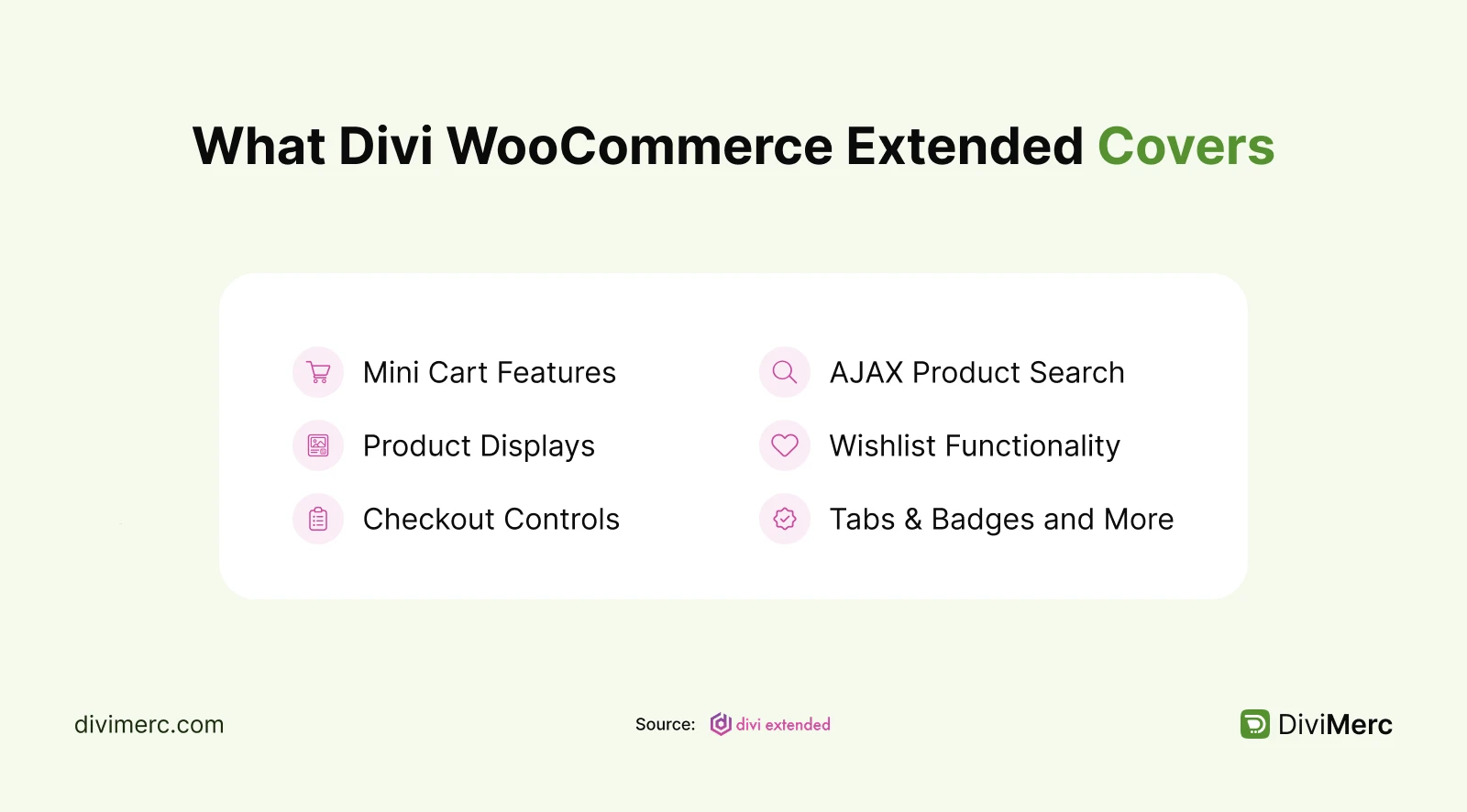
Divi WooCommerce Extended includes a lot of tools, so we focused on the ones that felt most useful while building a real WooCommerce store.
Conversion & Shopping Tools
- Mini Cart: We liked the flexibility here. You can display it as a dropdown, overlay, off-canvas panel, or modal. You can also choose what shoppers see inside the cart. For us, the off-canvas style in the header was the most practical.
- AJAX Search: More than a basic search box, it can find products by title, SKU, category, tags, attributes, and more. You can also control the results and what information appears. It’s especially useful for stores with large catalogs.
- Wishlist + Wishlist Manager: Shoppers can save products they like and come back to them later. They can add items from product pages or listings, then view, remove, or move them to the cart from the wishlist.
Product Display & Merchandising
- Products Grid & Carousel: Both modules offer useful layout options. The Grid includes masonry, filters, sorting, Quick View, and up to six columns. The Carousel adds autoplay, navigation, slide effects, and control over product details.
- Products Hotspot: This was one of the more interesting modules we tested. You can add clickable or hover markers to an image and show product details such as images, prices, ratings, descriptions, and Add to Cart buttons. The click option also works well on mobile.
- Products Hero Slider: Each slide can pull real WooCommerce product data, including images, categories, prices, descriptions, and Add to Cart buttons. You also get autoplay, arrows, dots, and fade effects.
- Products Accordion: Show products in a horizontal or vertical accordion. You can display prices, ratings, descriptions, badges, and Add to Cart buttons. It’s useful when you want to save space.
- Product Gallery: A simple way to display product images with layouts like masonry and up to 10 columns. It also supports lightbox viewing, hover effects, titles, and captions.
Store Management & Utility Features
- Checkout Manager: Want a simpler checkout? You can show or hide checkout fields to remove anything you don’t need and make the checkout process cleaner.
- Product Tab Manager: This makes it easy to manage product tabs. You can rename, hide, or restore WooCommerce tabs and add your own. Custom tabs can be added to all products, selected products, or entire categories.
- Product Badges: Add ready-made badges like Sale, New, or Best Seller to products. You can apply them to specific products or categories and even schedule them for events like Black Friday or seasonal sales.
Our Verdict:
The Mini Cart and AJAX Search made the biggest difference in everyday shopping, while Products Hotspot and Hero Slider stood out for product presentation. Checkout Manager, Product Tab Manager, and Product Badges may seem simpler, but they can save time when building and managing a store.
Overall, DWE is a strong fit for fashion, furniture, and decor stores. No single feature is groundbreaking, but having so many useful tools in one plugin can reduce the need for several separate plugins.
How Many Plugins Can Divi WooCommerce Extended Replace?
What makes DWE useful is how much it can cover without adding more plugins to your site. Fewer separate plugins means less to update, manage, and worry about.
Here is what it can replace:
| Common Store Need | Included in DWE? |
| Mini Cart | ✅ |
| Wishlist | ✅ |
| AJAX Product Search | ✅ |
| Quick View | ✅ |
| Product Carousel | ✅ |
| Product Gallery | ✅ |
| Custom Product Tabs | ✅ |
| Checkout Field Manager | ✅ |
| Product Badges | ✅ |
| Variation Swatches | ❌ |
| Size Charts | ❌ |
| Stock Progress Bar | ❌ |
| Sales Count | ❌ |
| Live Visitor Count | ❌ |
Divi WooCommerce Extended vs. Alternative Solutions
| Key Area | Divi WooCommerce Extended | Woo Essential | DiviMerc |
| Variation Swatches | ❌ | Button, radio, color & image swatches | 8 swatch styles |
| Size Charts | ❌ | ❌ | Inline, modal, drawer & accordion |
| Product Meta | Basic WooCommerce output | Basic WooCommerce output | Customizable Product Meta rows |
| Product Gallery | Lightbox, overlay, masonry, up to 10 columns | Masonry Gallery | Zoom, lightbox, video & 3D models |
| Custom Product Tabs | Tab Manager (global, category, per-product) | ❌ | Advanced Product Tabs + Tabs Manager |
| Product Badges | Preset and scheduled badges | ❌ | Conditional badges (Sale, Low Stock, Best Seller, Custom) |
| Stock Urgency | ❌ | ❌ | Real stock progress bar |
| Social Proof | ❌ | ❌ | Sale Count & Live Visitor Count |
| Divi 5 Compatible | ✅ | ✅ | ✅ |
| Pricing | $99/year or $199 lifetime, unlimited sites | $49/year or $149 lifetime | |
| Best for | Stores that want common store-front features in one plugin | Smaller stores that want core WooCommerce extras | Stores that need deeper product, conversion, and merchandising controls |
Besides them, there are other plugins that can also consider like Divi Shop Builder and Divi BodyCommerce.
Note: We also have in-depth reviews of Divi Shop Builder, Woo Essential and Divi BodyCommerce if you want to compare more Divi WooCommerce options before choosing.
Divi WooCommerce Extended Pros & Cons
What We Loved (Pros)
- Feels familiar if you already use Divi.
- Covers 20+ WooCommerce needs in one plugin, so you may need fewer add-ons.
- Includes useful tools like Wishlist, Tab Manager, Checkout Manager, and Product Badges.
- The $99/year unlimited-site license is a strong deal for agencies and freelancers.
What Could Be Better (Cons)
- Product Hotspot may need a little extra work on mobile.
- Smaller stores may not need all the features.
- Some users have reported compatibility or module-specific issues, so it’s better to test on staging first.
Divi WooCommerce Extended Pricing 2026: Is It Good Value?
Divi WooCommerce Extended keeps its pricing simple:
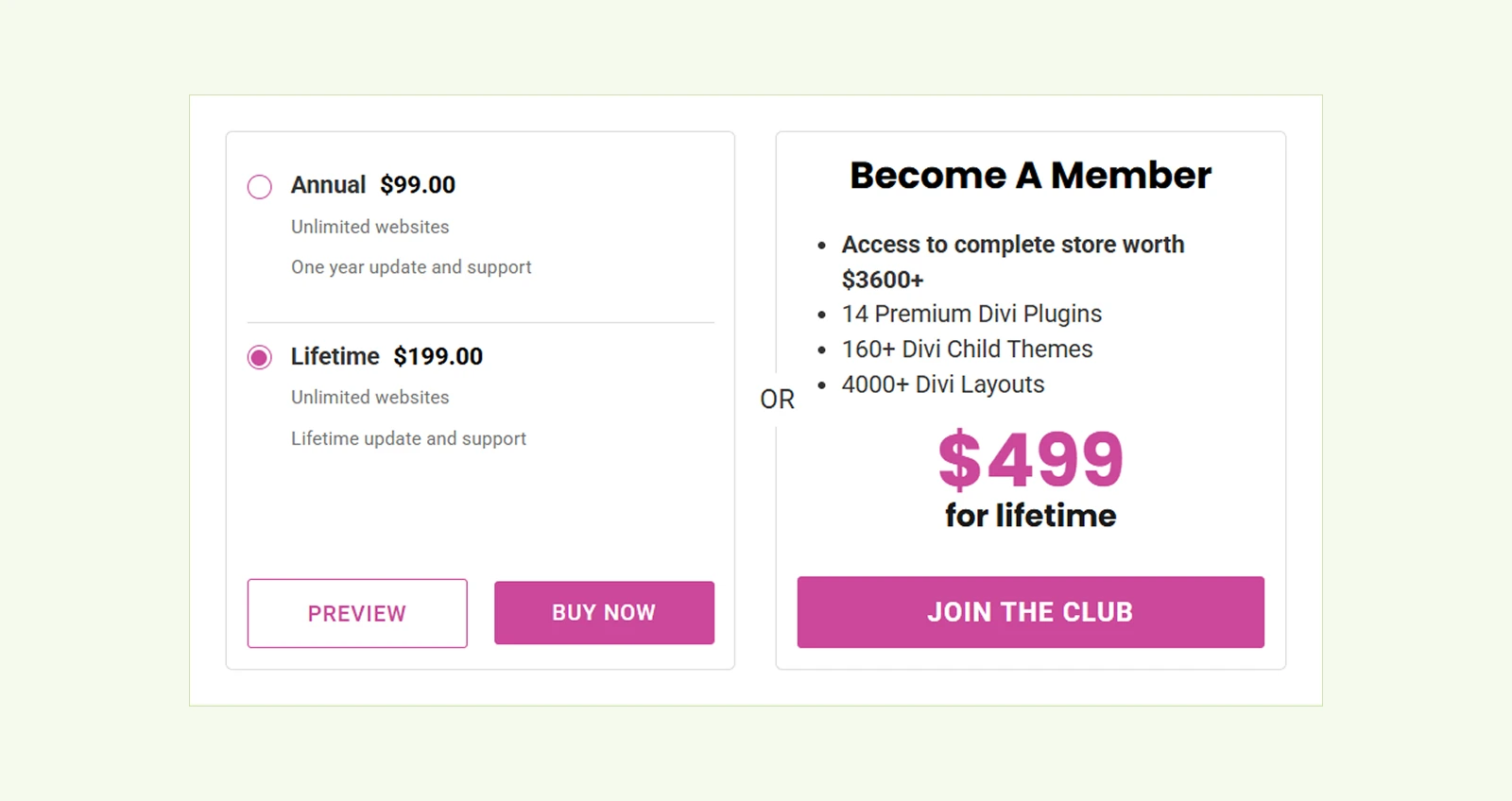
- Annual: $99/year for unlimited websites
- Lifetime: $199 one-time for unlimited websites
- Guarantee: 30-day money-back policy
The $99 annual plan makes more sense if you want to try DWE across one or several stores without a bigger upfront cost. The $199 lifetime option is more attractive for agencies, freelancers, or anyone who expects to keep using it long term.
Our Take: For a small store that only needs a Mini Cart or Wishlist, $99 may feel expensive. But if you use several of DWE’s modules and extensions, especially across multiple sites, the unlimited-site license makes the price much easier to justify.
User Ratings: What Divi WooCommerce Extended Users Say
We checked Elegant Themes, Trustpilot, and Reddit to see what users say beyond the sales page. Here is what we found:
- Elegant Themes: Buyers mostly praise the extra WooCommerce features, easy setup, and helpful support. A few mention issues with Wishlist, filters, and Product Grid performance.
- Trustpilot: Divi Extended, the company behind the plugin, holds a 4.7/5 rating from 115 reviews, with support getting the most praise.
- Reddit discussion: The tone is more cautious. Users like the extra features, but some suggest testing Divi 5 compatibility and checking whether a small store really needs them.
Frequently Asked Questions
What is Divi WooCommerce Extended?
Divi WooCommerce Extended is a WooCommerce plugin built for Divi. It adds features like Mini Cart, AJAX Search, Wishlist, Quick View, product sliders, checkout controls, badges, and more to help you build a more complete online store.
Is Divi WooCommerce Extended fully compatible with Divi 5?
Yes. In our testing, all modules, styling overlays, and responsive controls integrated cleanly with the updated Divi engine.
Do we need any third-party plugins to run the Wishlist or Mini Cart features?
No. All features—including the Wishlist Manager, Mini Cart, and AJAX Search—are completely built into the plugin with zero third-party dependencies.
Can we customize the WooCommerce checkout fields using this plugin?
Yes. The included Checkout Manager extension allows you to show, hide, reorder, and mark checkout fields as required or optional directly from your dashboard.
What happens if the plugin doesn't fit our project requirements?
You can test the plugin risk-free. Purchases backed by the Divi Marketplace come with a 30-day money-back guarantee.
Our Final Verdict: Should You Buy Divi WooCommerce Extended?
We won't say Divi WooCommerce Extended is a must-have Divi plugin for every WooCommerce store, but it can be a very practical choice for Divi users who want several useful store features in one package.
You should get Divi WooCommerce Extended if you need several common storefront features like Mini Cart, AJAX Search, Wishlist, Quick View, and flexible product displays in one toolkit.
It’s a good fit if you:
- Build multiple WooCommerce sites
- Want fewer separate plugins to manage
- Prefer to keep most of the work inside Divi
You may want to skip it if you:
- Only need one small extra feature
- Run a very simple store
- Need advanced swatches, size charts, or other specialized ecommerce tools
Our take: Divi WooCommerce Extended is worth the $99/year if it replaces three or more plugins in your setup. Combining multiple store features in one plugin reduces maintenance, and potential compatibility issues. But if you only need one feature, a dedicated plugin may be the better value.


0 Comments