One of 25+ Modules
Divi Product Filters Module
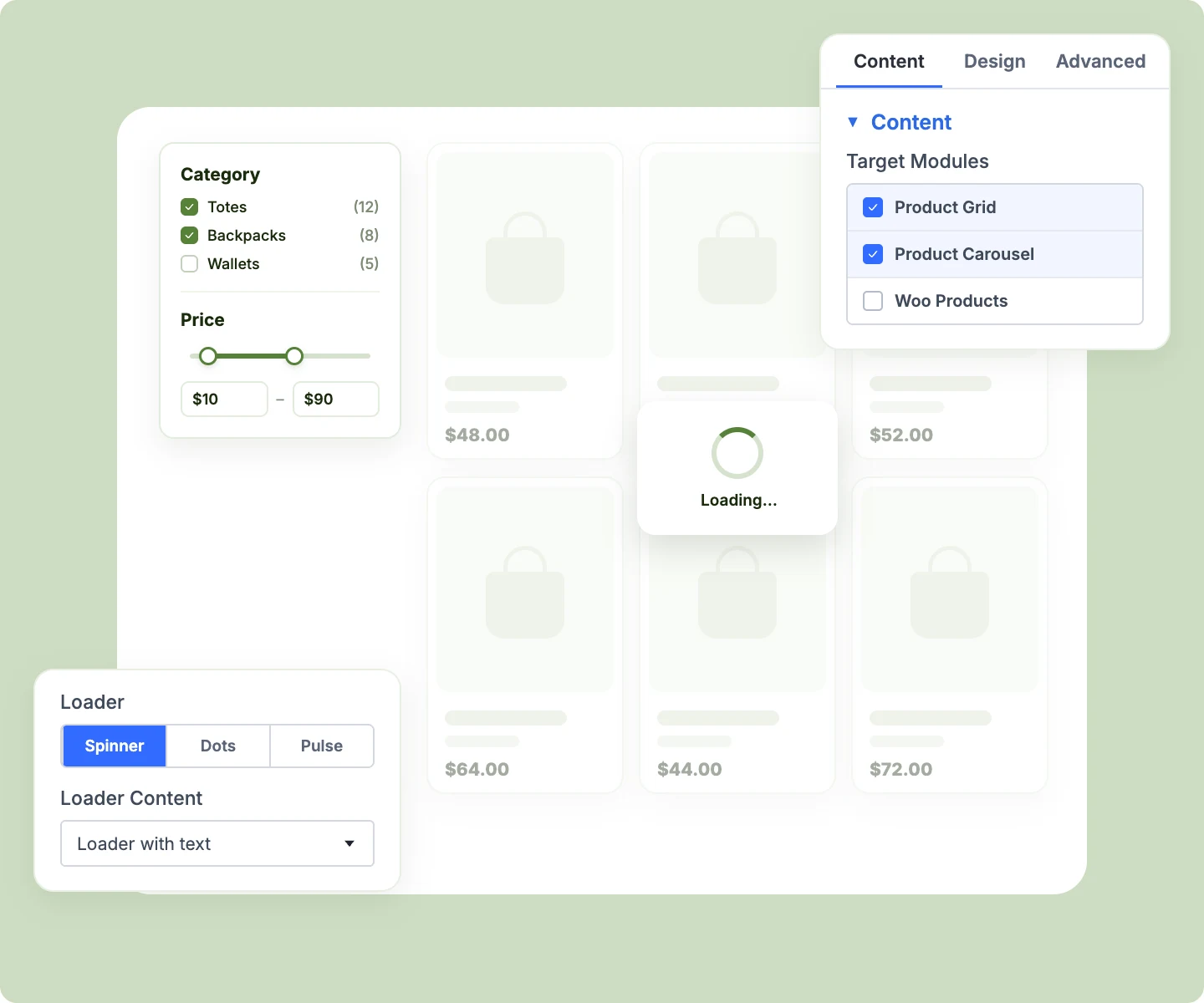
Divi Product Filters module lets shoppers narrow your WooCommerce products by category, price, color, size, rating, and more, without a page reload. Add one Filter Item per filter, show them as a sidebar, a row, or an off-canvas panel, and style every checkbox, swatch, and slider in Divi.
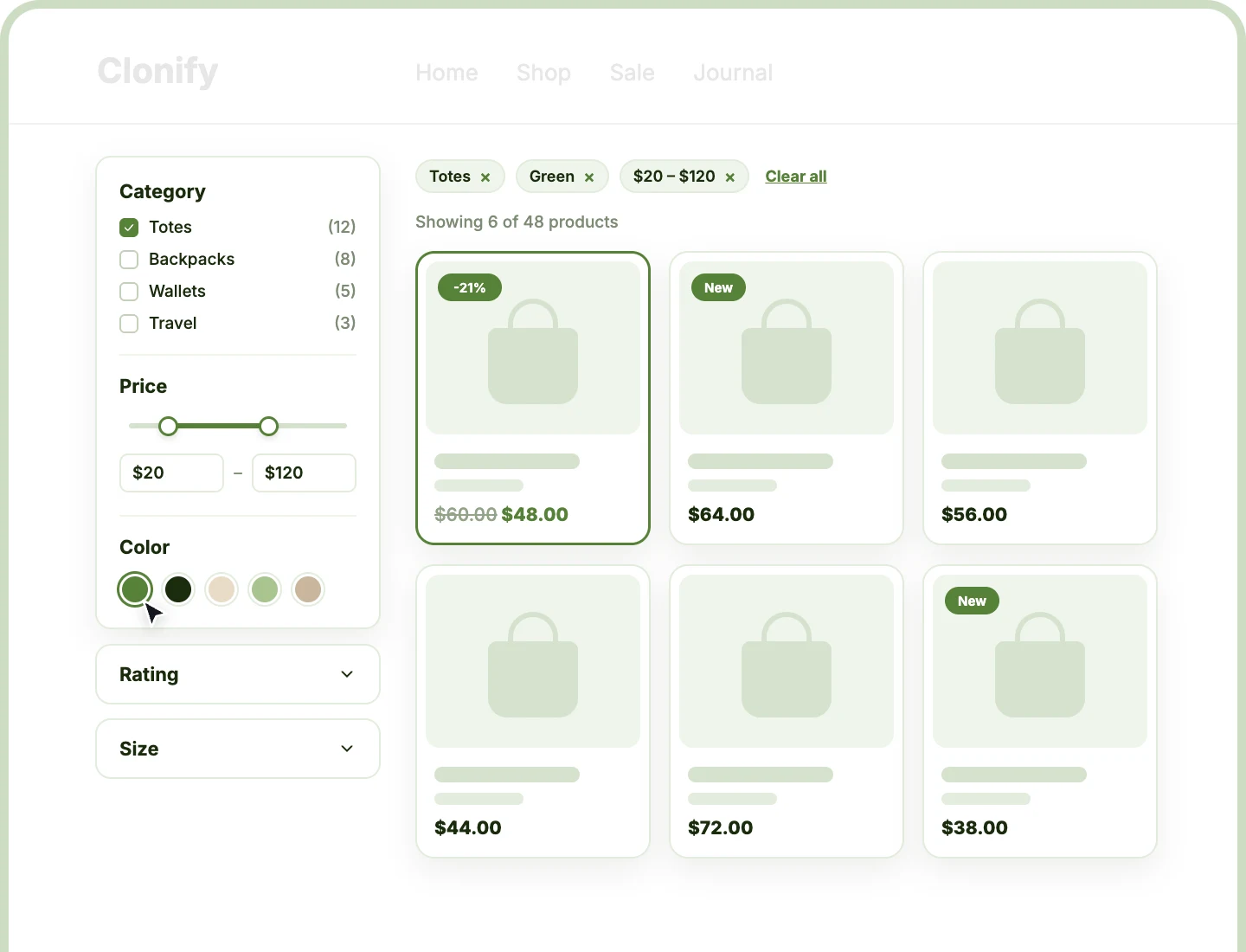
Eleven Filter Types
Filter by category, brand, color, size, price, rating, stock, sale, or featured, add keyword search, and let shoppers sort the results.
Three Filter Layouts
Show filters as a sidebar, a row above the grid, or an off-canvas panel, with a different layout on each device if you like.
No Page Reloads
Products update the moment shoppers pick a filter, or when they press Apply, while the counts on every other filter update to match.
Filter by Everything Shoppers Look For
Each Filter Item filters by one thing, with its own field type and its own design. Add the ones your store needs, drag them into order, and leave out the rest.

Categories and Tags
Let shoppers narrow by category or tag with checkboxes, radio buttons, buttons, or a dropdown, and show categories as image swatches using their thumbnails.

Brands
Filter by brand with checkboxes, buttons, a dropdown, or image swatches that show each brand's logo, so shoppers find the makers they trust.

Product Attributes
Filter by color, size, material, or any attribute, global or per product, with color swatches, image swatches, buttons, or checkboxes.

Price
Give shoppers a two-handle range slider with min and max boxes, running from your cheapest to your most expensive product, in steps you set.

Rating
Show star rows like "4 stars & up," where every higher-rated product is included, as stars, radio buttons, or a dropdown.

Stock Status
Let shoppers show only products in stock, out of stock, or on backorder, so nobody falls in love with something they can't buy.

On Sale and Featured
Turn sale items or featured products into a single toggle switch, like "Show only products on sale," that shoppers flip on and off.

Keyword Search
Add a search box that matches product titles and content, searching as shoppers type or when they press a search button.

Sort By
Add a toolbar that sorts results by popularity, rating, latest, or price, as a dropdown, radio buttons, or a row of buttons.
Build a Divi WooCommerce Product Filter That Helps Shoppers Find Products Fast
Fit Filters Into Any Shop Layout

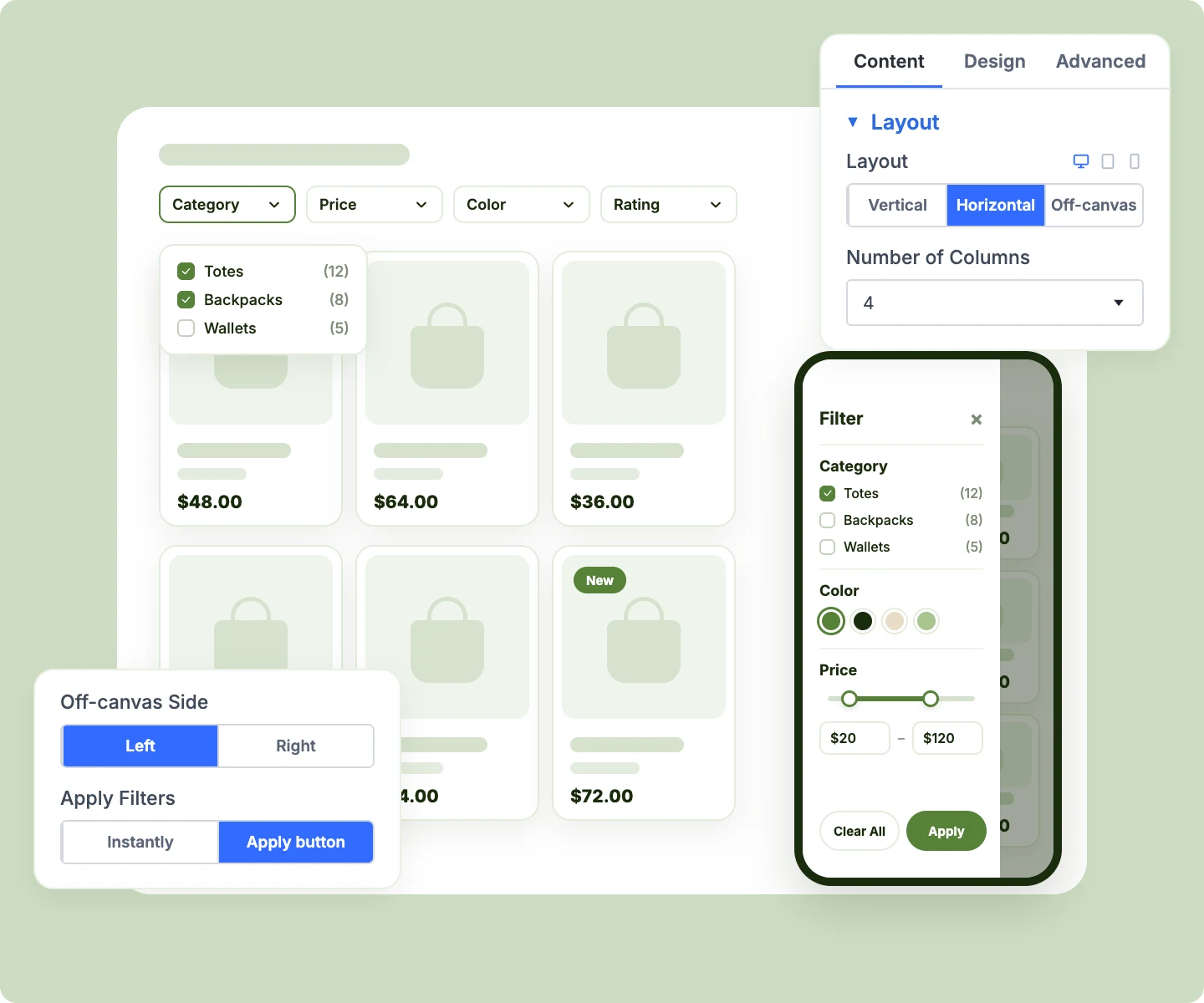
Fit up to six filter items per row in the Horizontal layout, or let Auto size the row.
-
Open the off-canvas panel from the left or right, with your own Filter button label and panel title.
-
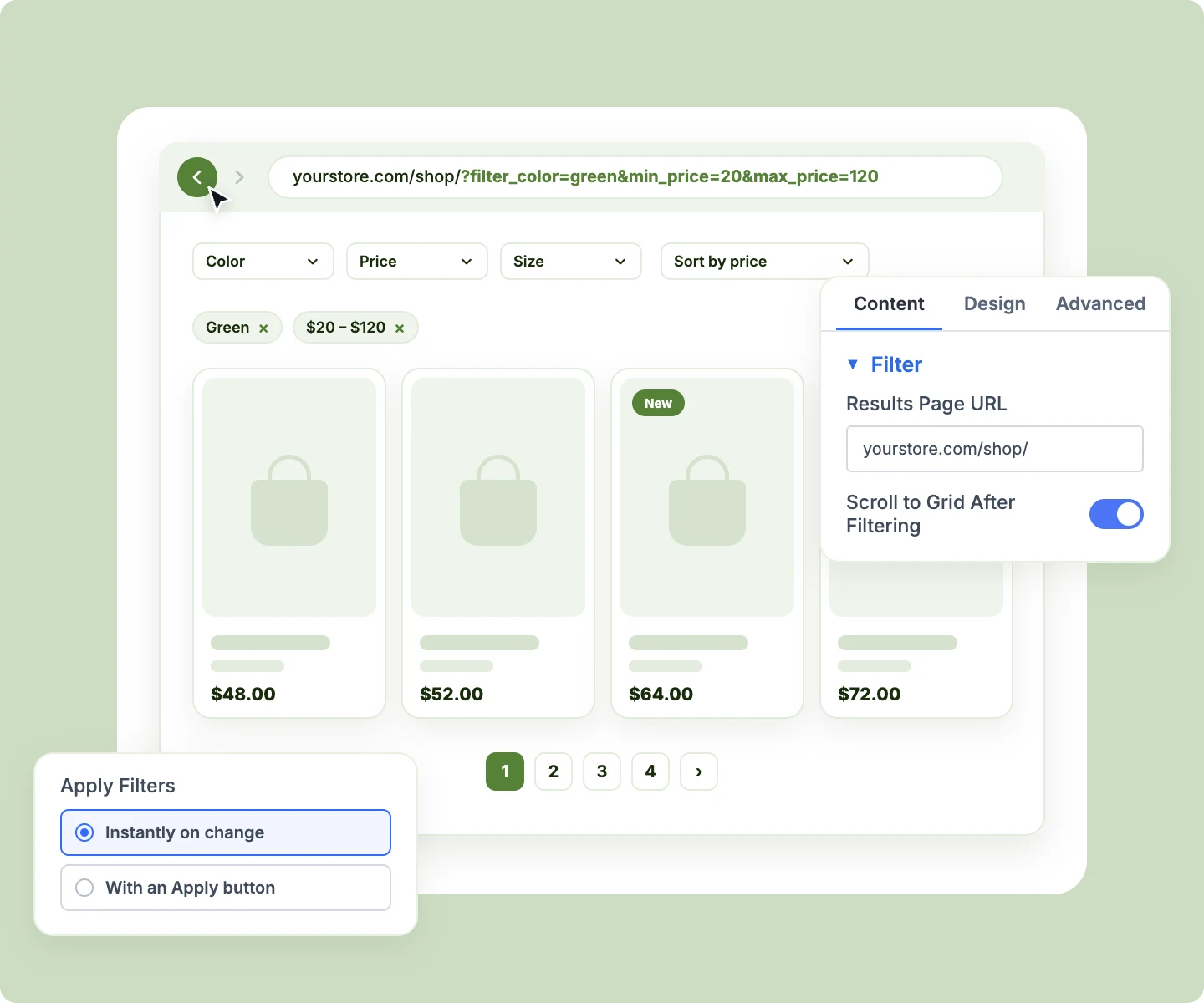
Apply filters the moment shoppers choose, or wait for an Apply button with a Clear All beside it.
-
Scroll shoppers back to the grid after each filter, so new results are always in view.
-
Collapse each filter item to its title, or start it folded, so long sidebars stay short.
Guide Shoppers Toward Products That Exist
-
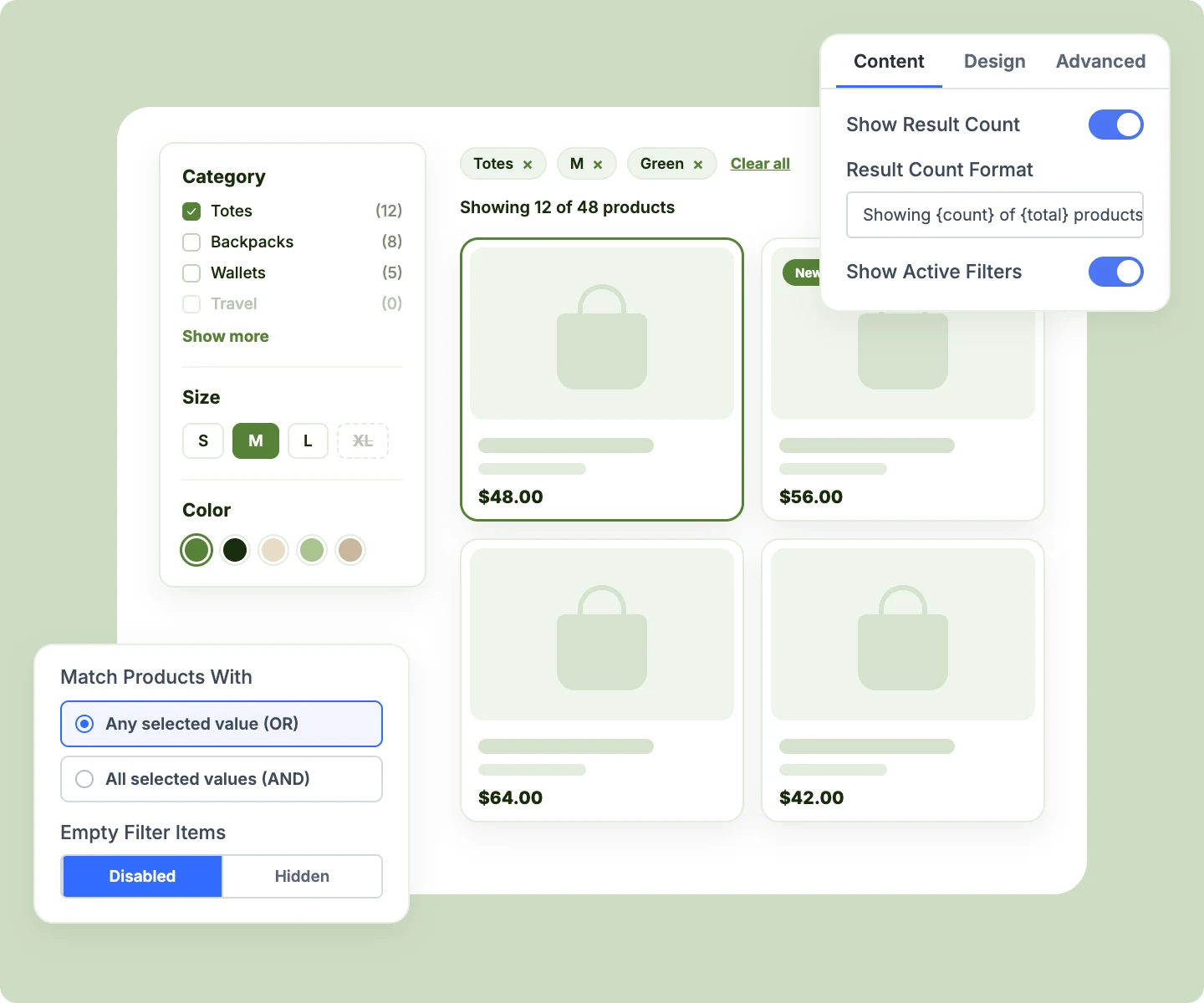
Show live counts beside each value that change as shoppers add each new choice.
-
Hide values that would return nothing, or grey them out so shoppers see what's unavailable.
-
Match products with any selected value or all of them, like Red or Blue versus both.
-
Show active filters as removable chips with Clear all, plus a count like "Showing 12 of 48 products."
-
Show only the values you choose, in your own order, and fold long lists behind Show more.
Keep Filtered Views Shareable and Search-Friendly
-
Write every choice into the page address, so a filtered view can be bookmarked, shared, or reloaded.
-
Let the browser's Back button step back through each filter change, like any other page.
-
Keep search rankings clean, since filtered addresses are marked noindex to avoid endless indexed combinations.
-
Send shoppers from a header or home page filter to your shop with their choices applied.
-
Combine two filters on one grid, like a top search bar and a sidebar, into one address.
Connect Filters to Every Listing
-
Filter DiviMerc's Product Grid and Product Carousel, or Divi's own Woo Products module, from one filter.
-
Pick several listings in Target Modules, or let the filter find the first grid on its own.
-
Pull swatch colors and images from DiviMerc's Variation Swatches, so filters match your product pages.
-
Style every filter together from the parent, or give one Filter Item its own design.
-
Show a loading overlay with your own color, blur, and loading text while results refresh.
Free Ready-to-Use Product Filter Layouts to Get Started
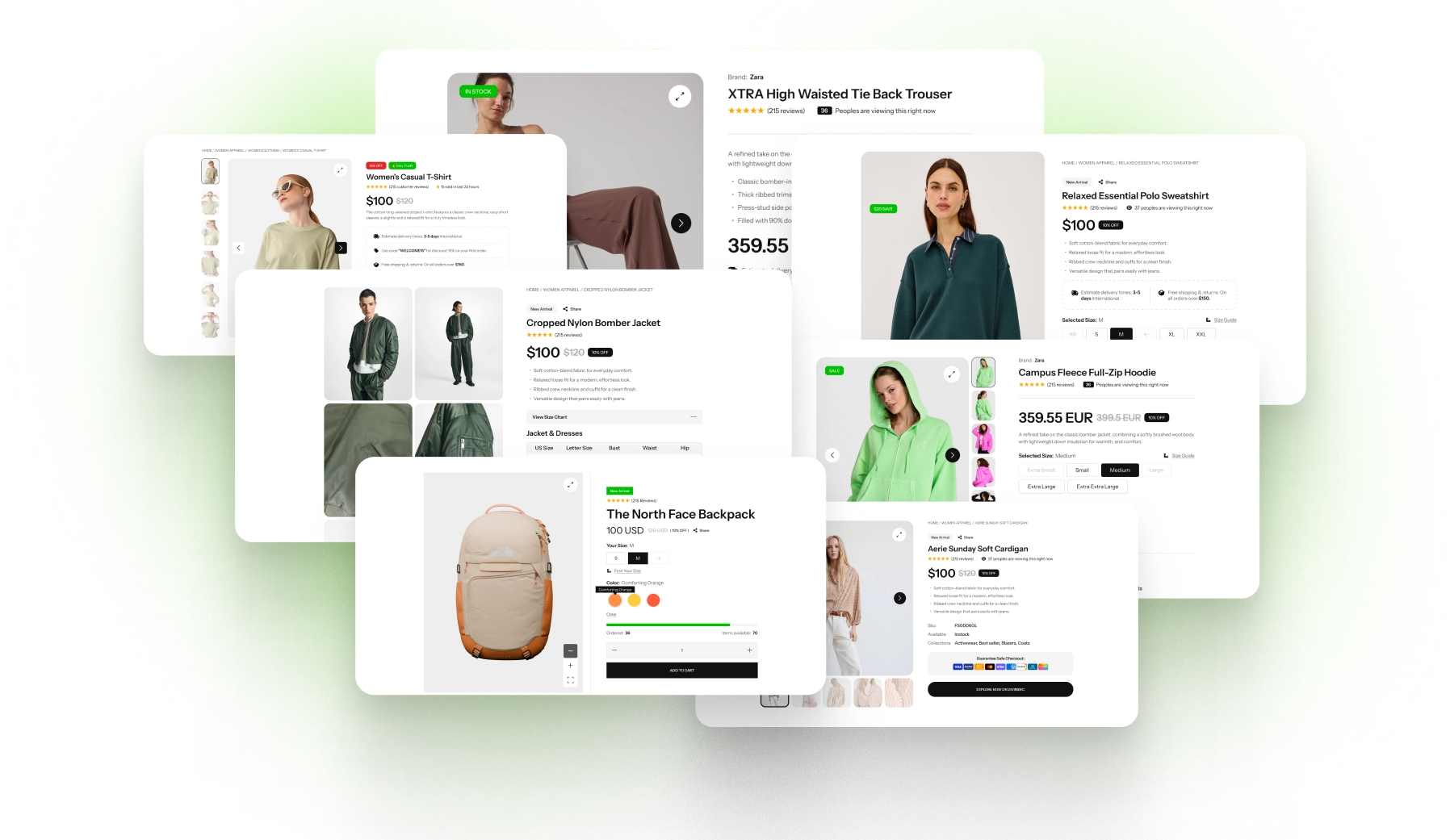
Skip the setup with DiviMerc's pre-made product filter layouts, from a classic shop sidebar to a filter row above the grid, a mobile-first off-canvas panel, and a header search. Each one is fully customizable and responsive, ready to drop into your Divi Theme Builder shop template. Pick a style, set your colors, and go live in minutes.
DiviMerc Product Filters vs WooCommerce Filter Plugins: Which Fits Your Divi Store Better?
| Feature | DiviMerc Product Filters | WooCommerce Filter Plugins |
|---|---|---|
| Built for | Divi 5, as a native module |  Any theme, through a shortcode, widget, or block |
| Where you design it | The Divi Visual Builder, on the page | The plugin's own settings screen |
| Design controls | Divi's own, set per device | The plugin's own options |
| Divi presets | Save a look and reuse it across your store | Not available |
| Filters Divi listings | Product Grid, Product Carousel, and Woo Products | Often needs setup to work with Divi modules |
| Swatch colors and images | Shared with DiviMerc Variation Swatches | Usually set up separately |
| Plugins to maintain | One plugin covering 25 store modules | One more plugin for one feature |
| Filtering without a page reload | With live counts | In most AJAX filter plugins |
Ready to Help Shoppers Find the Right Product in a Few Clicks?
FAQs on Product Filters for Divi
Everything you need to know about the Product Filters module before you get started.
What Is the Divi Product Filters Module?
Does Divi Have a Built-In Product Filter?
How Is It Different From WooCommerce's Filter Widgets?
Do I Need the Product Grid Module?
How Do I Add Product Filters in Divi?
Can I Put the Filter on a Different Page From the Products?
Can I Filter by Color and Size at the Same Time?
Can Shoppers Filter by a Local Attribute?
Does "4 Stars & Up" Include 5-Star Products?
Can Two Filters Drive the Same Grid?
Why Does the Page Address Change When Shoppers Filter?
Will Filtered Pages Show Up in Google?
Why Do Some Filter Values Disappear?
Do Product Filters Work on Mobile?
Others Divi WooCommerce Modules in DiviMerc