
Initial Stock allows you to set default starting inventory. Instead of manually updating every item, you can set global stock defaults and easily override them for specific products or variations.
How to Enable Initial Stock #
Here is how to activate the extension:
- Go to your WordPress Dashboard.
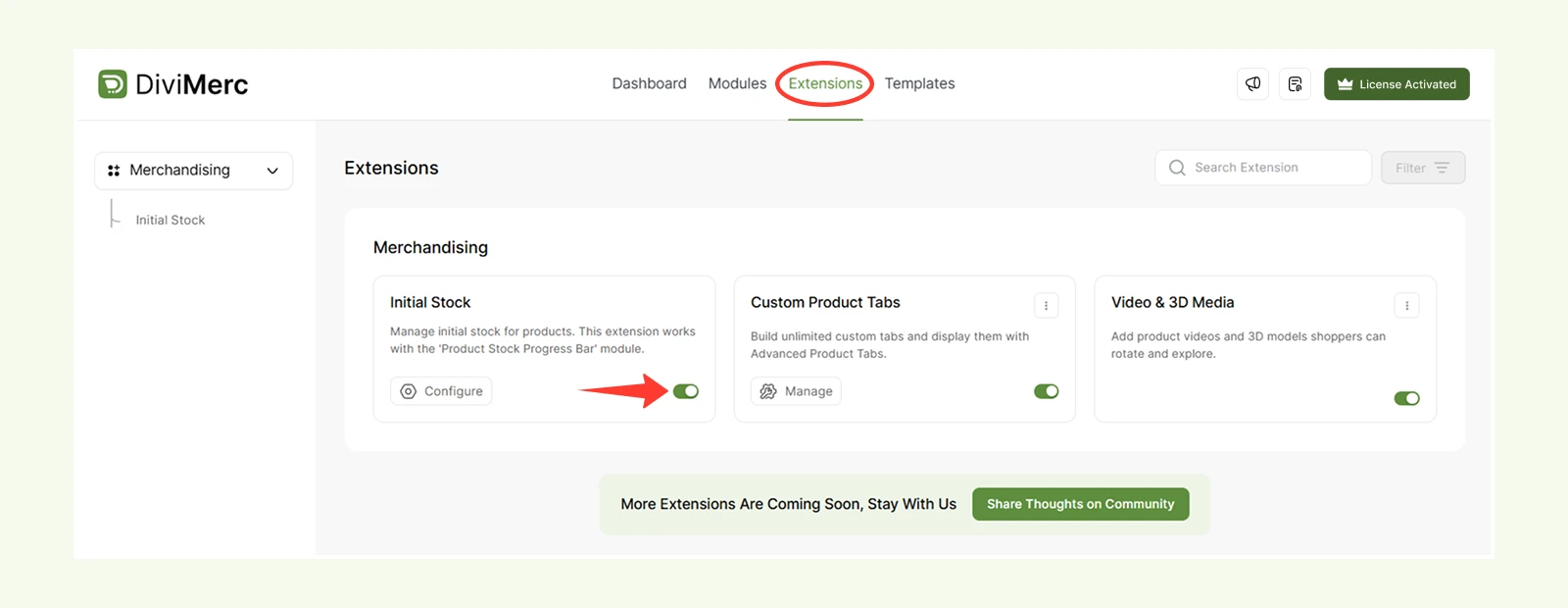
- Navigate to DiviMerc > Extensions.
- Toggle on Initial Stock .
Configure #
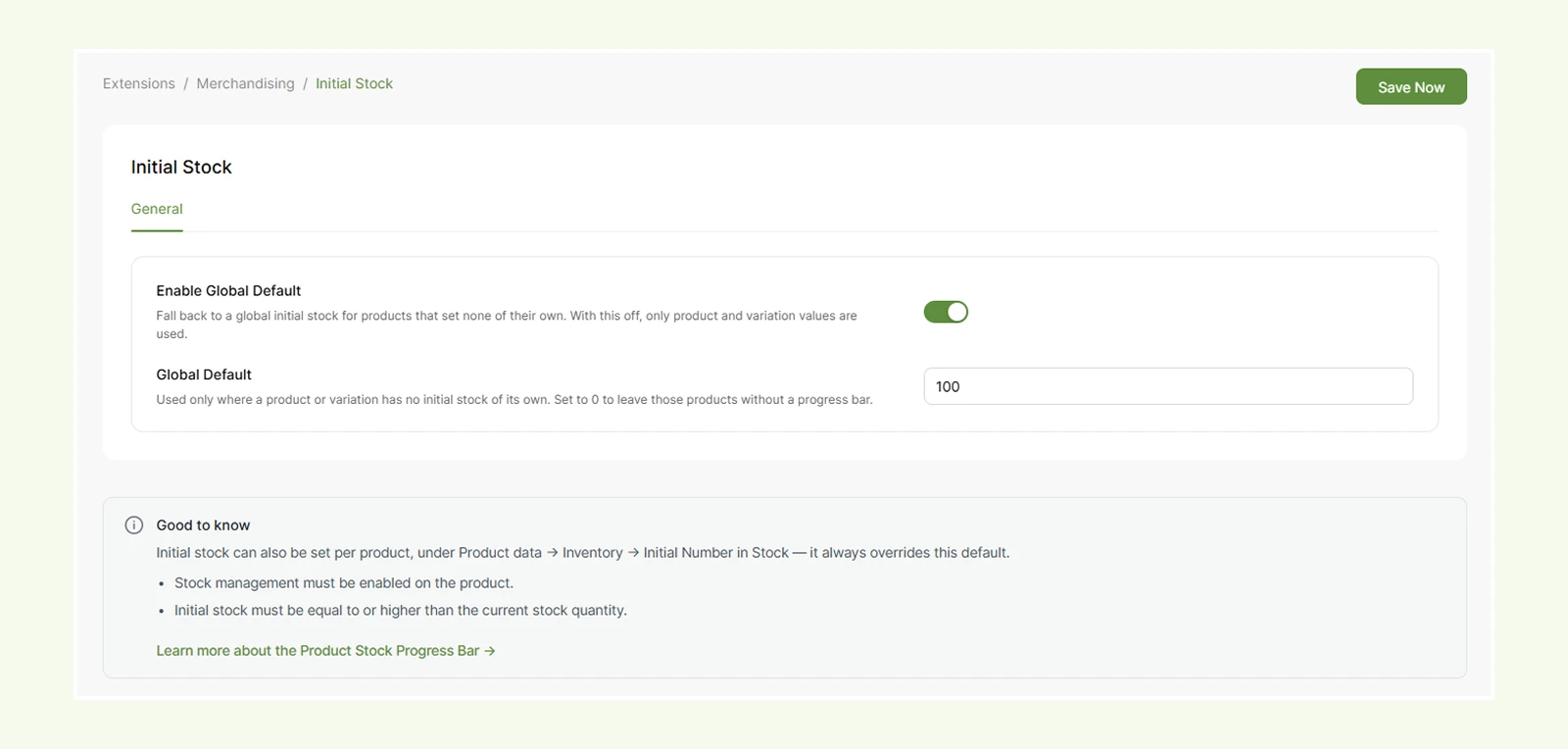
- Enable Global Default: Setting allows you to define a baseline inventory level for your store.
- Global Default Quantity: Set a default starting stock quantity (like 100). If you don't set stock for a specific item, this default number will be used automatically.
How It Works #
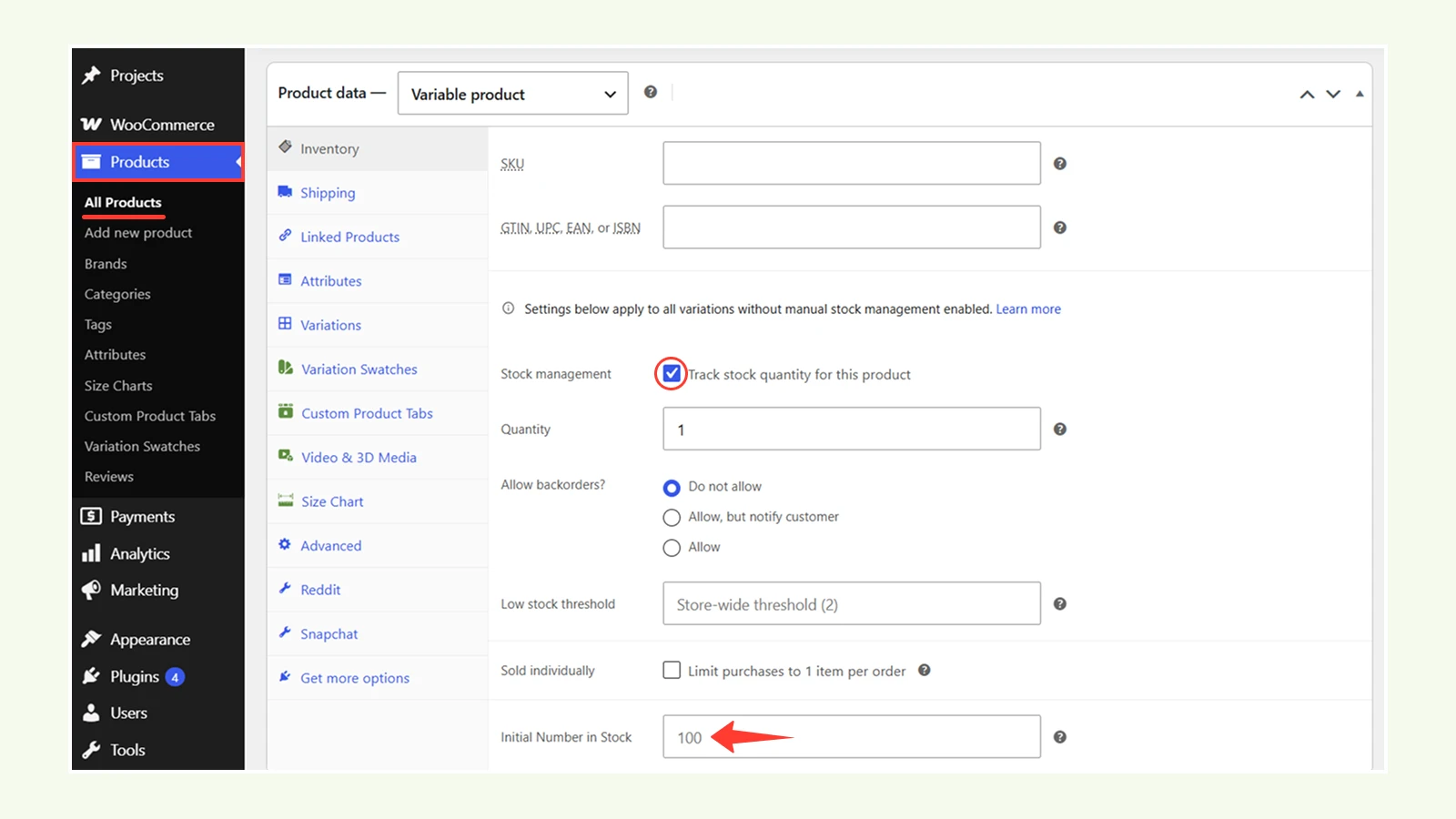
Changing the global default immediately updates the initial stock count
(Product > Inventory > Initial Number in Stock) across all connected products.
Note: You must enable Stock Management on the product to access the Initial Number in Stock field.
Need Help? #
If you have any questions or need assistance, contact our support team: [email protected]


