One of 10+ Extensions
Divi WooCommerce Quick View
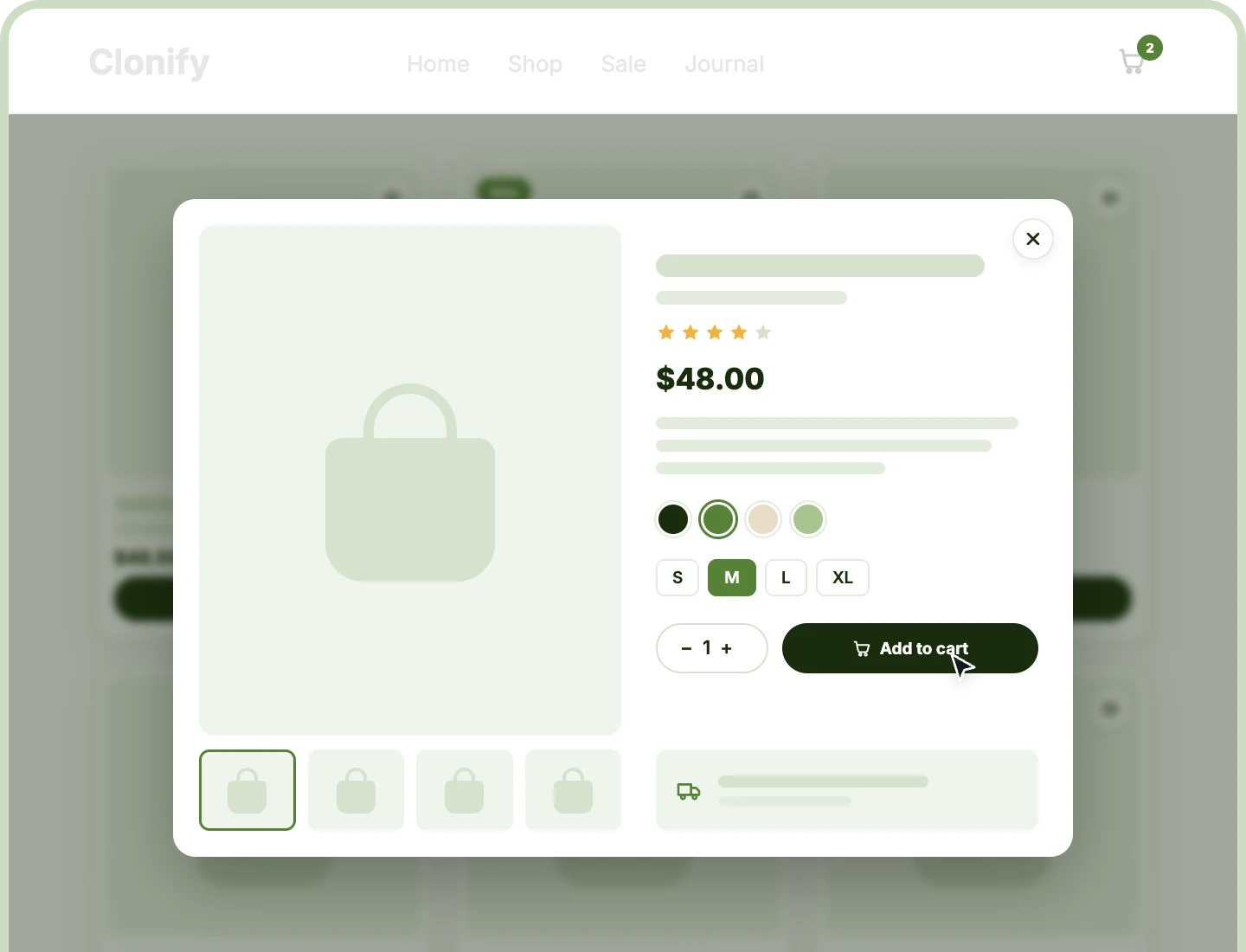
Divi Quick View lets shoppers open any WooCommerce product in a popup without leaving the page they're browsing. Design the popup once in the Divi Visual Builder, and every product fills it in with its own gallery, price, swatches, and Add to Cart button.
Design It Once
Build the popup as one Divi Library layout, and every product fills it in, from the gallery and price to swatches and Add to Cart.
Buy Without Leaving
Shoppers browse the gallery, pick swatches, and add to cart inside the popup, while the mini cart and cart count update behind it.
Fast and Cache-Friendly
The script loads only where Quick View can open, and each popup loads only when clicked, fresh every time, so page caching keeps working.
Three Ways to Open Quick View
Quick View opens from DiviMerc's product modules or WooCommerce's own product lists. Use one or all three on the same store, and every one opens the same popup.

Product Grid
Switch on the Quick View element and place the button over the image, on image hover, or with the card's other buttons.

Product Carousel
Use the same Quick View settings on every carousel card, so a related products row opens products without sending shoppers to another page.

WooCommerce Product Loops
Add an eye icon to shop and category pages, Divi's Woo Products and Shop modules, the [products] shortcode, and most third-party grids, styled your way.
Design a Divi WooCommerce Quick View Popup Shoppers Buy From
Build the Popup With Any Divi Module

Start from a ready layout with a zoomable gallery, name, rating, price, description, swatches, and Add to Cart.
-
Add, remove, or rearrange any Divi or DiviMerc module, and product modules show the clicked product.
-
Add a store notice or shipping message once, and it appears in every product's popup.
-
Style the panel's width, background, corners, spacing, and shadow from the layout's first section.
-
Preview the popup from a Product Grid or Carousel in the builder while you design.
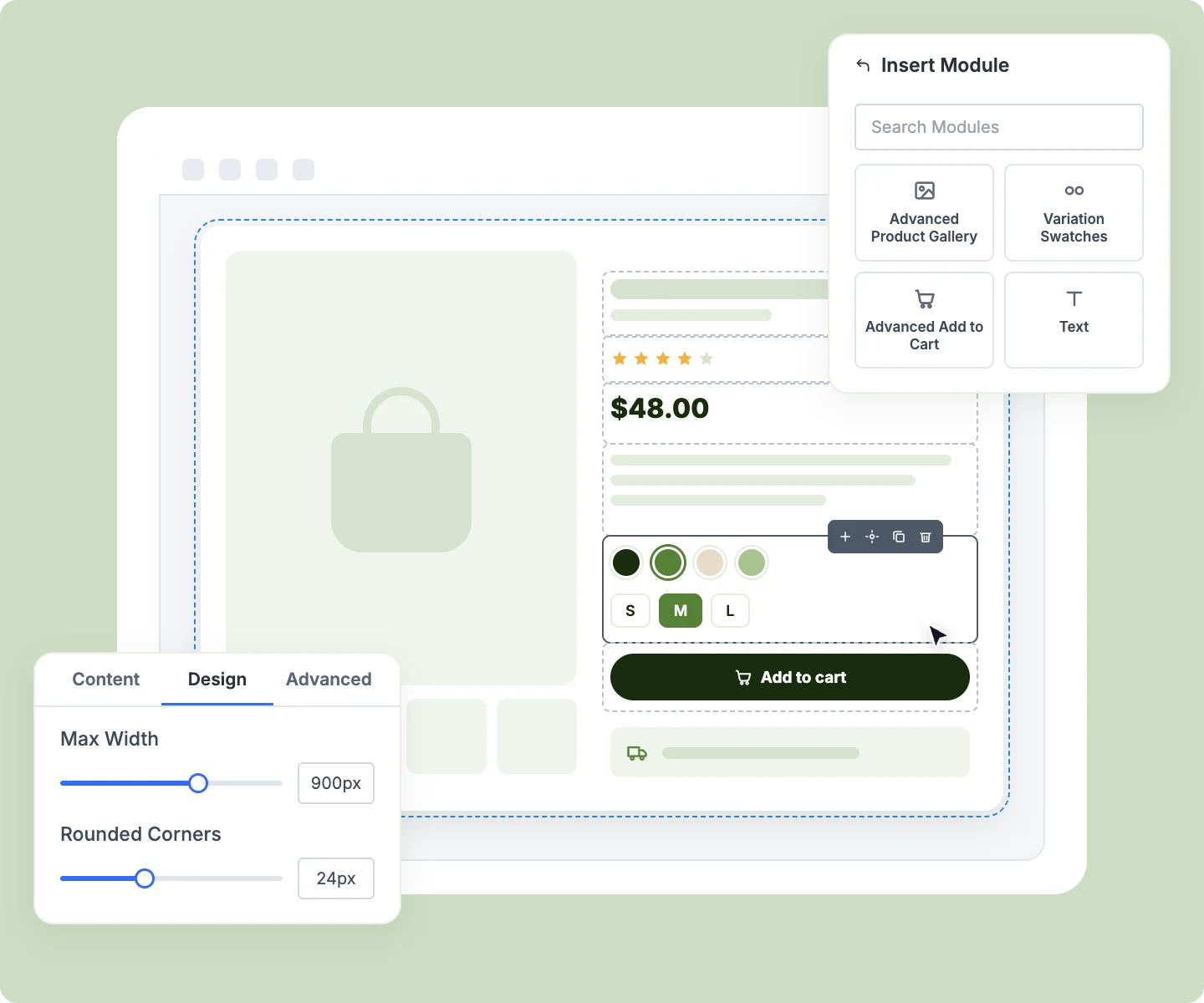
Style the Popup and the Eye Icon
-
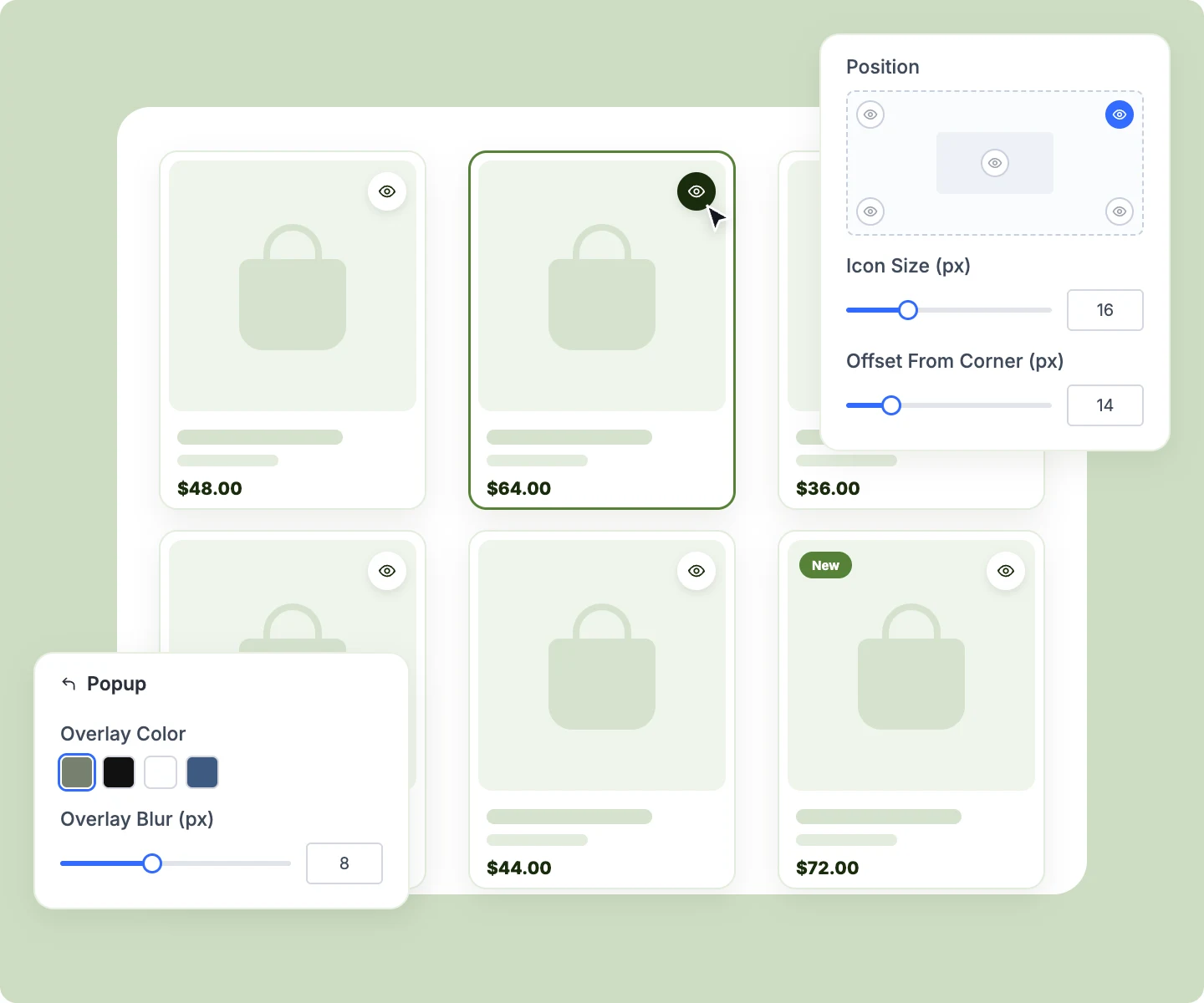
Set the overlay color and blur the page behind it, from 0 to 20 pixels.
-
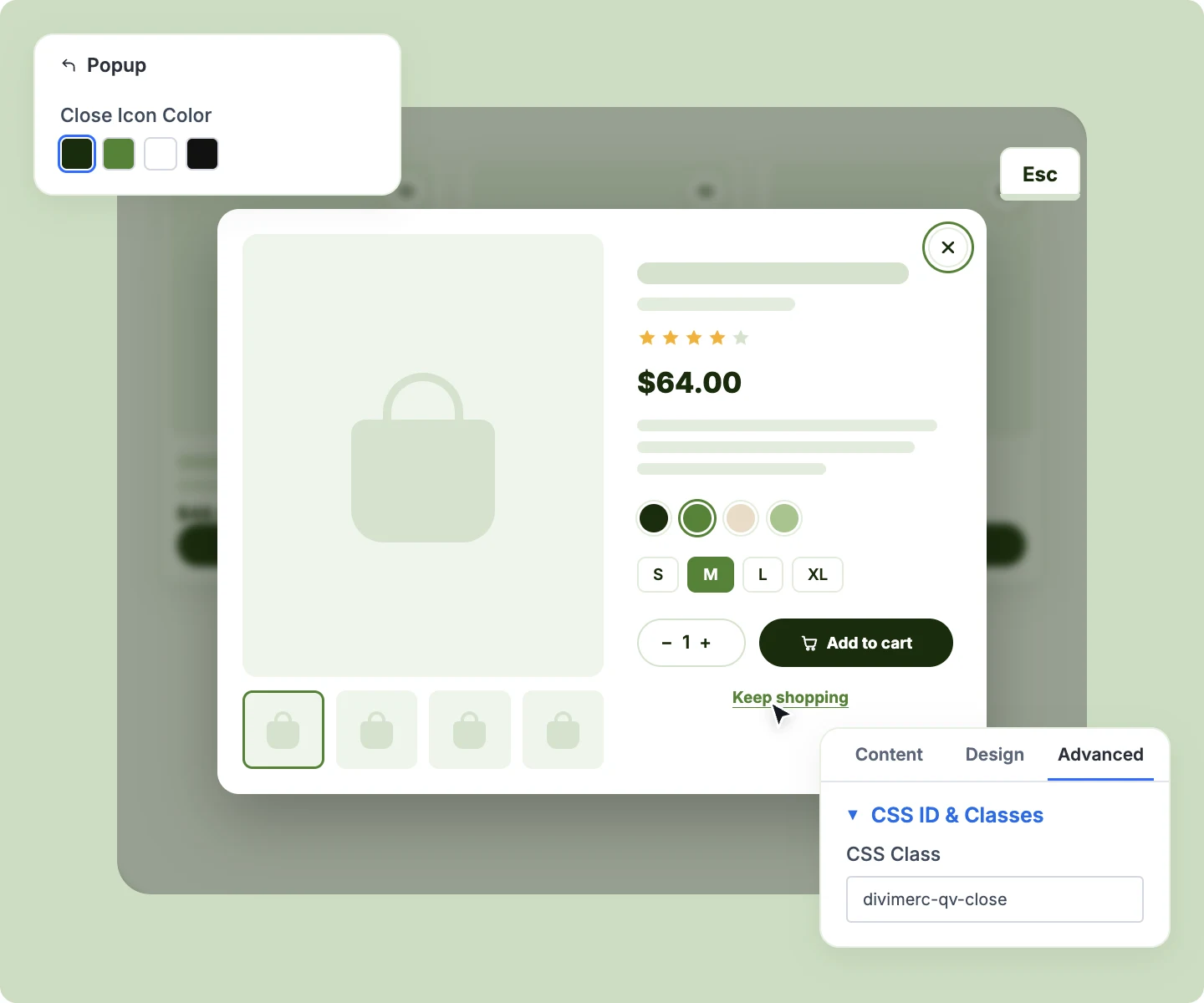
Color the popup's close × so it stands out against any panel background you design.
-
Add your own close button anywhere in the layout with one CSS class, like a "Keep shopping" link.
-
Swap the eye icon for your own SVG, and set its size, color, background, border, and corners.
-
Place the eye icon in any corner or the center of each product card, at your chosen offset.
Keep the Popup Quick, Clear, and Accessible
-
Show a loader, then reveal the popup when its gallery settles, so it never jumps in size.
-
Close the popup with Escape, a click outside, the ×, or your own close button.
-
Return keyboard focus to the button that opened it, and keep the page from scrolling behind it.
-
Offer a link to the product page when a product can't load, instead of an empty popup.
-
Give every eye icon a screen reader label with the product's name, like "Quick view: Linen Shirt."
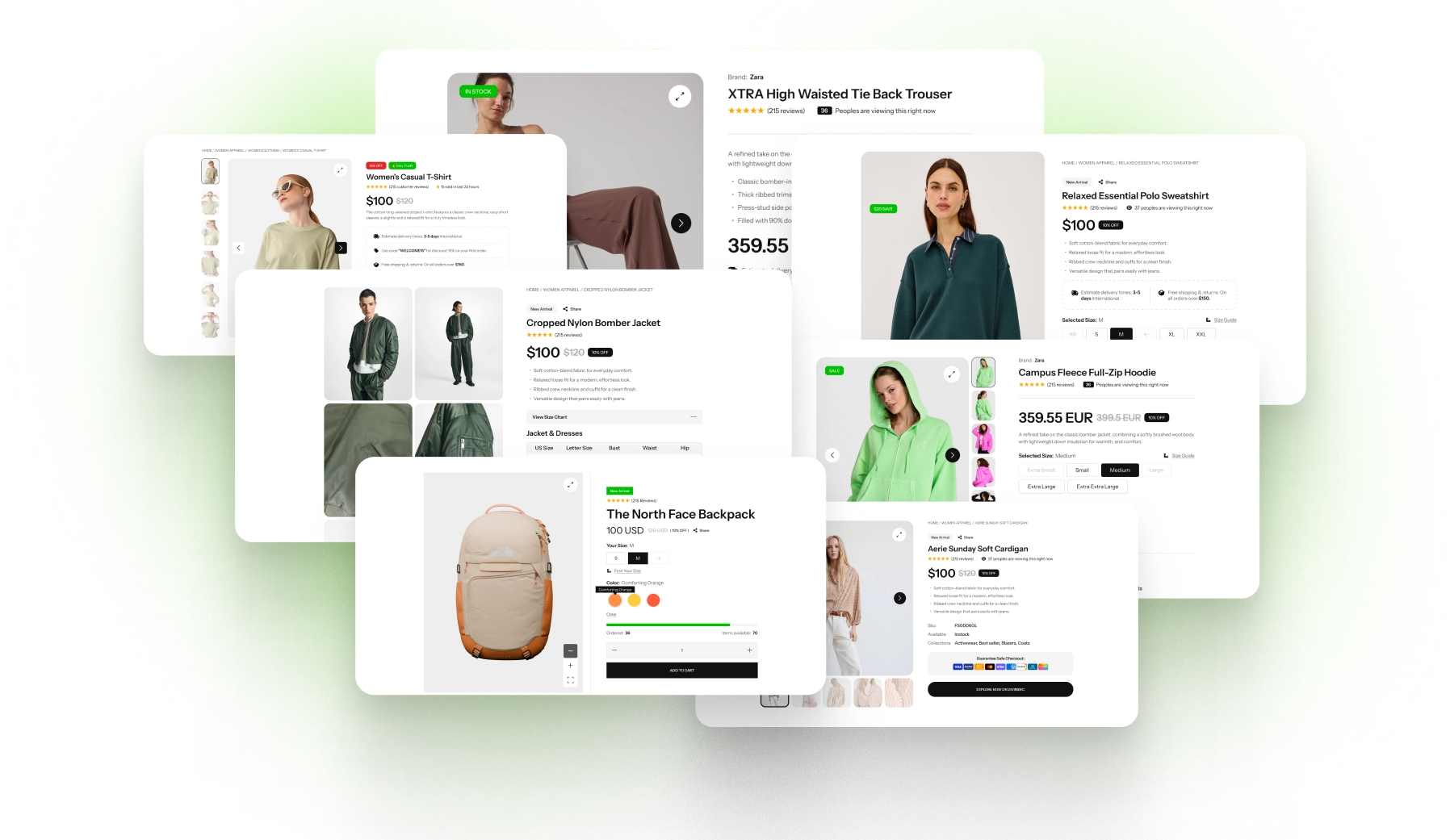
Free Ready-to-Use Quick View Layouts to Get Started
Skip the setup with DiviMerc's pre-made Quick View layouts, from a clean two-column popup to a gallery-first view and a minimal add-to-cart card. Each one is fully customizable and responsive, ready to load as your Quick View layout. Pick a style, set your colors, and go live in minutes.
DiviMerc Quick View vs WooCommerce Quick View Plugins: Which Fits Your Divi Store Better?
| Feature | DiviMerc Quick View | WooCommerce Quick View Plugins |
|---|---|---|
| Built for | Divi 5, with the popup as a Divi layout |  Any theme, with the plugin's own popup |
| Where you design the popup | The Divi Visual Builder | The plugin's own settings screen |
| What the popup can hold | Any Divi or DiviMerc module | Usually a fixed set of product fields |
| Matches your product pages | Same DiviMerc modules and styles | Often a separate look |
| Variation swatches in the popup | DiviMerc Variation Swatches | Often dropdowns, or a separate swatches plugin |
| Opens from Divi modules | Product Grid, Product Carousel, and Woo Products | Usually shop pages and the plugin's own buttons |
| Plugins to maintain | Part of DiviMerc | One more plugin for one feature |
| Popup loaded on click | Fresh each time, cache-safe | In most quick view plugins |
Ready to Let Shoppers Buy Without the Extra Click?
FAQs on Quick View for Divi
Everything you need to know about Quick View before you get started.
What Is Divi Quick View?
Does Divi Have a Built-In Quick View?
How Do I Turn On Quick View?
Can I Use Any Module in the Popup?
Can Different Products Use Different Popups?
Does Quick View Work on My Shop Page?
Can I Add a Close Button Inside the Popup?
Does Quick View Slow My Pages Down?
Does Quick View Work With Page Caching?
Can Shoppers Add Variable Products to the Cart From the Popup?
Why Do I See Two Quick View Icons on a Product?
Can I Test Add to Cart in the Builder?
Does Quick View Work on Mobile?
Others Divi WooCommerce Modules in DiviMerc