
In this guide, we will walk you through the requirements, installation, activation, and license setup for DiviMerc.
Plugin Dependencies & Minimum Requirements #
- WordPress: 6.2 or higher
- Divi: 5.0 or higher (DiviMerc is not compatible with Divi 4 or older versions.)
- WooCommerce: Required – must be installed and active (latest version recommended)
- PHP: 7.4 or higher
Step 1: Download the Plugin #
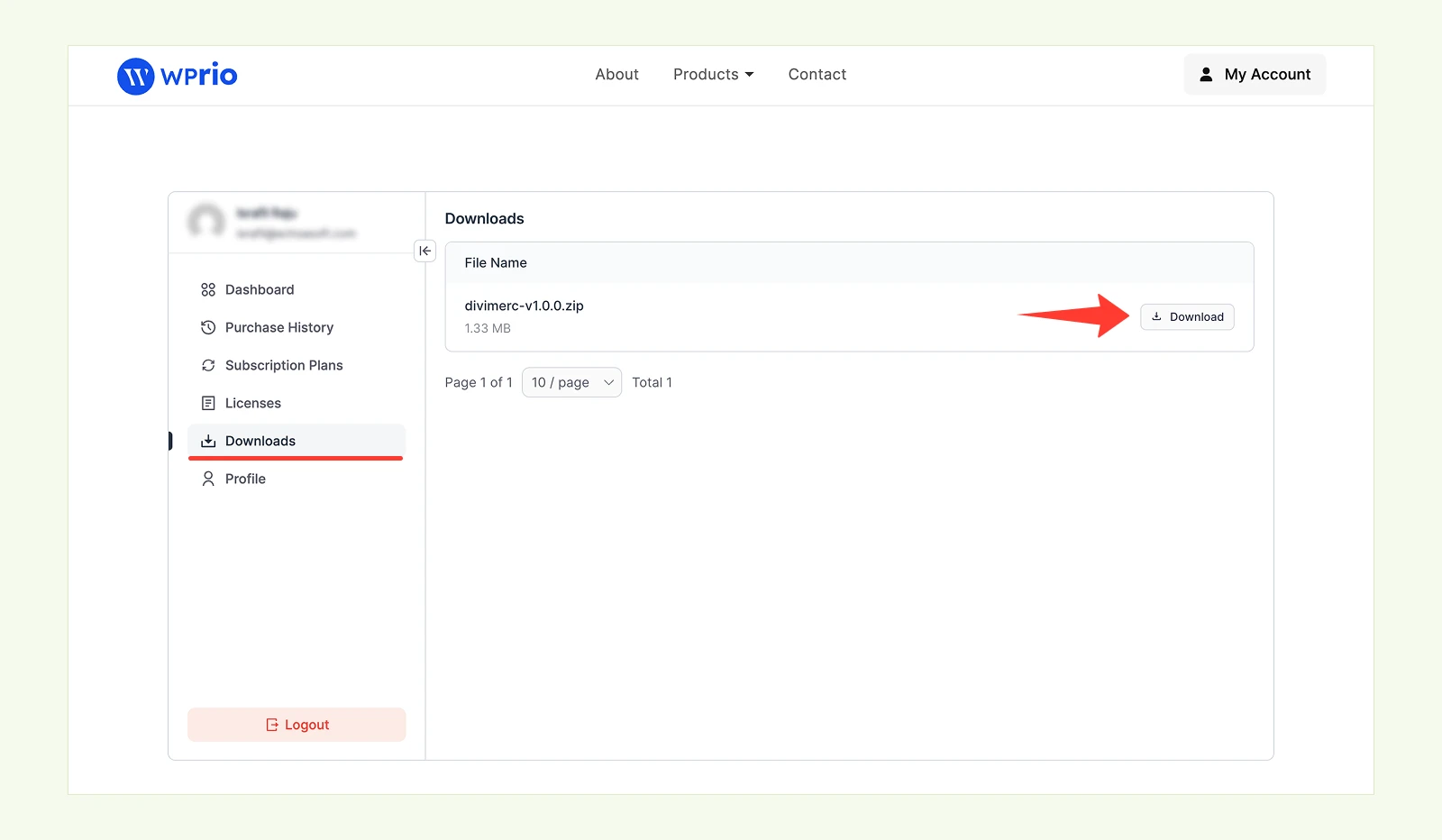
After purchasing DiviMerc, you’ll receive a confirmation email with a download link. You can also access the plugin anytime from your account dashboard:
- Log in to your DiviMerc Account and navigate to Downloads.
- Find the latest DiviMerc file in your list of purchases and download the plugin .zip.
Step 2: Install & Activate the Plugin #
- In your WordPress dashboard, go to Plugins → Add New Plugin.
- Click Upload Plugin, then Choose File and select the DiviMerc.zip file you downloaded.
- Click Install Now.
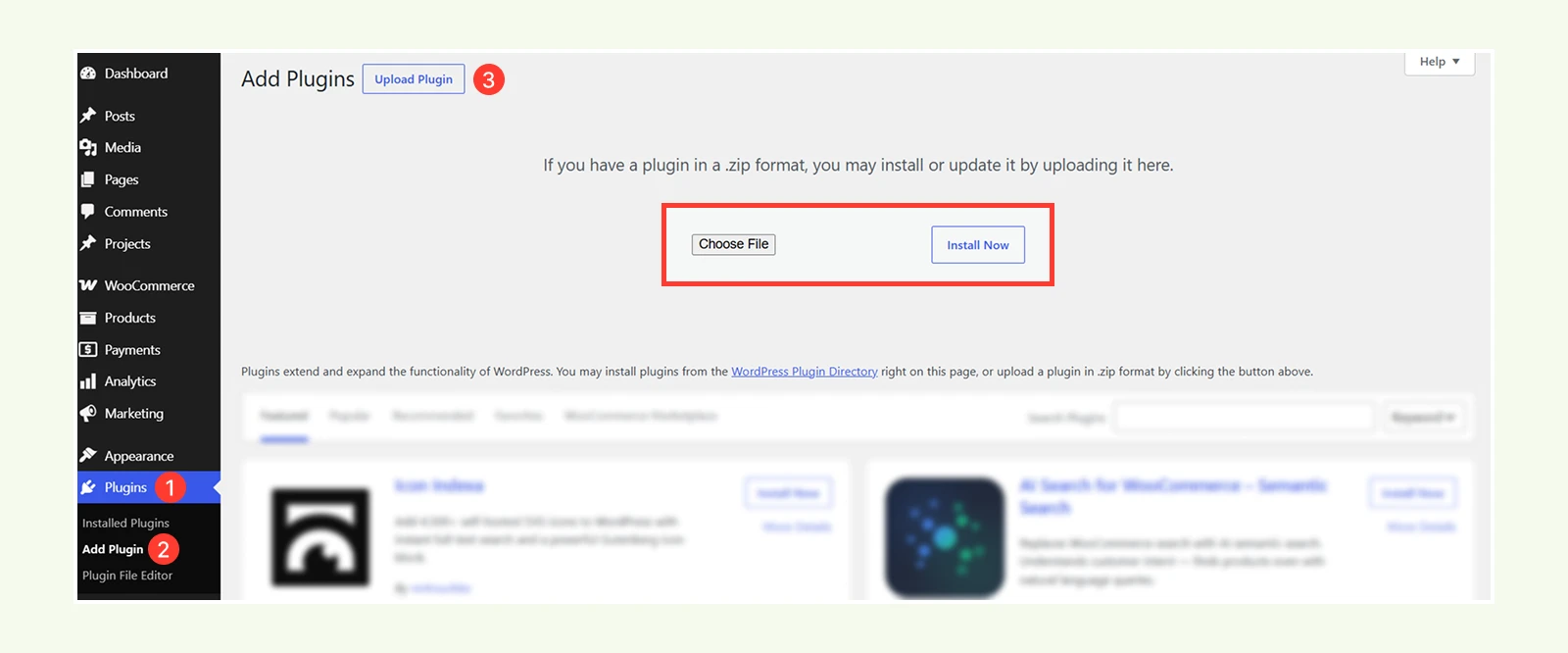
Once installed, click Activate Plugin. DiviMerc will now appear in your WordPress dashboard.
Note: If you purchased DiviMerc through the Divi Marketplace, your license is already activated – no further action is needed. If you purchased from our website, continue with Step 3 below.
Step 3: Activate Your License (Website Purchases Only) #
To receive automatic updates and unlock all upcoming features, activate your license:
- Go back to your DiviMerc account, click on the "Licenses" tab and copy the license.
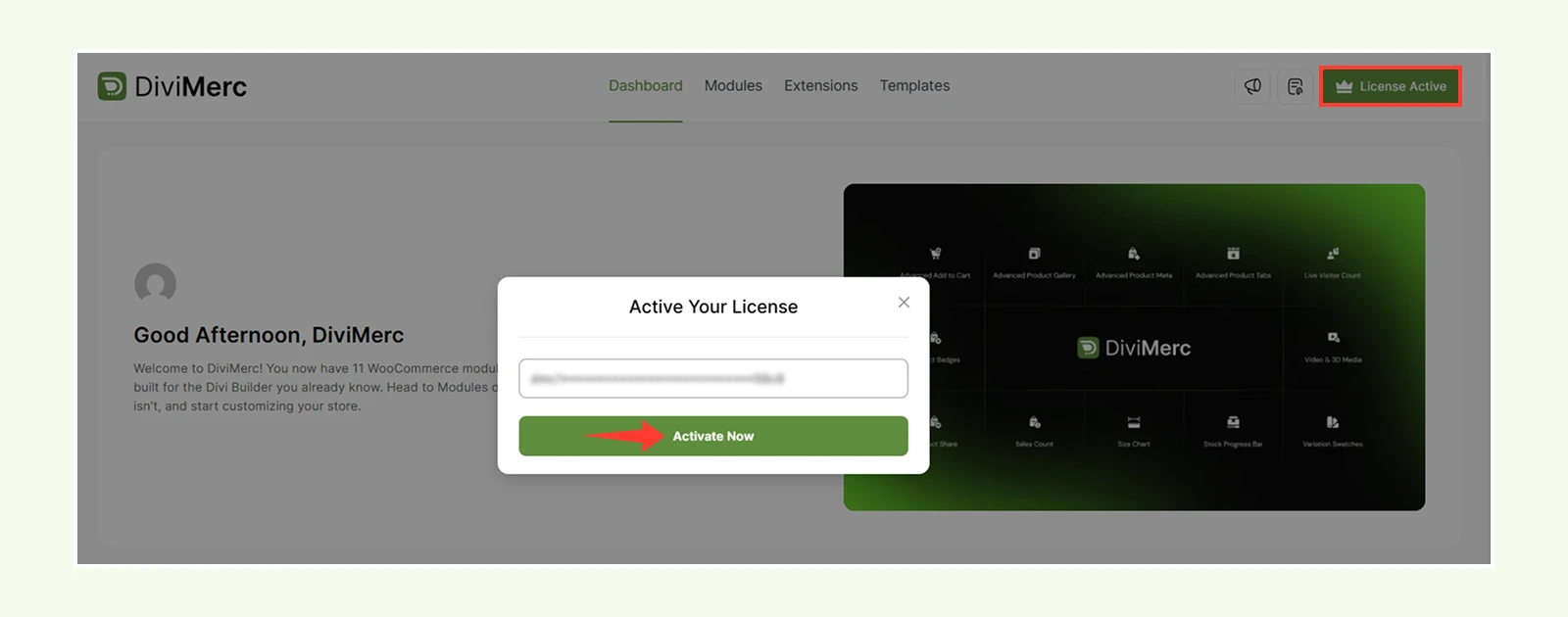
- Then navigate to DiviMerc → License in your WordPress Dashboard.
- In the “License Key” field, enter your unique License Key and Click the “Activate” button.
- After successful activation, you will see a confirmation message: “Your License Key is activated” and the status will update to Active.
Having issues?
If activation fails:
- Double-check your license key (no typos or spaces)
- Ensure your site can connect to the licensing server (no firewall or DNS blocks)
- If activation still fails, contact our support team
Need a License Key?
If you don’t have a DiviMerc license yet, you can purchase one directly from our website.


